Organization Chart PPT Slides For Google Slides
Free
Nodes

Colors
Free Org Chart Presentation Template: Map Your Project Team
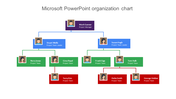
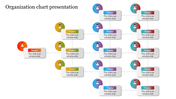
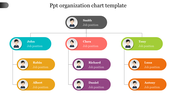
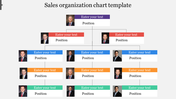
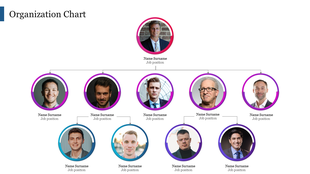
Running a project means keeping ten moving parts in sync, and this free org chart lays all of them on one clean slide. It maps a compact project team: a Project Manager at the top, two Project Team Leaders splitting the work below, and their members fanned out beneath. A four-tier color system — deep purple down to warm orange — does the heavy lifting, so anyone reads seniority and reporting lines at a glance instead of tracing arrows. Each of the ten boxes holds a photo, a name, and a role, making the chart feel like your real team rather than a placeholder. Replace the details, recolor to your brand, and it is deck-ready in minutes across PowerPoint, Google Slides, and Canva. Browse the full organization chart templates range for more layouts.
Features of this template:
- Free download with no watermark
- Compatible with PowerPoint, Google Slides, and Canva
- 100% editable shapes, colors, and text
- Widescreen 16:9 and standard 4:3 layouts
- Well-crafted template with an instant download facility
- Ten nodes across four color-coded tiers
- Manager, team leaders, and members mapped
- Photo, name, and role in every box
More Collections for Organization Chart PPT Slides For Google Slides
Recommended based on this template.
Similar Templates to Organization Chart PPT Slides For Google Slides
Showing20 of69,218 templates