Editable Circular Org Chart PowerPoint and Google Slides
Free

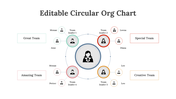
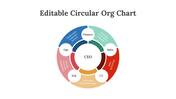
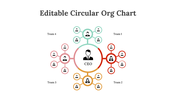
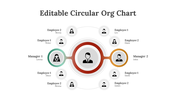

Free Circular Org Chart Presentation Template: Map Flat Teams
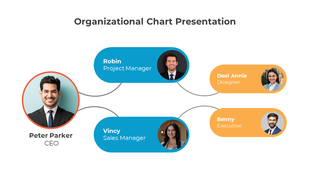
Show your team structure a different way. This free, 11-slide circular org chart places leadership at the center with roles arranged in rings and clusters around it. Ideal for flat, cross-functional, or collaborative teams that want a modern alternative to a top-down tree. Pick a layout, drop in your names, roles, and photos, recolor to your brand, and present in minutes in PowerPoint or Google Slides.
What's inside:
- Radial cluster, team-labelled, concentric-ring, and two-manager circular layouts
- Photo and icon placeholders in every node
- Consistent multicolor palette (teal, red, rose, amber)
Features of this template:
- Free download with no watermark
- Compatible with PowerPoint and Google Slides
- 100% editable shapes, colors, and text
- Widescreen 16:9 and standard 4:3 layouts
- Well-crafted template with an instant download facility
- Leader at the center, roles in rings
- Four circular layouts in one pack
- Color-coded clusters with icon hubs
FAQs
1. Is this circular org chart template free?
Yes — free with no watermark. Free users keep the credit slide.
2. Can I edit it in Google Slides?
Yes, it works in both PowerPoint and Google Slides.
3. How many slides are included?
11 slides, spanning several circular layouts.
Explore more organization chart templates, or try the single-slide circle org chart graphic.
More Collections for Editable Circular Org Chart PowerPoint
Recommended based on this template.









Similar Templates to Editable Circular Org Chart PowerPoint













Showing36 of69,218 templates