Organization Chart for PowerPoint, Google Slides, Canva
Free
Nodes
Colors


Organization Chart Presentation Template: Full Team Mapping
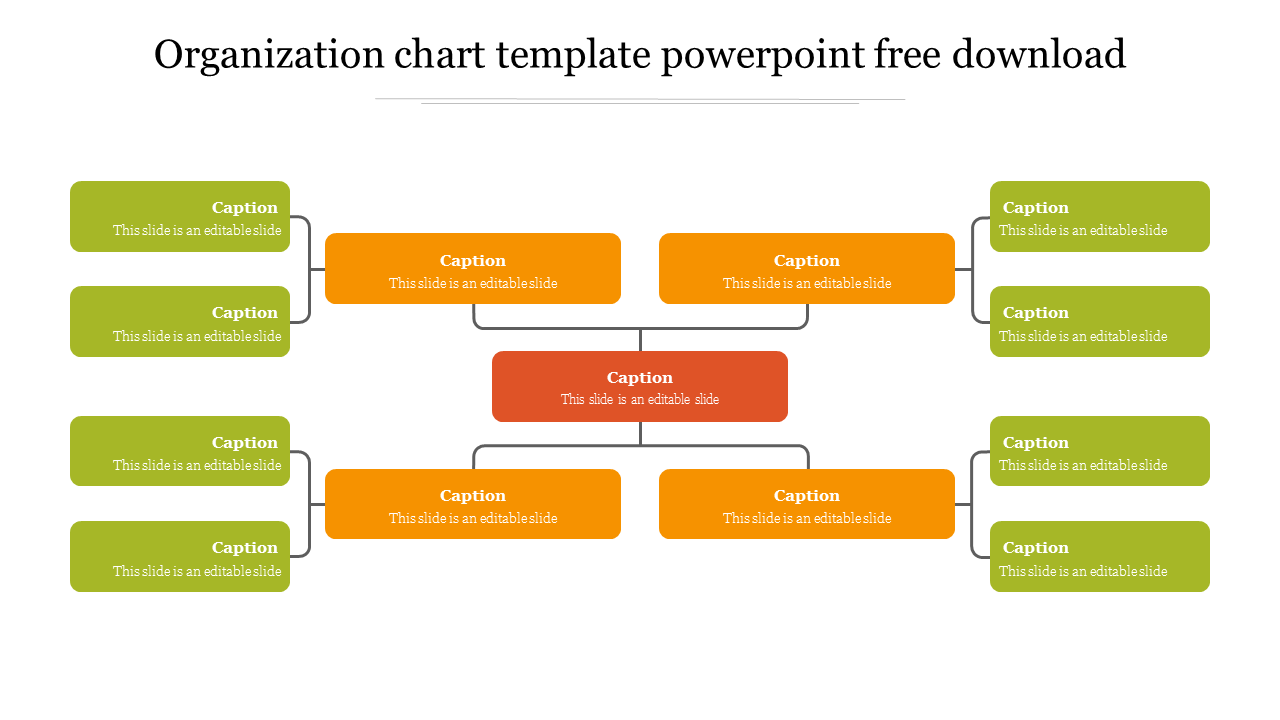
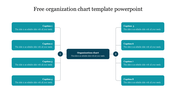
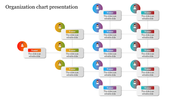
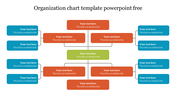
If you need to show a role that doesn't fit a straight top-down chart — say, a position that reports up to leadership while also managing people below it — this single free PowerPoint slide gives you 13 ready-made boxes to fill in without building the layout yourself.
Who This Layout Actually Helps
This design fits a role that sits in the middle of two directions of reporting: a regional manager answering to two directors above while overseeing four team leads below, a project coordinator bridging a steering committee and a delivery team, or a department head split between an executive tier and frontline staff. If your structure is simple, one-direction, top-down reporting, a standard org chart template will be faster to fill in. This one earns its place specifically when a role reports both up and down at once.
Filling In 13 Boxes Without Redesigning Anything
Start with the center box for whichever role sits in the middle, then work outward: the two boxes above and two below take the next tier of names, and the eight outer boxes hold the wider team. Every box carries only placeholder text, so you're typing over "Caption" rather than deleting someone else's example name first — useful if you're filling this in live during a planning meeting. It's fully editable in PowerPoint, Google Slides, and Canva.
Features of this template:
- Fully editable text, box colors, and connector lines — update names, titles, and colors without rebuilding the chart.
- Works in PowerPoint (16:9 and 4:3), Google Slides, and Canva — no file conversion needed.
- Free to download instantly, cleared for commercial use.
- Professional layout ready to present as-is or adapt to your own brand colors.
- Branches both up and down from one center box, not just downward like most org charts.
- All 13 boxes start blank, ready to type over directly.
- 627+ downloads and 27 ratings on SlideEgg.
FAQs
Does this template work for organizations outside a typical company, like schools or nonprofits?
Yes. Since every box is a blank caption with no preset job titles, it works equally well for academic departments, nonprofit boards, sports team hierarchies, or club leadership structures, not just corporate org charts.
What if I don't need all 13 boxes?
Delete any box and its connector line — each box and line is a separate, ungrouped shape, so you can remove or reposition individual pieces without rebuilding the whole layout.
How is this different from SlideEgg's other free org chart templates?
Most single-root org charts on the site branch only downward from a top box. This one branches both up and down from a center box before fanning out sideways, which suits structures with peer-level roles above and below a coordinating position.
Can I use this in client-facing or commercial presentations?
Yes — it's free for commercial use, so it's suitable for client decks, internal reports, or pitch presentations without attribution requirements.
More Collections for Organization Chart for PowerPoint, Google Slides
Recommended based on this template.









Similar Templates to Organization Chart for PowerPoint, Google Slides














Showing20 of69,218 templates