Free - Microsoft PowerPoint Organization Chart and Google Slides
Free
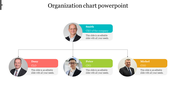
Microsoft Org Chart Presentation Template: Project Team View
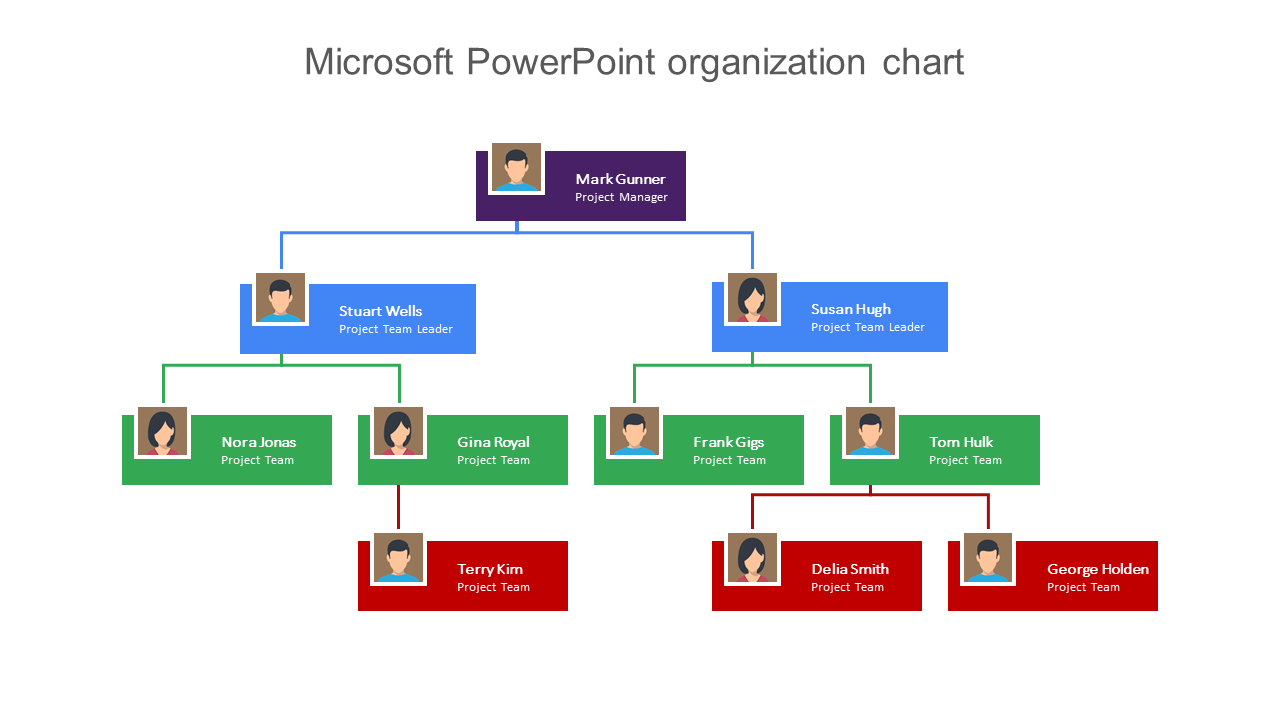
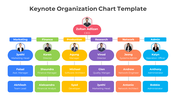
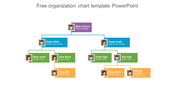
This organization chart shows a project team's reporting structure across four levels, with a project manager at the top, two team leaders beneath, and seven team members split unevenly between them. Every box carries a named example role and a person-icon avatar rather than a blank caption, so you can see exactly how the finished chart will read before you swap in your own team's names.
How the Four Tiers Connect
The top purple box holds the project manager. Two blue boxes below represent team leaders, each managing their own portion of the team. From there, green boxes show each leader's direct reports, and red boxes show a further layer of reporting underneath specific team members rather than the leaders themselves. That last detail matters: the branching isn't symmetric, so it reflects a real-world pattern where some team members supervise others and some don't, rather than forcing every role into the same number of direct reports.
When an Uneven Hierarchy Is the Right Fit
Most org chart templates assume every manager has the same number of reports. This one doesn't, which makes it a better match for a project team where responsibility isn't evenly distributed — for example, a team leader who delegates a sub-task to one team member who then briefs two others on it. If your team structure is flat or perfectly symmetric instead, a simpler organization chart template will be quicker to fill in. If you need named roles under a single CEO with two even, symmetric tracks instead of this uneven project layout, the organization chart with two parallel reporting tracks is a closer match.
Features of this template:
- Fully editable text, avatar icons, and box colors across all 10 boxes.
- Available in 16:9 (widescreen) and 4:3 (standard) PowerPoint formats, plus Google Slides.
- Free to download instantly.
- Color-coded by tier (purple, blue, green, red), so reporting level is visible at a glance without reading every box.
- Uses named example roles and avatar icons instead of blank placeholder captions, so the layout is easier to read before you customize it.
- Branches unevenly — some team members have their own direct reports, others don't — instead of forcing a symmetric tree.
- SlideEgg's one of the most-downloaded org chart templates verified in this project so far, with 103 ratings and 2K+ downloads.
FAQs
Do I need to keep the example names, or can I replace them all?
You can replace every name, title, and avatar — they're example placeholders showing how a filled-in project team would look, not fixed content.
Does the uneven branching limit how many reports I can add?
No. Since each box and connector line is a separate shape, you can add or remove reporting lines under any box to match your actual team size, including making a tier symmetric if your structure doesn't need the uneven layout.
Is this template really free, or does it require a purchase?
It's free to download. Check our free PowerPoint templates collection to find more free slides.
Does this template work outside of project teams, like for a whole department or company?
Yes, as long as your structure has a similar shape — one lead role, a mid-tier of managers, and team members reporting to either the managers or to specific team members. For a flat, single-tier department structure, a simpler top-down chart will be faster to fill in.









You May Also Like These PowerPoint Templates














Showing20 of69,218 templates