Real-Time Updates
Watch your Word Cloud evolve instantly as participants submit responses, bringing ideas to life in real time.
Bring your audience's thoughts to life with interactive word clouds that reveal the most popular ideas in real time.
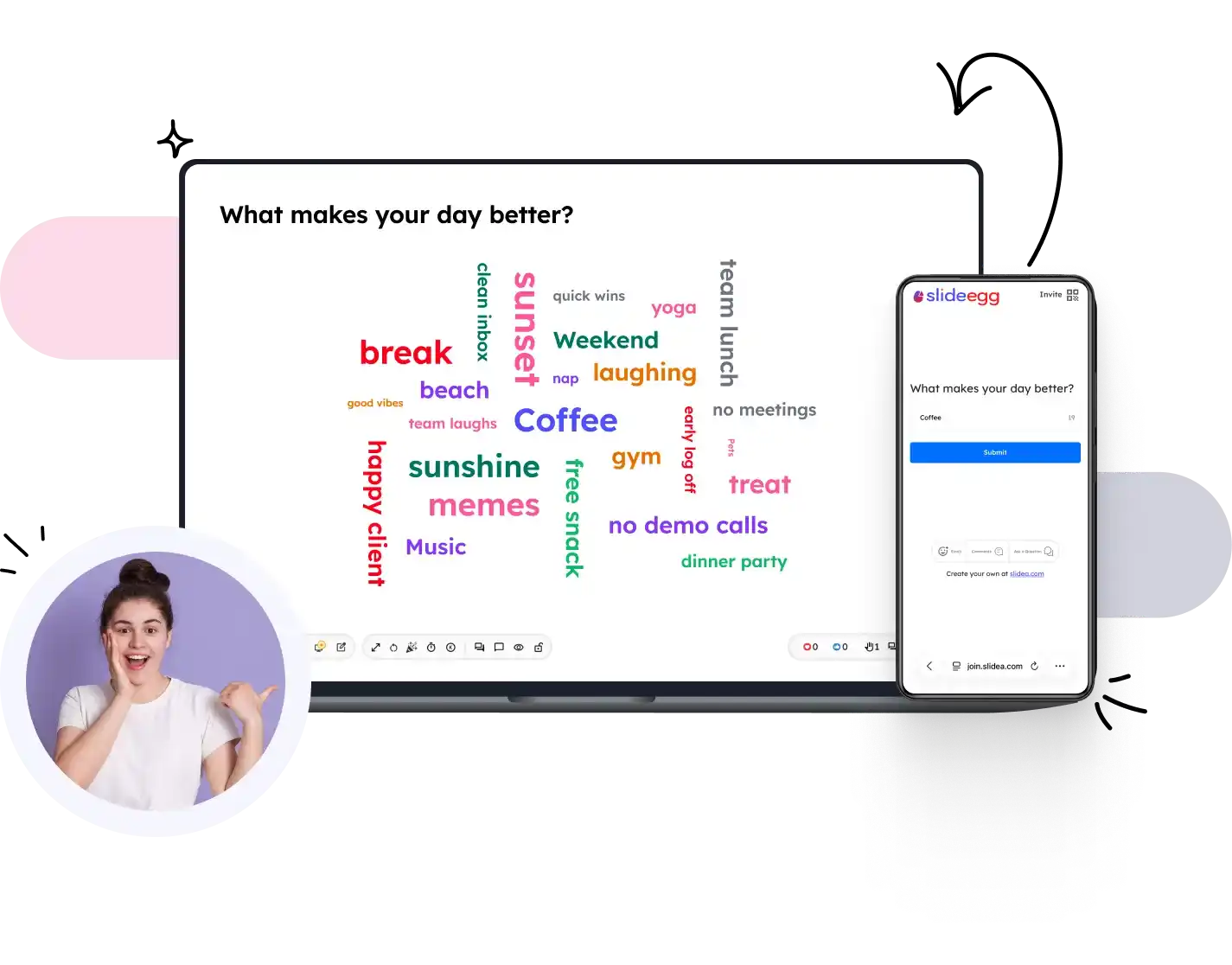
Turn audience ideas into a dynamic visual experience—from creating your activity to revealing a live word cloud.
Start a new Word Cloud activity and add a question or prompt to inspire audience responses.
Invite participants instantly with a QR code or session code—no app download required.
Participants submit words, ideas, or short phrases from any device in real time.
As responses come in, the most frequently submitted words become larger, making trends instantly visible.
Present the evolving Word Cloud on screen and spark meaningful discussions around the ideas that stand out.
Transform audience ideas into meaningful visual insights with powerful features designed for seamless participation and real-time collaboration.
Watch your Word Cloud evolve instantly as participants submit responses, bringing ideas to life in real time.
Collect as many words and ideas as your audience wants to share, without limiting creativity or participation.
Encourage honest and uninhibited responses by allowing participants to contribute anonymously.
Personalize your Word Cloud with your brand colors, themes, and backgrounds for a consistent presentation experience.
Review, approve, or remove responses before they appear, ensuring every Word Cloud remains relevant and appropriate.
Let participants join instantly by scanning a QR code or entering a session code—no downloads required.
Participants can contribute effortlessly from smartphones, tablets, laptops, or desktops using any modern browser.
Measure participation and response activity to gain deeper insights into audience engagement after every session.
Watch how audience responses instantly transform into engaging visual word clouds that spark discussions and uncover valuable insights.
(Video would open here in the live site.)
See how educators, facilitators, and business leaders use Word Clouds to encourage participation and make every voice visible.
"Absolutely outstanding experience with SlideEgg! 🌟 The quality of the slides is truly exceptional—modern, visually stunning, and extremely well-structured. They have significantly enhanced the impact of my presentations and saved me a great deal of time in design and formatting."
"It is the creative nature and elegance of the slides. The slides are professional and highly presentable."
"I've been using SlideEgg slides for several years. They're easy to use and integrate seamlessly into my teaching PowerPoint presentations. There are so many options to choose from! If you're looking for inspiration, or even an unusual shape or diagram, this is the perfect place to start."
Word Clouds are just one way to interact. Explore more interactive formats designed for every presentation.
Everything you need to know about creating and presenting interactive Word Clouds.
You can allow one or multiple submissions per participant depending on your session settings.
Yes, moderation tools let you review and filter submissions before they appear.
Yes, the cloud refreshes live as new words are submitted during your presentation.
No. Participants join from any browser using a session code or QR code — no app, no sign-up.
Basic interactive slides are free. Advanced moderation and styling options are available on premium plans.
Create interactive Word Clouds that encourage participation, inspire collaboration, and turn audience ideas into meaningful visual insights.


