Matrix Org Chart Examples PowerPoint And Google Slides
Free

Matrix Org Chart Examples: Dual Reporting Lines
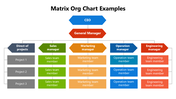
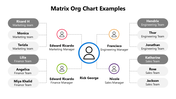
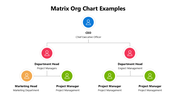
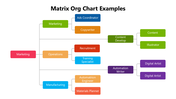
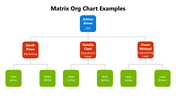
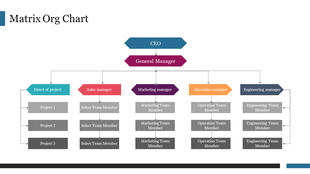
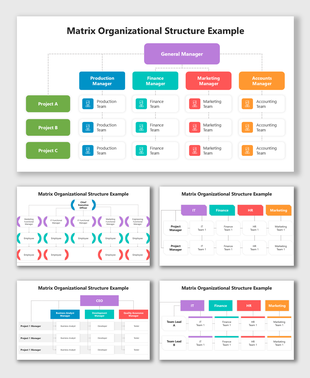
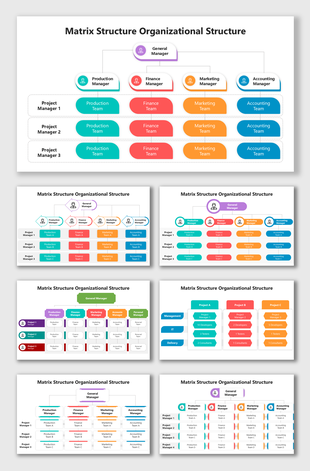
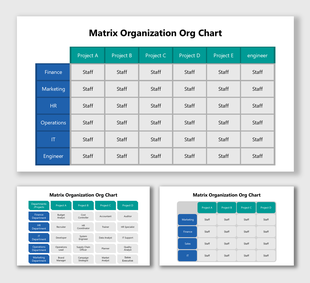
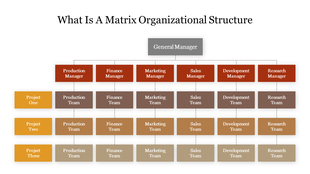
A matrix structure is easier to explain with a real example in front of you, and this pack gives five, not just one repeated template. One slide lays out a classic grid: a CEO and general manager over four functional managers, crossed with three project rows to show dual reporting. Another uses a radial layout with a general manager at the center connecting out to department heads and their teams. The rest cover a simple three-tier hierarchy, a horizontal department tree, and a named-individual box chart, so you can pick whichever shape matches how your organization actually reports. Every name, title, and connector is editable. Note that a couple of slides carry small on-slide typos in role labels, worth a quick check before presenting. Free to download, editable in PowerPoint, Google Slides, and Canva. See more matrix organizational chart templates for related structures.
Features of this template:
- Free download with no watermark
- Compatible with PowerPoint, Google Slides, and Canva
- 100% editable shapes, colors, and text
- Widescreen 16:9 and standard 4:3 layouts
- Well-crafted template with an instant download facility
- 5 distinct matrix and hierarchy examples
- Grid, radial, and horizontal-tree layouts
- Named-individual and role-based versions
FAQs
1. How many real chart examples are in this pack?
Five, across slides 1–5; the remaining 8 slides are bonus icon libraries, an editing guide, terms of use, and a thank-you slide.
2. Which example shows true dual reporting?
The first slide — a CEO/GM grid crossed with three project rows.
3. Is it free?
Yes, free to download and editable in PowerPoint, Google Slides, and Canva.
Explore Related Collections
Recommended based on this template.









You May Also Like These PowerPoint Templates













Showing36 of69,218 templates