Cross Functional Org Chart PowerPoint And Google Slides
Free

Cross-Functional Org Chart Presentation Template: Team Collaboration
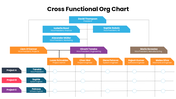
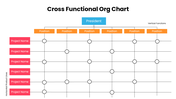
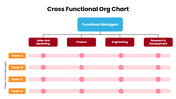
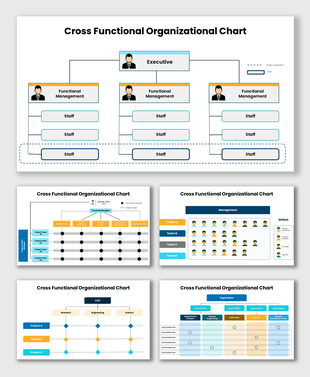
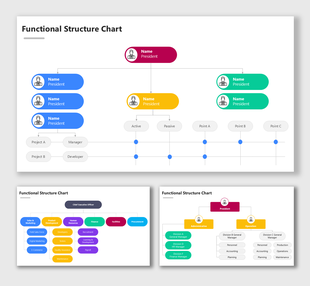
Cross-functional teams rarely fit into a simple top-down box, and this template is built for that reality. Across 11 slides, it maps how a president, vice presidents, and project leads connect across departments like finance, HR, marketing, engineering, and manufacturing, then adds a project-tracking grid linking Project A, B, and C rows directly to the people responsible for them. Blue, orange, purple, and red coding keeps each level and function easy to scan, while dotted connector lines show reporting and collaboration paths without clutter. Every box, name, and title is editable so that you can drop in your own org and project structure in minutes. It suits management reviews, HR reports, or any update where work crosses departmental lines. Free to download, fully editable in PowerPoint, Google Slides, and Canva. Browse more organization chart templates, or compare it with the matrix org structure examples.
Features of this template:
- Free download with no watermark
- Compatible with PowerPoint, Google Slides, and Canva
- 100% editable shapes, colors, and text
- Widescreen 16:9 and standard 4:3 layouts
- Well-crafted template with an instant download facility
- Hierarchy and matrix-grid layouts in one pack
- Project-to-role mapping grid included
- Color-coded VP and department tracks
FAQs
- How many slides does this pack include? 11 fully editable slides that mix hierarchy and matrix-grid layouts.
- Is it really free? Yes, free to download with no watermark.
- Can I edit it in Canva? Yes, PowerPoint, Google Slides, and Canva are all supported.
More Collections for Cross Functional Org Chart PowerPoint
Recommended based on this template.









Similar Templates to Cross Functional Org Chart PowerPoint









Showing36 of69,218 templates