Innovative 3D Progress Bar PowerPoint And Google Slides

 Canva
Canva
Best 3D Progress Bar PowerPoint, Google Slides, and Canva Templates
Discover the 3D Progress Bar
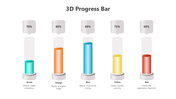
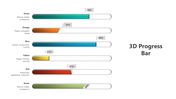
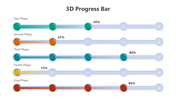
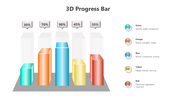
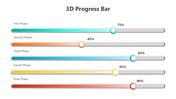
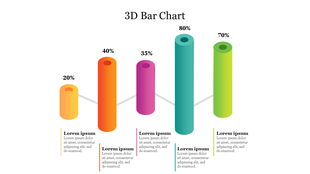
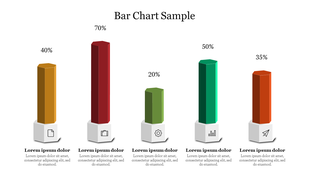
A 3D Progress Bar is a sophisticated graphical element used to depict progress in various tasks, projects, or processes. Unlike traditional flat progress bars, the 3D design adds depth and dimension, making the data more engaging and easier to interpret. This enhanced visual appeal helps capture the audience’s attention and makes the information more memorable.
Purpose of our Presentation
The primary purpose of this 3D Progress Bar slide pack is to provide presenters with a versatile and visually appealing tool to represent progress. Whether you are tracking project milestones, showing the completion stages of a task, or demonstrating growth over time, these slides offer a clear and attractive way to display progress.
About the Slide
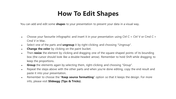
These slides are designed to be easily customizable, allowing you to tailor the content to suit your specific needs. The unique design of each slide ensures that your information is presented clearly and effectively, making it easier for your audience to follow and understand. The combination of vibrant colors and 3D elements adds a modern touch to your presentations, setting you apart from the competition. The multicolor theme, featuring red, yellow, blue, purple, and green, ensures that your presentation stands out and remains visually engaging.
Who Should Use this Template?
This 3D Progress Bar slide pack is ideal for a wide range of users. Business professionals can use it to showcase project timelines and milestones in meetings. Educators and students can utilize these slides for classroom presentations to make learning more interactive and engaging. Additionally, marketers and designers can leverage these templates to present campaign progress and design workflows effectively.
This 3D Progress Bar slide pack is ideal for a wide range of users. Business professionals can use it to showcase project timelines and milestones in meetings. Educators and students can utilize these slides for classroom presentations to make learning more interactive and engaging. Additionally, marketers and designers can leverage these templates to present campaign progress and design workflows effectively.
Elevate your presentations with our 3D Progress Bar slide pack. Download now to create stunning, professional, and engaging presentations that captivate your audience.








You May Also Like These PowerPoint Templates





Showing36 of69,218 templates