Team Hierarchy Chart PowerPoint, Google Slides, and Canva

 Canva
Canva
13 Slide Team Hierarchy Chart Templates: Roles, Levels, and Reporting Lines
When you need to present your team's structure to a new hire, a board, or a cross-functional partner, a flat list of names doesn't cut it. A hierarchy chart makes reporting lines, seniority levels, and department boundaries immediately clear — but building one that looks professional takes longer than most people expect.
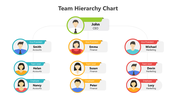
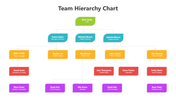
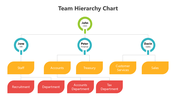
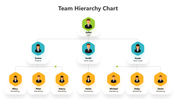
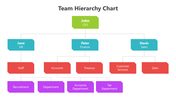
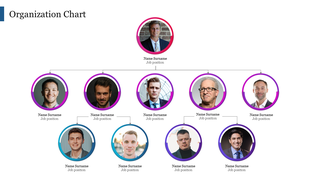
This 13-slide team hierarchy chart template gives you ready-built layouts for presenting reporting relationships across departments and levels. The deck covers single-department views, cross-team structures, and multi-level hierarchies — each with labeled role boxes, directional reporting lines, and consistent color coding across levels.
The slides use a blue, green, and red palette with pre-set hierarchy tiers that make it easy to read who reports to whom at a glance. Each layout is built for working professionals: clean enough for a board presentation, flexible enough for an internal planning session.
All slides are fully unlocked. Customize department names, role titles, and reporting lines without touching the design structure. Compatible with PowerPoint (16:9 and 4:3), Google Slides, and Canva.
Used by managers, HR professionals, and team leads presenting at corporate meetings, strategy workshops, and employee onboarding sessions. Download and have your team structure slide-ready in under 20 minutes.
Frequently Asked Questions
What is a team hierarchy chart, and when should I use one?
A team hierarchy chart is a visual diagram showing reporting relationships within a team — who leads, who reports, and how departments connect. Use it for onboarding new employees, presenting team structure to leadership, or planning team expansions.
Can I edit this team hierarchy chart template in Canva?
Yes. This template is compatible with Canva. Download the file and open it in Canva to edit role names, colors, and reporting lines directly in your browser — no PowerPoint license required.
How do I show multiple departments clearly on one slide?
The deck includes multi-department layouts where different sections use distinct color codes — blue, green, and red. Each department occupies its own color block, so audiences read department boundaries without a legend.
Is this template suitable for a startup or a large enterprise?
Both. The 13 slides include layouts for small, flat teams and deep multi-level hierarchies suited to large organizations. Choose the layout that matches your current team depth.
Does this team hierarchy chart include editable role titles?
Yes. Every role box has a text placeholder for the person's name and job title. Click, type, and the format adjusts automatically — no repositioning needed.
Features of this template:
- 13 fully editable slides with varied hierarchy layouts
- Color-coded levels in blue, green, and red to distinguish departments and seniority
- Labeled role boxes with name and title fields throughout
- Directional reporting-line connectors for clear chain-of-command visualization
- Supports both 16:9 widescreen and 4:3 standard slide formats
- Compatible with PowerPoint, Google Slides, and Canva
- Suitable for board presentations, HR onboarding, and strategy workshops









You May Also Like These PowerPoint Templates
Showing36 of69,218 templates