Org Chart Template for PowerPoint, Google Slides, Canva
 Canva
Canva

Org Chart Presentation Template: Hierarchy Plus Decision Point
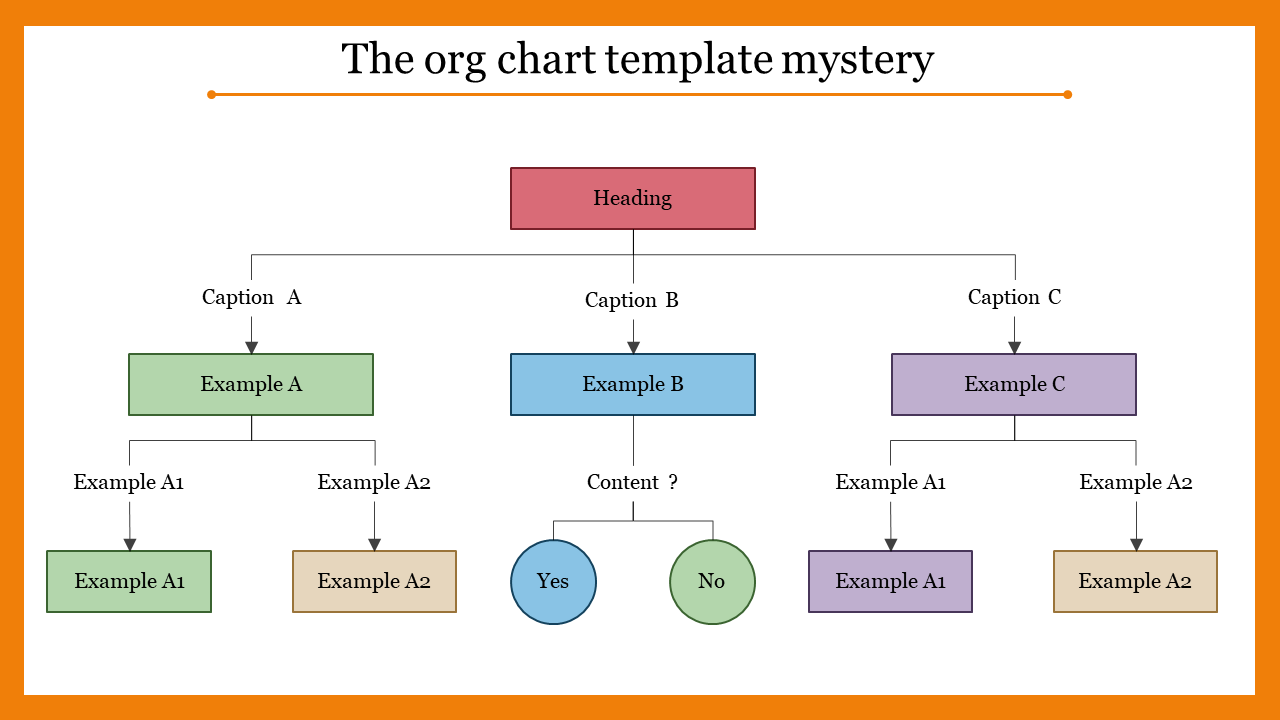
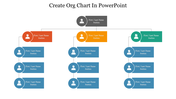
Most org chart templates assume every branch leads to another person or department. This one doesn't. Two of its three branches work that way, but the third resolves into a Yes/No decision fork instead, making it useful for structures where one path in the hierarchy is actually a decision point rather than another layer of reporting.
Two Branches That Split, One That Decides
From a single top box, three branches extend outward. The left and right branches each split again into two further boxes, giving a standard two-level hierarchy on both sides. The center branch breaks that pattern: instead of splitting into more boxes, it ends in two connected circles, one for each outcome of a decision. That's useful when a chart needs to show, for example, two reporting lines that behave like a normal org chart alongside a third path that represents an approval step, an escalation trigger, or any binary outcome that doesn't fit neatly into a person or department box.
When This Layout Fits, and When It Doesn't
If your structure is a straightforward reporting hierarchy with no decision points, a standard organization chart template will be simpler to fill in. This one earns its place specifically when part of your structure needs to show a choice or gate rather than another manager. For a purely hierarchical version without the decision branch, the organization chart with named roles uses a similar branching-tree layout without the Yes/No fork.
Every box, circle, and connector line is editable, and the whole slide works in PowerPoint (16:9 and 4:3), Google Slides, and Canva. Give it a try!
Features of this template:
- Fully editable boxes, circles, colors, and connector lines.
- Available in PowerPoint (16:9 and 4:3), Google Slides, and Canva.
- Premium template with instant download access.
- Color-coded branches (green, blue, purple) so each of the three paths stays visually distinct.
- One branch ends in a Yes/No decision fork instead of another hierarchy box, unlike a standard org chart.
- Combines two-level hierarchy branches with a single-step decision branch on the same slide.
- Blends organizational structure with decision logic in one layout.
FAQs
1. Can I use this for a purely hierarchical org chart, without the decision branch?
Yes — replace the Yes/No circles with two more boxes to match the pattern used on the left and right branches, or leave that branch out entirely if you don't need it.
2. Is this template free or a paid download?
It's a premium (paid) template — the page states this directly, unlike SlideEgg's free templates.
3. What kind of decision can the Yes/No branch represent?
Anything binary that fits your structure: an approval or rejection step, an escalation trigger, or any point where a process forks into two outcomes rather than continuing as a standard reporting line.
4. Does this template work in Google Slides and Canva, or only PowerPoint?
All three — it's compatible with PowerPoint (16:9 and 4:3), Google Slides, and Canva.









You May Also Like These PowerPoint Templates












Showing20 of69,218 templates