Got a Unique Idea? Craft with AI
PRO
Credits left : 0
Hire an Expert
Free
Add to Wishlist
Download
AI Customize
Slide featuring four horizontal sections with yellow icons representing business, goals, analytics, and finance with caption.
Free
Add to Wishlist
Download
AI Customize
Business PowerPoint slide with four horizontal sections, each featuring a blue icon and text placeholders.
Free
Add to Wishlist
Download
AI Customize
Slide with four sections, each with a green icon and gray text box, representing different creative templates.
Free
Add to Wishlist
Download
AI Customize
Creative slide layout featuring four caption boxes with red icon tabs and gray content areas for placeholder text.
Free
Add to Wishlist
Download
AI Customize
Slide with six colorful sections in purple, blue, green, orange, red, and pink, each labeled with a number and text.
Free
Add to Wishlist
Download
AI Customize
Horizontal flowchart with curved arrows linking five colored circles labeled business, process, target, growth, and success.
Free
Add to Wishlist
Download
AI Customize
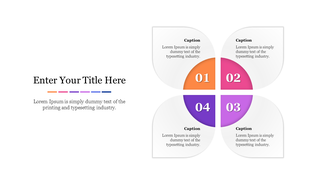
A slide with numbered sections in orange, purple, blue, and yellow, each with a corresponding icon and caption area.
Free
Add to Wishlist
Download
AI Customize
Four rectangular segments with blue accents and geometric icons, set against a neutral background.
Free
Add to Wishlist
Download
AI Customize
Green design template with four rectangular boxes each placed with  caption areas placed in white backdrop.
Free
Add to Wishlist
Download
AI Customize
Creative templates with four slides with orange design elements and placeholders text areas placed in white backdrop.
Free
Add to Wishlist
Download
AI Customize
Best design PPT slide featuring modern caption boxes with yellow accents and icons on a white backdrop.
Free
Add to Wishlist
Download
AI Customize
Unique layout with stacked purple blocks, editable white centers, and icons for briefcase, target, chart, and money.
Free
Add to Wishlist
Download
AI Customize
Horizontal list design with four golden bars, each containing a caption and icon on the right representing business concepts.
Free
Add to Wishlist
Download
AI Customize
Professional business PowerPoint slide with four blue caption sections and icons on a white backdrop.
Free
Add to Wishlist
Download
AI Customize
PowerPoint slide with four green caption boxes, each with a descriptive icon and text space.
Free
Add to Wishlist
Download
AI Customize
Slide with orange bar accents above four rectangular block, containing text and an icon aligned to the left.
Free
Add to Wishlist
Download
AI Customize
Professional template with red sidebar icons and four rectangular caption boxes in a clean two column format.
Free
Add to Wishlist
Download
AI Customize
Four blue ribbon shaped banners with gray top sections, each featuring a number from 01 to 04.
Free
Add to Wishlist
Download
AI Customize
Red ribbon style PowerPoint template with four sections for key points with captions on a white backdrop.
Free
Add to Wishlist
Download
AI Customize
Four orange banners with a gray top curl featuring numbers, each containing  caption at the bottom, arranged horizontally.
Free
Add to Wishlist
Download
AI Customize
Creative template featuring four vertical yellow banners, each with gray labels and placeholders text areas.
Free
Add to Wishlist
Download
AI Customize
Creative design with a light bulb shape filled with pink and purple brain imagery, with four text sections around it.
Free
Add to Wishlist
Download
AI Customize
Get Free Book Writing Template PowerPoint Presentation
Free
Add to Wishlist
Download
AI Customize
A cool and colorful slide featuring sections for text and vibrant icons representing different themes.

Popular Collections

Why 5 Million Professionals Choose These Templates

Skip the blank slide. Whether you are building a corporate pitch deck, a medical case study, a school project, or a startup investor presentation, the SlideEgg 2026 library gives you a professional head start — without spending a cent.

Fully Editable Vector Graphics

No locked elements. Every chart, icon, timeline, and layout is built with native PowerPoint vector shapes. Swap colors to match your brand, resize graphics without quality loss, and edit text in a single click. Nothing is flattened or rasterized — what you see in the preview is exactly what you get in the file.

Google Slides and Canva Compatible

No downloading, no manual importing. Click the Google Slides button on any template and it opens instantly in your Google Slides account — layouts, fonts, and placeholders fully intact. The same one-click experience works for Canva. As long as you are signed in, it launches directly on the platform. No file handling, no reformatting, no broken elements.

Instant Download, No Hidden Fees

Free-tier users get 10 free slides every day — plus lifetime access to 1 premium template for as long as you stay on the free tier. No credit card, no watermarks, no expiry. Every file is cleared for commercial use: business meetings, client presentations, public webinars, and academic submissions.

Built for Every Experience Level

You do not need a design background. Each deck is structured with master slides, consistent spacing grids, and pre-set color themes so that replacing placeholder content produces a polished result every time. Beginners finish in minutes. Experienced designers use it as a base to push further.

Presentations Organized by Industry and Use Case

The library spans more than 100 niches. Below are the most downloaded categories — each links to a dedicated collection with hundreds of designs sorted by topic, style, and slide count.

Business and Corporate

Company profiles, SWOT analyses, quarterly reviews, org charts, strategy maps, and sales decks. Covers formal boardroom styles and modern flat-design formats used in tech and startup environments.

Investor and Finance

Pitch decks, financial summary slides, funding round presentations, valuation frameworks, and KPI dashboards. Structured around the information sequence investors actually expect to see.

Education and Training

Course content slides, lecture layouts, school project designs, quiz structures, and academic poster formats. Covers K-12, university, and corporate training contexts.

Medical and Healthcare

Clinical case study layouts, medical infographics, hospital administration decks, anatomy diagrams, and pharmaceutical presentation designs. Built with clean, professional aesthetics suitable for healthcare audiences.

Marketing and Advertising

Campaign briefs, social media strategy decks, brand style guides, product launch presentations, and content calendar slides. Visual-first layouts built for marketing teams who move fast.

Technology and SaaS

Product demo decks, roadmap slides, investor update presentations, onboarding flows, and technical architecture diagrams. Designed for startup and enterprise technology contexts where clarity and speed matter.

How to Download and Use a Free Presentation Design

  • Step 1: Browse or search the library: Use the filters to narrow by most downloaded templates, single slide, or slide deck. The search bar supports both subject keywords and specific deck types, such as "pitch deck" or "case study".
  • Step 2: Preview the design: Click any card to open the detail page, where you can scroll through every slide in the deck before downloading.
  • Step 3: Sign in or create a free account: Free-tier users get 10 free slides every day plus 1 premium template for lifetime — no payment method required, no watermarks on any file.
  • Step 4: Download the .PPTX file: Open in PowerPoint, Google Slides, or Canva. Replace placeholder text and images with your content. Adjust colors using the built-in theme editor or the Format Background panel.
  • Step 5: Present or export: Save as PDF, export individual slides as PNG files, or present directly from your browser via Google Slides or Canva. Every layout is optimized for widescreen presentations and printed handouts at A4 and US Letter sizes.

Frequently Asked Questions

1. Do these templates work in Google Slides and Canva?

Yes. Every template is a .PPTX file that opens directly in Google Slides or Canva with one click — no manual importing, no broken layouts. All fonts, placeholders, and animations carry over intact. You do not need to own PowerPoint to use any design in this library.

2. Can I use these for commercial presentations?

Yes. Every free template on SlideEgg is royalty-free and cleared for commercial use — business meetings, client pitches, startup investor decks, conference talks, and commercial video content on YouTube or social media. No attribution required.

3. Are the slides high-resolution and printable?

Yes. Every template is built entirely from vector shapes, which means they scale to any size without pixelation — 4K projectors, printed A3 or A4 handouts, and PDF exports all render at full sharpness. There are no rasterized backgrounds or flattened elements in any file.

4. Can I change the colors and fonts to match my brand?

Yes. Every design is fully editable. Change the entire color theme in one click using PowerPoint's Variants panel or Google Slides' theme editor. Swap any icon, resize any graphic without quality loss, and replace all placeholder text directly. No design skills or extra software required.

5. Are SlideEgg templates really 100% free — what's the daily limit?

Yes. Free-tier users can download 10 slides every day at no cost, with no credit card required and no watermarks on any file. You also get lifetime access to one premium template as a free user. If you need unlimited downloads, a paid plan removes all daily limits.

6. What categories are covered in the free collection?

The library spans 100+ niches. The most downloaded categories are Business, Medical, Education, Marketing, Sales Strategy, Company Profile, Investor Pitch Deck, Timeline, Infographics, and SWOT Analysis. Every category has its own dedicated page with hundreds of designs sorted by style and slide count.

7. How is SlideEgg different from Slidesgo or other free template sites?

SlideEgg offers 25,000+ royalty-free templates trusted by 5 million professionals, with direct one-click open in Google Slides and Canva — no file download required. Free-tier users get 10 downloads per day with no watermarks on any file, compared to most competitors that restrict commercial use or require a paid plan. The library also covers medical, pharmacy, and healthcare niches in depth — categories that most general template sites do not stock.

8. What file format do I get and can I open it on a Mac or mobile?

Downloads are standard .PPTX files — the universal presentation format compatible with PowerPoint on Windows and Mac, Google Slides in any browser, Canva, LibreOffice Impress, and Apple Keynote. On mobile, open the file in the Google Slides app or Microsoft 365 app — both handle .PPTX fully. No proprietary format, no special software, and no account needed to open the file.
9. Can I edit these templates without an internet connection?

Yes. Download the .PPTX file once and open it in PowerPoint or LibreOffice Impress — both work fully offline with no internet required. If you prefer Google Slides, enable offline mode in Google Drive settings before disconnecting. All vector shapes, fonts, and layouts remain fully editable without any internet connection after the initial download.
10. Do the free templates include speaker notes or slide instructions?

Many decks include speaker notes with guidance on what to say on each slide — especially the Editor's Choice selections and business pitch deck category. Every template card also shows a slide-by-slide description before you download, so you can preview exactly what each slide covers. Look for the description text below each slide thumbnail on the template detail page.