Free PowerPoint Templates (27,793+ Slides — 2026 Library) | Page 268
Download 100% free, fully editable best PowerPoint templates. Royalty-free slides for business, education, and marketing use.
- Free account required to download
- 3 free downloads a day
- No credit card needed













Showing12,864 of27,793
Browse Free PowerPoint Collections
No categories match. Try another word.


Designed by SlideEgg's in-house design team
Every free template is made by SlideEgg's own presentation designers, the same team behind our premium library, building fully editable decks since 2018.
Meet the team →Licence in plain words
- Use and edit them in personal, business, classroom and client presentations.
- Free accounts keep the SlideEgg credit in the template; Premium members can remove it.
- Don't resell, share or redistribute the editable files.
- Don't pull icons or images out for use outside a presentation, or use templates to train AI.
Why presenters choose SlideEgg free templates
Plenty of sites promise free templates, then hand you flat images or watermarked slides. SlideEgg's free collection is different: full presentation decks and single slides where every element — text, colors, icons, infographics — is genuinely editable. Sign up once with a free account and download as many free designs as you need, each built on design best practices so your deck looks professionally made from the first slide.
Go beyond static slides — make them interactive
Here's what sets SlideEgg apart from every other free template site: your slides don't have to be one-way. Embed live quizzes, word clouds, polls, and audience Q&A directly into your presentation. Your audience joins from their phones — no app to install — and their answers appear on your slides in real time.
Teachers turn lessons into games, trainers check understanding on the spot, and business presenters replace "any questions?" silence with a live Q&A wall. A static template gets you a professional look; an interactive slide gets you an engaged room.
Free templates for every topic
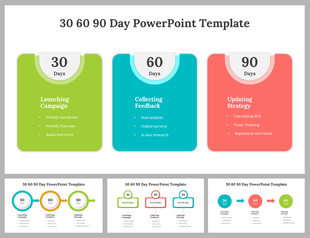
Whether you need a business strategy deck, an education lesson, infographics, charts, roadmaps and timelines, medical slides, or a simple thank-you slide to close — there's a free category for it. Popular picks include SWOT analysis, Business Model Canvas, 30-60-90 day plans, org charts, world maps, and pitch decks.
How it works
In a hurry? Hit Create with AI, describe your topic, and get a ready-to-edit deck in seconds.
Frequently asked questions
Are these PowerPoint templates really free?
Yes. Create a free account and download — every free template is a full, editable file with no watermarks.
Can I use free templates for commercial presentations?
Yes. Free templates are royalty-free for use in business, classroom, and client presentations. Reselling or redistributing the files themselves is not permitted.
What are interactive slides?
SlideEgg lets you embed live quizzes, word clouds, polls, and Q&A directly into your slides. Your audience joins from their phones and responds in real time — results appear live in your presentation.
Do the templates work with Google Slides and Canva?
Yes. Templates are built for Microsoft PowerPoint and most are also available as Google Slides themes and Canva templates.
How many free PowerPoint templates are available?
Over 27000+ free slides across 576 categories — from business strategy and infographics to education and medical designs — with new templates added weekly.