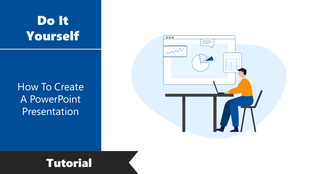
Easy To Usable How To Create A PowerPoint Presentation
Free


Free - To Create A Powerpoint Presentation
If you like to create an attractive PowerPoint presentation as a test, use this PPT of essential professional skills. To create a powerful presentation, use this how-to create a PowerPoint presentation slide. It will provide you to demonstrate design skills, technical literacy, and a sense of personal style. Starting with this template is beneficial. It can save time, provide excellent visual design, and grab your audience's attention.
About the template
This PowerPoint template will make your PPT presentation professional, and you will be able to save a lot of time and make it effortless. It will allow you to create a presentation that is informative and exciting to your audience. The five colorful text icons of the steps to resolution layout will make a massive difference to your slide show. Grab now from SlideEgg!
Features of the Template
- 100 % customizable slides and easy to download.
- Slides available in different nodes & colors.
- Slide contained in 16:9 and 4:3 format.
- Easy to change the slide colors quickly.
- Well-crafted template with instant download facility.
More Collections for Easy To Usable How To Create A PowerPoint
Recommended based on this template.
Similar Templates to Easy To Usable How To Create A PowerPoint






Showing36 of69,218 templates