Wearable Technology Template For PPT And Google Slides












 Canva
Canva
Trace Wearable Technology From the Device to the Decision
This 21-slide wearable technology PPT moves beyond a list of smart devices to examine where wearables are used, what information they collect and how that information can influence a decision. It can support technology lessons, product research, workplace discussions and introductory briefings on wearable computing.
The presentation covers:
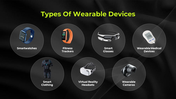
Common wearable-device types
Healthcare monitoring and patient engagement
Fitness and wellness applications
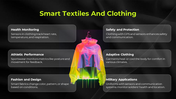
Smart textiles and connected clothing
AR and VR wearables
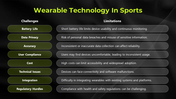
Wearable technology in sports
User-data considerations
Workplace applications
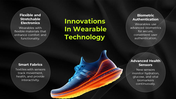
New wearable materials and sensors
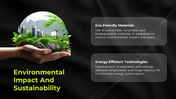
Environmental impact and sustainability
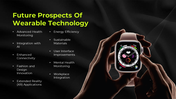
Future opportunities
A Wearable Is More Than the Device
A useful explanation should connect the physical product with the complete data journey. For each wearable discussed, answer:
What sensor or input collects the information?
What exactly is being measured?
Who can access the resulting data?
What action or decision does the information support?
What could happen if the reading is incomplete or inaccurate?
How are consent, privacy and data retention handled?
This framework can be applied to a smartwatch measuring heart rate, smart clothing recording movement or a workplace wearable detecting unsafe conditions.
The healthcare slide introduces remote patient monitoring, chronic-disease management and patient engagement. Treat it as an overview rather than clinical guidance. Add credible sources, specify the intended user and avoid suggesting that a consumer wearable can diagnose a condition unless the evidence and regulatory status support that claim.
The sports, fitness and workplace sections can also be strengthened with measurable outcomes. Replace broad claims such as “improves performance” with the metric being monitored, the behaviour it is meant to change and the person responsible for interpreting the result.
Slides 1–15 contain the main wearable-technology narrative. Slides 16 and 17 provide editable icons, slide 18 explains shape editing, slides 19 and 20 contain usage terms, and slide 21 closes the deck. The text, images, diagrams, and colours can be adapted in PowerPoint or Google Slides.
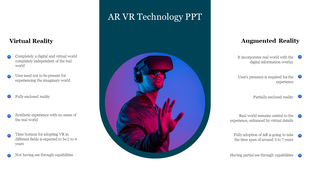
If your subject concentrates specifically on immersive headsets rather than wearables as a whole, the AR and VR Technology presentation provides a narrower starting point. Other connected-device and innovation topics can be developed through the Technology Presentation templates.










You May Also Like These PowerPoint Templates











Showing36 of69,218 templates