Technology PowerPoint Presentation And Canva Template




Explain Technology From Definition to Future Impact
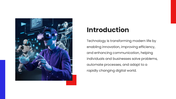
Technology is easier to understand when learners can connect a technical idea with its effect on everyday life. This 18-slide presentation provides a structured introduction for classroom lessons, awareness programs, training sessions, and general technology discussions.
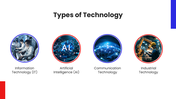
The presentation begins by defining technology before separating it into four areas:
Information technology
Artificial intelligence
Communication technology
Industrial technology
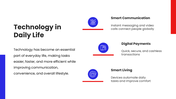
It then connects those areas with familiar experiences such as smart communication, digital payments, and connected living.
Examine Both the Value and the Trade-Offs
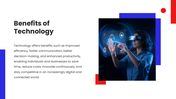
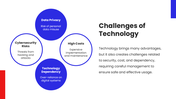
The slides do not present technology as automatically good or bad. They introduce their role in productivity, communication, and innovation while also raising challenges involving data security, implementation costs, job displacement, misuse, and dependence on technology.
Use the benefits and challenges slides to ask:
What problem does this technology solve?
Who benefits from it, and who may be excluded?
What information does it collect or process?
What cost, risk, or dependency does it introduce?
What should happen if the technology fails?
These questions can turn a general overview into a more thoughtful classroom or workplace discussion.
A Clear Sequence for a Technology Lesson
The main content follows a practical teaching order:
Introduce the meaning of technology.
Explain its major types.
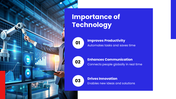
Show why technology matters.
Connect it with daily activities.
Compare its benefits and challenges.
Discuss AI, IoT, automation, robotics, virtual reality, and augmented reality as future developments.
Finish by reviewing how technology should be used responsibly.
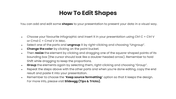
The core presentation runs through the first ten slides. The remaining slides provide editable icons for education, medicine, support, and teamwork, along with shape-editing guidance and presentation resources. This separation helps you identify which slides belong in the lesson and which are there to support customization.
The diagrams, photographs, text, and icons can be adapted in PowerPoint, Google Slides, or Canva. Replace the broad examples with technologies your audience already encounters, such as facial recognition, digital wallets, learning platforms, or workplace automation.
If your discussion develops into a specialised subject such as cybersecurity, AI, or networking, choose a more focused deck from the Technology PowerPoint templates. For a session centred primarily on emerging developments, continue with the New Technology presentation.
More Collections for Technology PowerPoint Presentation
Recommended based on this template.










Similar Templates to Technology PowerPoint Presentation









Showing36 of69,218 templates