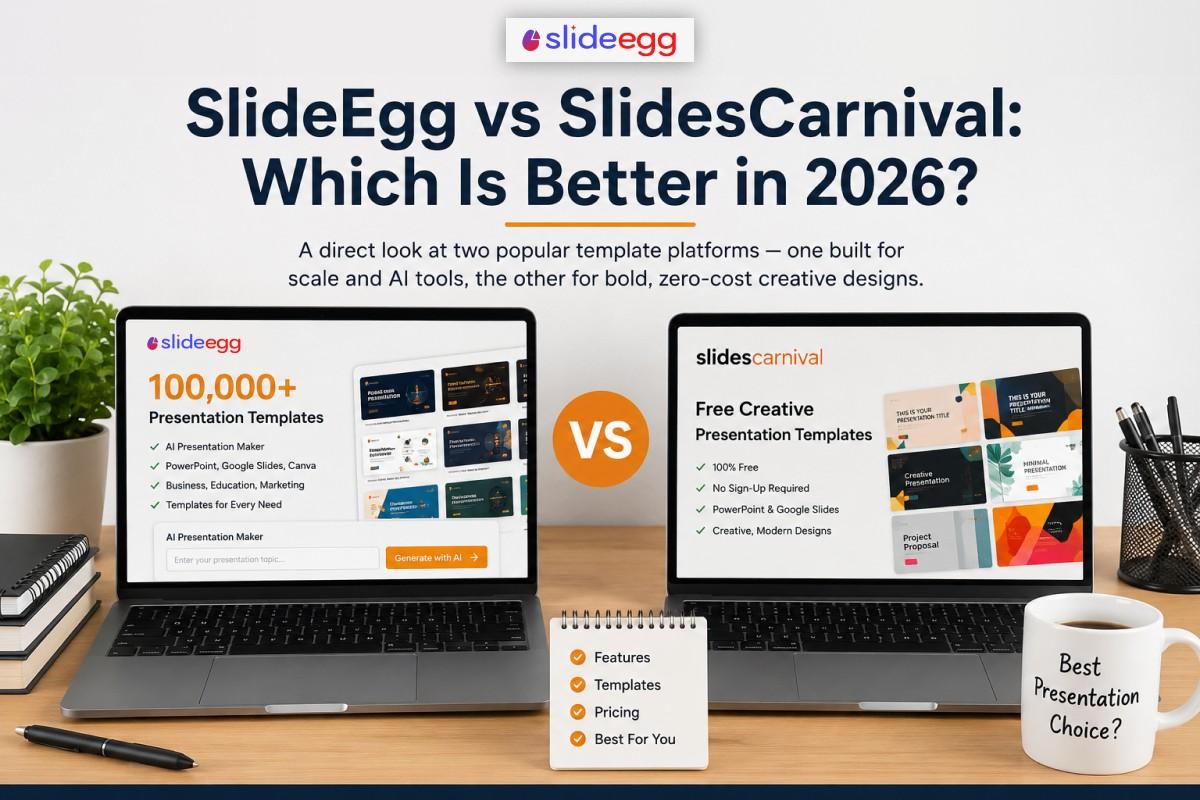
A direct look at two popular template platforms — one built for scale and AI tools, the other for bold, zero-cost creative designs.
Quick Answer
SlideEgg and SlidesCarnival serve different users. SlidesCarnival offers bold, creative template designs completely free — no sign-up, no download limits. SlideEgg has a much larger library (100,000+), an AI presentation maker, and flexible paid plans for teams and regular users. If you need a creative one-off design for free, SlidesCarnival is a solid pick. If you need range, AI tools, or volume, SlideEgg is the better fit.
Whether you’re looking up “SlideEgg vs SlidesCarnival” or “SlidesCarnival vs SlideEgg,” you’re choosing between two very different presentation tools. SlidesCarnival has been a favourite for designers and teachers since the early 2010s. Its templates lean creative — clean grids, bold color blocks, and modern typography. The site is fully free with no account required. SlideEgg takes a platform approach. The focus is on variety, tools, and scale — not just a curated design set.
This comparison covers what both platforms offer in 2026, where each one wins, and which type of user each serves best.
About the Platforms
SlideEgg – The Presentation Template Platform
SlideEgg was launched in 2019 and has grown into a full presentation platform. It now has over 100,000 templates for PowerPoint, Google Slides, and Canva — organised by topic, industry, and style. In 2024, SlideEgg added a built-in AI deck maker: type a topic, get a full presentation in seconds. The free tier gives 2 downloads per day. Paid plans offer unlimited access, including a one-time lifetime option. The platform serves business professionals, marketers, educators, and students across hundreds of topic categories.
SlidesCarnival – Free Creative Template Library
SlidesCarnival is a free-only template library. It has never charged users and has no premium tier. Every template downloads without a sign-up, without a watermark, and at no cost. The library — around 350+ carefully curated designs — focuses on creative, expressive styles: bold color palettes, clean grids, and modern typography. Templates are available for PowerPoint and Google Slides. There is no Canva support and no AI tools. SlidesCarnival is a static library, updated periodically. It suits users who want fast, free, friction-free downloads — especially for one-off or occasional use.
Three Key Differences
| Features | SlideEgg | SlidesCarnival |
| Library Size | 100,000+ templates. SlideEgg has far more topic coverage — from medical to HR to finance to technology. | ~350+ curated designs. SlidesCarnival’s smaller library does what it does well, but niche topics are sparsely covered. |
| AI Tools | SlideEgg has a built-in AI presentation maker. Type a topic in SlideEgg and get a full deck automatically. | No equivalent feature exists on SlidesCarnival, which remains a browse-and-download library. |
| Cost Model | has a free tier (2/day) and paid plans. | always free — unlimited downloads, no sign-up. |
Result: SlidesCarnival wins on zero-cost access. SlideEgg wins on value and features for regular users.
Feature-by-Feature Comparison
| Feature | SlideEgg | SlidesCarnival |
| Template library size | 100,000+ | ~350+ curated |
| Free downloads | 2 per day, no watermark | ✔ Unlimited, always free |
| Sign-up required | Yes | ✔ Never |
| AI presentation maker | ✔ slideegg.com/app/ai | ✖ Not available |
| PowerPoint (.pptx) | ✔ | ✔ |
| Google Slides | ✔ One-click import | ✔ |
| Canva templates | ✔ | ✖ |
| Paid plan available | ✔ Monthly, annual, lifetime | ✖ Free only |
| Template style | Business, minimal, bold, creative | Creative, modern, artistic |
| Commercial licence | ✔ | ✔ |
“SlidesCarnival’s templates look great — but the library is small. If you need a specific topic like a medical infographic, an HR report, or a pitch deck, you may not find it there. That’s where SlideEgg’s 100,000+ library changes the decision entirely.”
Library Size and Variety
SlideEgg
SlideEgg’s library spans over 100,000 templates across business, education, healthcare, marketing, finance, legal, technology, and more. New templates are added each day. Every template is sorted by topic, style, and colour — so you can find what you need without scrolling through hundreds of unrelated designs. The library covers PowerPoint, Google Slides, and Canva. There are dedicated sections for diagrams, infographics, charts, and multi-slide decks by industry.
SlidesCarnival
SlidesCarnival has around 350+ carefully selected templates. The collection focuses on creative, expressive visual styles — bold typography, clean layouts, geometric shapes, and strong color use. The library is small but consistent in quality. It works well for general business presentations, academic slides, and creative projects. Coverage is thin for niche topics: medical, legal, finance, and technical slide categories are limited. The collection grows slowly. There is no Canva support.
Pricing
SlideEgg Plans
Free tier available
- Free: 2 downloads/day, no watermark, commercial use licence
- Paid: Monthly and annual plans with unlimited downloads
- Lifetime: One-time payment — no subscription, no renewals
- 15-day free trial on paid plans
- 30-day money-back guarantee on unlimited plans
See full details: slideegg.com/pricing
SlidesCarnival Plans
100% free — always
- Free: Unlimited downloads, no sign-up, no watermark
- Commercial use included in every template
- No premium tier, no paid plan, no account required
- No AI tools, no Canva support at any tier
SlidesCarnival’s free model is its defining feature — and its ceiling. Once your needs grow beyond the library’s size or feature set, there is no upgrade path.
Who Should Use Which?
| Situation | Best Choice |
| You need a creative, bold slide design and won’t pay | SlidesCarnival |
| You need a large template library for specific topics | SlideEgg |
| You want to generate a deck using AI in seconds | SlideEgg |
| You make slides in Canva | SlideEgg |
| You’re a teacher making a one-off class slide | Either works |
| You need unlimited downloads with a paid plan | SlideEgg |
| You want a lifetime deal — pay once, no recurring fees | SlideEgg |
| You want zero barriers — no sign-up, no limits, no cost | SlidesCarnival |
| You need a specific industry topic (medical, finance, HR) | SlideEgg |
| You need creative, expressive visuals for a student project | Either works |
SlidesCarnival’s free model is a genuine advantage in accessibility — no barriers, no costs, no friction. But it reflects a more limited scope. If you ever need more than a handful of creative designs, want AI deck generation, or need coverage of a specific professional topic, you will hit the platform’s ceiling quickly.
Final Verdict: SlideEgg vs SlidesCarnival
For occasional use — a class presentation, a personal project, a one-off creative deck — SlidesCarnival is a perfectly valid choice. The templates are well-crafted, access is completely frictionless, and it costs nothing. If that is all you need, SlidesCarnival delivers.
But the gap widens quickly once your needs go beyond occasional downloads. SlidesCarnival has around 350+ templates, no AI tools, no Canva support, and no paid upgrade path. When you need a topic-specific deck for a client, a pitch, or a workplace report — and it has to look professional — SlidesCarnival’s library often falls short.
SlideEgg is the stronger platform for ongoing presentation work. The 100,000+ template library covers virtually any topic or industry. The AI maker eliminates the need to start from scratch. And the lifetime plan means frequent users can pay once and stop worrying about monthly costs. For professional, educational, or team use, SlideEgg delivers more value at every tier — including its free one.
Verdict Summary
SlidesCarnival wins for:
- Fully free, no-login creative designs.
- Best for light, occasional use where zero cost matters most.
SlideEgg wins for:
- Scale, AI tools, topic depth, Canva support, and long-term value.
- Better for regular, professional, or team use.
Start with SlideEgg!
Browse 100,000+ templates or try the AI presentation maker. 2 downloads per day on the free plan, with commercial use rights included.
Frequently Asked Questions
Is SlideEgg or SlidesCarnival better for free templates?
Both offer free templates with no watermarks and commercial licences. SlidesCarnival is 100% free with no download cap. SlideEgg gives 2 free downloads per day from a library of 100,000+ templates. For total free access with no limits, SlidesCarnival wins. For variety, AI tools, and a wider topic range, SlideEgg is the stronger choice for most users.
Does SlidesCarnival have an AI presentation maker?
No. SlidesCarnival is a static template library — browse, download, and edit. It has no AI features. SlideEgg’s AI maker at slideegg.com/app/ai generates a full slide deck from a text prompt in seconds. If AI tools matter to your workflow, SlideEgg is the only option of the two.
Are SlidesCarnival templates free for commercial use?
Yes. All SlidesCarnival templates include a commercial use licence. You can use them in client work and paid projects without any additional fees. SlideEgg’s free and paid templates are also licensed for commercial use. Both platforms are safe to use for business purposes without purchasing a separate licence.
What is SlidesCarnival best for?
SlidesCarnival is best for creative, modern slide designs with a bold visual feel. Teachers, students, and freelancers who want expressive Google Slides or PowerPoint templates get good results. For business niches, technical topics, large template volume, or AI-generated decks, SlideEgg is a stronger fit overall. SlidesCarnival is a good starting point — not a platform to build a regular workflow around.
Does SlideEgg have better templates than SlidesCarnival?
SlideEgg has more templates and a wider topic range. SlidesCarnival focuses on creative and artistic styles, which it does well within its library of around 350+ designs. SlideEgg’s 100,000+ templates cover far more business, medical, education, and technical topics. For niche or professional use cases, SlideEgg’s library offers considerably more options and better coverage.
Is SlidesCarnival completely free?
Yes. SlidesCarnival is 100% free — no paid plan, no sign-up, no download limits. Every template downloads without an account. For users who need more features or volume, platforms like SlideEgg offer both a free tier and paid upgrades.
Can I use SlidesCarnival templates in Google Slides?
Yes. SlidesCarnival templates work in both Google Slides and PowerPoint. SlideEgg also supports Google Slides with a one-click import option — browse the full collection at slideegg.com/google-slides-themes. Both platforms make Google Slides use straightforward, with no third-party conversion required.
Does SlideEgg have a lifetime plan?
Yes. SlideEgg offers a lifetime plan — a one-time payment for unlimited template access with no recurring fees. SlidesCarnival has no paid plan at all, so the lifetime option is unique to SlideEgg. For users who build presentations regularly, the lifetime deal is considerably more cost-effective than monthly subscriptions over time. Check current pricing at slideegg.com/pricing.