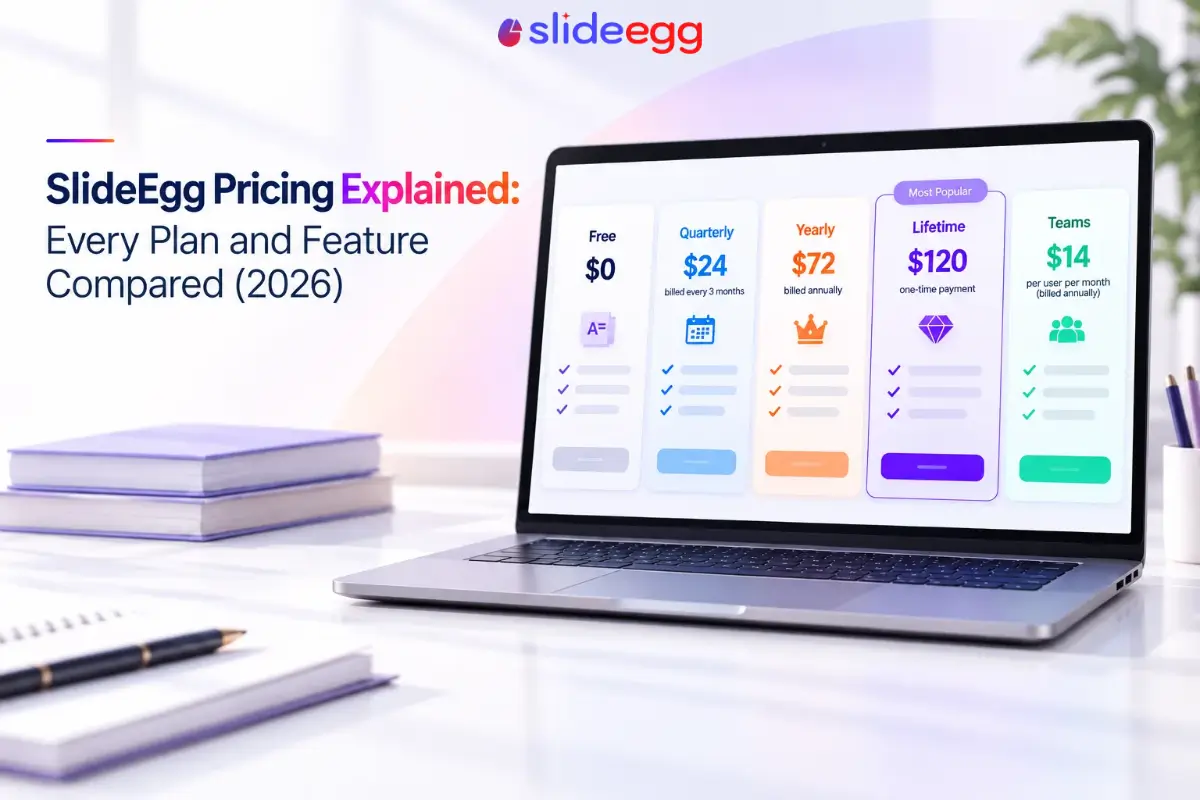
SlideEgg runs five plans: Free, Quarterly, Yearly, Lifetime, and Teams. It’s pay-as-you-go with no long-term contract. Templates, downloads, interactive-session limits, branding, and admin controls all scale up by tier, from community support on Free to a dedicated account manager on Lifetime.
How do the five SlideEgg plans compare?
| Category | Free | Quarterly | Yearly | Lifetime | Teams |
| Price | $0 | $24/3mo ($8/user/mo) | $72/yr ($6/user/mo) | $120 one-time | $14/user/mo, billed annually |
| Templates | 25,000+ free | 100,000+ premium | Unlimited premium | Unlimited premium | Unlimited |
| Downloads | 3/day | 1,000/month | Unlimited | Unlimited | Unlimited |
| AI credits | 200 (one-time) | 1,000/month | 2,000/month | 75,000 (one-time) | 4,000/month |
| AI tools | 2 | 6 | 16 | 16 | All AI tools unlocked |
| Participants per session | 50 | 100 | Unlimited | Unlimited | Unlimited |
| Participants per month | 250 | 1,000 | Unlimited | Unlimited | Unlimited |
| Branding | None | None | Custom logo, custom joining code | White-labeling, digital asset library | White-labeling |
| Security & admin | None | None | None | SSO, SCIM | SSO, SCIM, dedicated private cloud |
| Offline surveys | 3/month | 10/month | Unlimited | Unlimited | Unlimited |
| Support | Community | Chat | Priority | Dedicated onboarding + account manager | Dedicated account manager |
What is each SlideEgg plan actually for?
Free works for testing the editor or pulling a handful of templates with no card on file. Quarterly suits short-term or seasonal use where download volume matters more than branding. Yearly is the workhorse tier: the first one with custom branding and priority support, at $6 per user per month. Lifetime adds a one-time 75,000 AI credit grant, SSO, SCIM, white-labeling, and a digital asset library, for a single $120 payment instead of ongoing billing. Teams is the only plan priced per seat, built around a dedicated private cloud for organizations rather than individuals.
Lifetime vs Yearly: which plan fits you best?
Lifetime pays for itself in about 20 months compared to Yearly’s $72 annual billing, and from that point on it keeps delivering unlimited premium templates and downloads at no extra cost, permanently. It also comes loaded with 75,000 AI credits to use at your own pace, and SlideEgg’s documentation notes that Lifetime credits can be topped up once depleted, so there’s room to get more by reaching out to SlideEgg’s support team, since top-up packs aren’t on the standard checkout page.
Yearly is just as strong a pick for anyone who likes a steady rhythm: 2,000 AI credits refreshed every month, alongside the same unlimited templates and downloads, custom branding, and priority support. Both plans unlock SlideEgg’s full creative toolkit end to end, the only real question is whether a one-time payment or a predictable yearly cadence fits your workflow better.
Frequently asked questions
What plans does SlideEgg offer?
Five plans: Free ($0), Quarterly ($24 billed every three months), Yearly ($72 billed annually), Lifetime ($120 one-time), and Teams ($14 per user per month, billed annually).
What’s the cheapest paid plan?
Quarterly gets you started for just $24. For the best ongoing value, Yearly brings the cost down to $6 per user per month, with unlimited premium templates and downloads included.
Does SlideEgg offer a lifetime plan?
Yes. A one-time payment of $120 unlocks unlimited premium templates, unlimited downloads, and 75,000 one-time AI credits, with no recurring billing.
Can I cancel my SlideEgg plan anytime?
Yes, you’re always in control. SlideEgg is pay-as-you-go with no long-term contract, and canceling simply downgrades the plan at the next billing cycle with no further charges. Refunds are explicitly not available after downloading 5 or more templates, so it’s worth exploring a plan’s templates before committing to a lot of downloads.
How many AI credits does each SlideEgg plan include?
Free and Lifetime grant credits once: 200 and 75,000 respectively. Quarterly, Yearly, and Teams renew monthly, at 1,000, 2,000, and 4,000 credits.
What does the Teams plan add over Lifetime?
Teams brings per-seat pricing, a dedicated private cloud, and all AI tools unlocked with 4,000 monthly credits, built for organizations that want to scale together.
What file formats does SlideEgg support?
Templates import as PPT, PPTX, or PDF. Downloads export as PPT, image, PDF, or Excel, with a PowerPoint add-on available from the Quarterly plan up.
Does SlideEgg offer discounts for students, non-profits, or accessibility needs?
Yes. SlideEgg’s pricing page lists reduced pricing for Education & NGOs and a free access request for deaf or hard-of-hearing users, both available by contacting SlideEgg directly rather than through the standard checkout.
Ready to pick a plan?
Compare the full details and current pricing directly.