Canva is useful for quick designs, social posts, posters, and simple presentations. But it is not always the best choice when you need editable presentation templates for PowerPoint or Google Slides.
Many users want more control over slide files. Some need offline editing. Some need pitch decks, business reports, education slides, infographics, timelines, or roadmap templates. Others want free downloads without watermarks, limited export issues, or repeated designs that look like every other Canva deck.
That is why many people search for free Canva alternatives. The right alternative depends on how you create presentations, where you edit them, and what kind of slides you need.
This guide compares the top free Canva alternatives for presentation templates in 2026. The focus is not on general graphic design tools. The focus is on platforms that help you create better slide decks.
Quick Answer: Best Free Canva Alternatives for Presentation Templates
The best free Canva alternatives for presentation templates are SlideEgg, Slidesgo, SlideModel, SlidesMania, PresentationGO, Adobe Express, and Microsoft Create.
Use SlideEgg for a large template library with PowerPoint, Google Slides, and Canva support. Use Slidesgo or SlidesMania for education templates. Use SlideModel for polished business diagrams and data-heavy slides. Use PresentationGO for diagrams, charts, timelines, and business visuals. Use Adobe Express for a Canva-like browser editor with PowerPoint export. Use Microsoft Create for working directly inside PowerPoint.
| Rank | Tool | Best For | PowerPoint | Google Slides | Main Limitation |
|---|---|---|---|---|---|
| 1 | SlideEgg | Broad presentation template library | Yes | Yes | Free downloads have daily limits |
| 2 | Slidesgo | Education and modern themes | Yes | Yes | Free downloads are limited, and attribution may apply |
| 3 | SlideModel | Business diagrams and data-heavy slides | Yes | Yes | The free gallery is limited; the full library sits behind a paid plan |
| 4 | DocHipo | Teachers and classroom slides | Yes | Yes | Less suited for formal corporate decks |
| 5 | PresentationGO | Charts, diagrams, process slides | Yes | Yes | Better for slide elements than full decks |
| 6 | Adobe Express | Canva-like editing | Via PPTX export | Indirect, via PPTX | Some assets/templates are premium |
| 7 | Microsoft Create | Native PowerPoint templates | Yes | Indirect, via PPTX import | Smaller creative range than template libraries |
Why People Are Looking Beyond Canva in 2026
Canva is easy to use, but problems can appear when a presentation leaves the browser. A template that looks polished online may open in PowerPoint with shifted text boxes, changed fonts, misaligned shapes, or elements that are difficult to edit.
Presentation users need more than an attractive design. They need editable charts, icons, images, text boxes, and layouts that remain usable in PowerPoint or Google Slides. They may also need offline editing, professional business structures, attribution-free options, or templates built specifically for pitch decks, lessons, reports, timelines, and roadmaps.
Canva remains useful for quick visual content and simple online presentations. However, when the final deliverable must be a structured PPTX file or an editable Google Slides deck, a presentation-focused template platform may provide a faster and more reliable workflow.
How We Ranked These Free Canva Alternatives
These tools were ranked based on practical presentation needs, not brand popularity. We looked at free access, presentation template quality, PowerPoint compatibility, Google Slides compatibility, ease of download, free plan restrictions, template variety, business and education use cases, editing flexibility, and license and attribution clarity.
We excluded tools that are mainly photo editors, video editors, logo makers, or AI slide generators without a useful free template library. We also excluded platforms that have been fully absorbed into Canva itself, since the goal of this guide is to compare genuine alternatives rather than products now operating under Canva’s own editor.
Editorial Disclosure
This comparison was researched and written by Mohana Priya, a content writer at SlideEgg who covers presentation templates, slide design, and PowerPoint and Google Slides workflows.
She has reviewed and categorised presentation templates across business, education, marketing, and professional communication use cases.
Each platform was reviewed using the same presentation-focused criteria, including template quality, file compatibility, editing flexibility, free-plan restrictions, licensing clarity, and suitability for business and education use.
Because the author works with SlideEgg, the platform’s limitations are included alongside its strengths. Readers should choose a tool based on their own presentation format, licensing requirements, and workflow rather than its position in this ranking.
This article was reviewed on July 17, 2026. Features, pricing, licensing terms, and free-plan limits may change, so confirm the current conditions on each platform’s official website before downloading a template.
The 7 Best Free Canva Alternatives for Presentation Templates
1. SlideEgg — Best for a Broad Presentation Template Library
Source: SlideEgg Free PowerPoint Templates
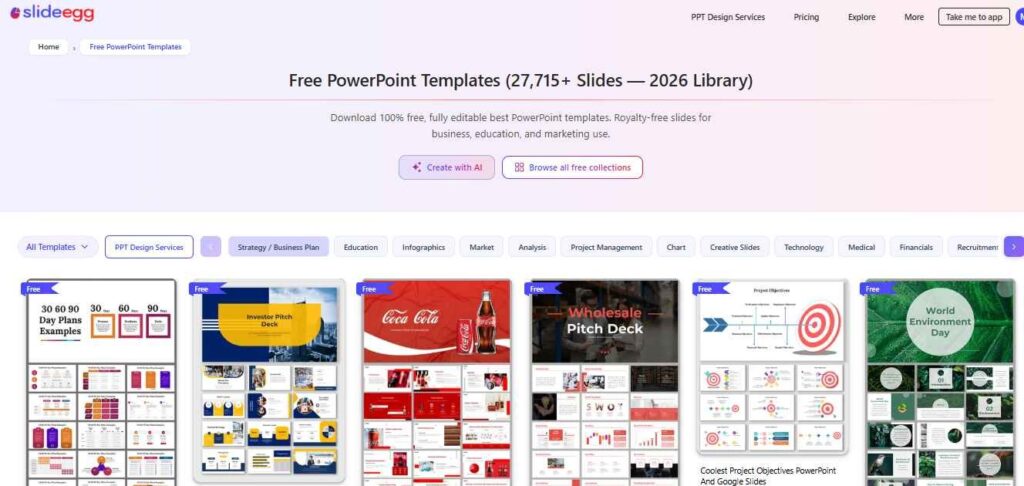
SlideEgg focuses on free, Free presentation templates rather than general graphic-design projects. Its broad category range makes it practical when you already know the type of deck or slide you need, such as a pitch deck, roadmap, lesson, company profile, business report, timeline, or infographic. Templates can be edited using PowerPoint, Google Slides, or Canva, although free downloads are subject to daily limits.
Who should use SlideEgg?
SlideEgg suits business professionals, teachers, students, startups, marketers, sales teams, HR teams, trainers, and freelancers who regularly need editable templates across multiple categories. It is most practical for users who prefer downloading a ready-made deck and editing it in PowerPoint or Google Slides instead of building it inside Canva.
Pros
- Large presentation template library
- PowerPoint, Google Slides, and Canva support
- Many business and education categories
- Editable slide elements
- Free templates available
- Useful for pitch deck templates, timeline templates, roadmap templates, company profile templates, and infographic templates
- Good option for users who need templates often
Cons
- Free downloads have daily limits
- The large library can feel overwhelming without filters
- Some users may need paid access for frequent downloads or premium templates
Note: When I tested a free SlideEgg presentation template in PowerPoint, all the text boxes, icons, and shapes remained fully editable without any formatting issues. The file was easy to customize, although free downloads are subject to daily limits.
2. Slidesgo — Best for Education and Modern Google Slides Themes
Source: Homepage
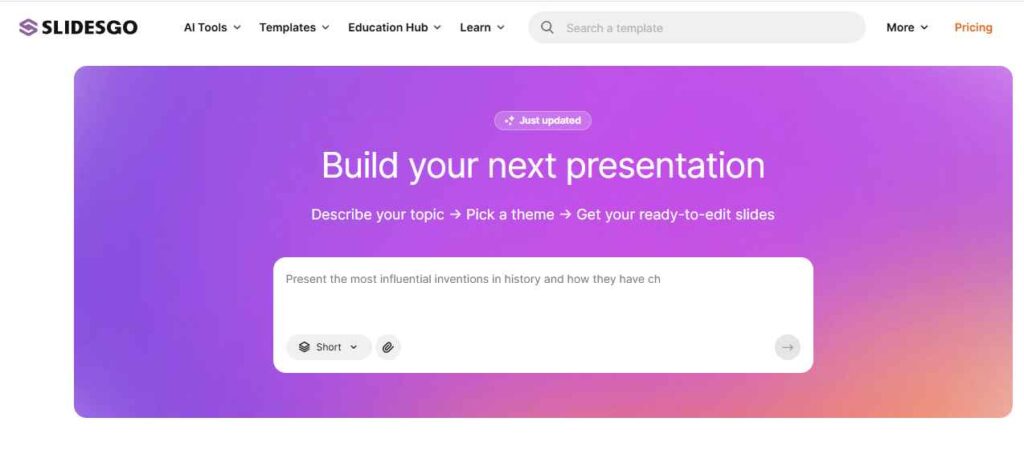
Slidesgo stands out for colourful, topic-based themes designed around education, student projects, lessons, and creative presentations. It is a practical choice when you need a polished Google Slides or PowerPoint theme quickly, although some of its more decorative layouts may not suit formal reports or corporate presentations.
For a direct look at both platforms, you can also read this SlideEgg vs Slidesgo comparison.
Who should use Slidesgo?
Teachers, students, trainers, education creators, and academic presenters will find Slidesgo’s topic-based themes most relevant.
Pros
- Strong education template collection
- Good Google Slides support
- PowerPoint download options
- Modern visual styles
- Useful for school, college, and classroom presentations
- Easy to browse by theme and topic
Cons
- Some templates and features require a premium plan
- Free accounts have monthly download limits
- Free users may need to retain the attribution slide
- Some decorative themes may not suit formal business reports
Note: The Slidesgo template I tried imported into Google Slides without any layout problems. The design looked polished, but the free version required me to keep the attribution slide unless I upgraded.
3. SlideModel — Best for Business Diagrams and Data-Heavy Presentations
Source: SlideModel Free PowerPoint Templates
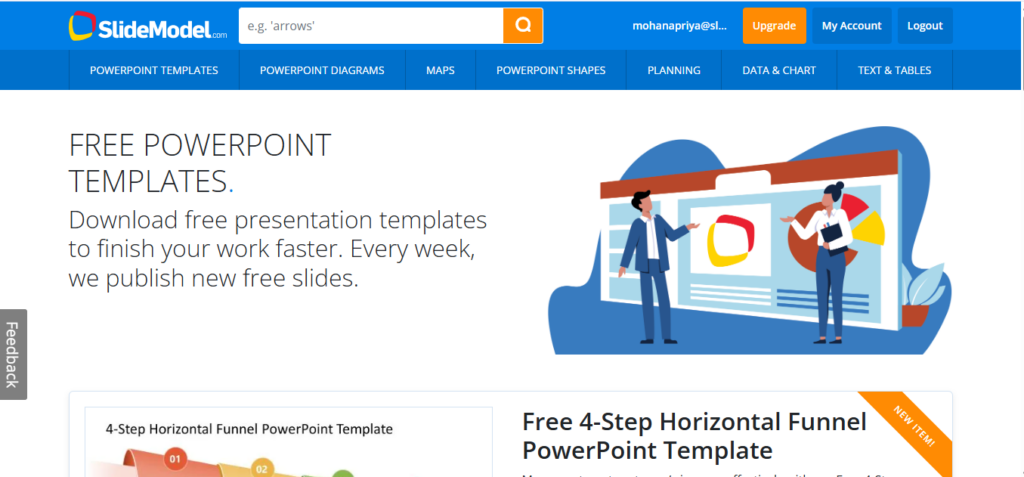
SlideModel is built around polished, professional slides for business and data-heavy presentations — think SWOT analyses, org charts, McKinsey-style frameworks, timelines, and process diagrams. Templates are built with native, fully editable PowerPoint shapes rather than locked images, so charts and diagrams stay adjustable once they’re in your deck. Files work in PowerPoint, Google Slides, and Keynote.
A genuine free template gallery exists, but downloading from it requires creating a free SlideModel account first — there’s no guest download option, even for the free items. The bulk of the 50,000+ template catalogue sits behind a paid subscription or a one-time plan.
For a clearer side-by-side look at both platforms, check out our SlideEgg vs SlideModel comparison.
Who should use SlideModel?
Business analysts, consultants, project managers, and marketing teams who need clean, data-driven diagrams and don’t mind creating a free account (or upgrading) to reach the wider library.
Pros
- Large library of professionally designed business diagrams and charts
- Templates built with native, fully editable PowerPoint shapes rather than flattened images
- Compatible with PowerPoint, Google Slides, and Keynote
- A genuine free template gallery to test quality before upgrading
- Strong for frameworks like SWOT, McKinsey 7S, and org charts
Cons
- Free downloads require creating an account — no guest access
- Most of the library sits behind a paid subscription or on-demand plan
- The free gallery is a small, curated subset rather than the full catalogue
Note: When I downloaded a free SlideModel template, the diagrams and charts were created with editable PowerPoint shapes rather than static images. I had to create a free account before I could download the file.
4. DocHipo – Best for Business-centric Presentations
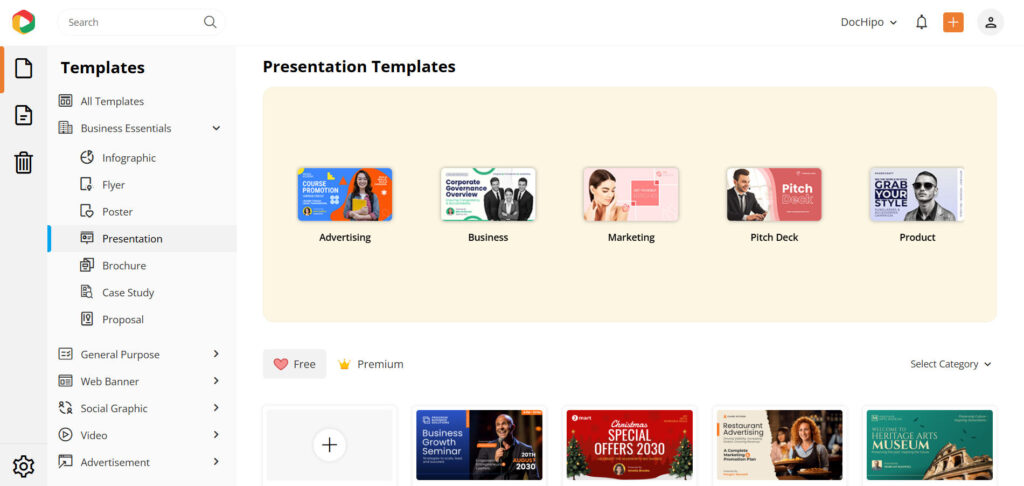
Source: DocHipo Presentation
DocHipo is a visual content design tool that lets you make engaging business presentations without requiring any prior design experience. You will find ready-made presentation templates for practical use cases such as marketing, advertising, business, pitch decks, and product showcases. You can make your presentation captivating with preset fonts, stock photos and videos, and exclusive illustrations and animations.
Who should use DocHipo?
Marketers, startup founders, small business owners, entrepreneurs, agencies, and product-based businesses who need to create professional presentations without hiring a designer or a design team.
Pros
- Professionally-designed business-focused templates
- Suitable for niche-specific presentation slides
- Visually appealing and polished designs
- Easy to filter and access by category
- Easy drag-and-drop customization
- Charts and interactive maps
- No watermarks even on the free downloads
- Present directly from the DocHipo editor
Cons
- Some templates and features require you to upgrade to the Pro plan
- High-resolution download requires a paid plan
Note:
DocHipo presentation templates are designed with refreshing layouts, clear visual hierarchy, and modern yet professional typography. Hence, they don’t require extensive redesign; rather, only minimal manual tweaking based on the topic and content. However, I found the export options limited.
5. PresentationGO — Best for Diagrams, Charts, and Process Slides
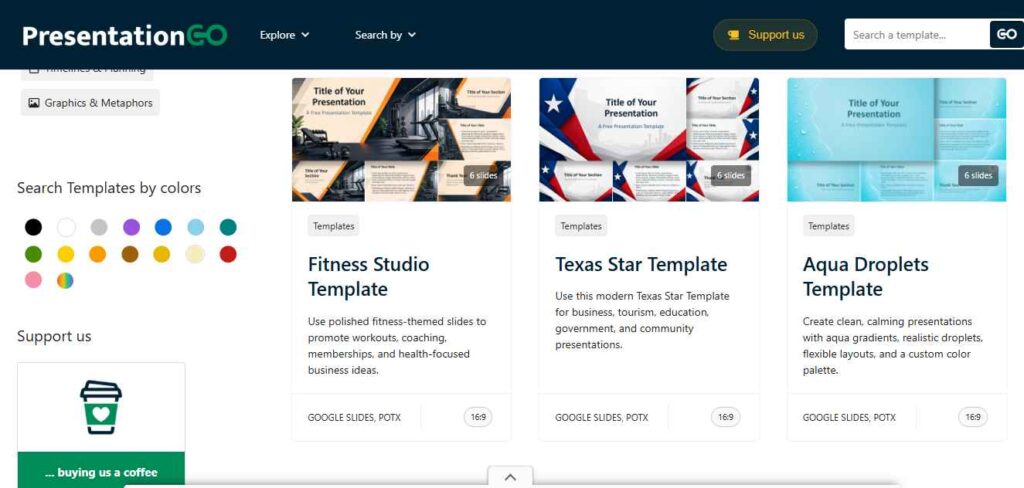
Source: PresentationGO Free Presentation Templates
PresentationGO is strongest when a presentation needs a specific visual rather than another complete theme. Its collection includes charts, diagrams, timelines, maps, funnels, processes, and business frameworks that can be added to an existing deck. Complete themes are available, but users building a specialised presentation may need to combine several individual resources to maintain the right structure.
Who should use PresentationGO?
Project managers, business analysts, consultants, trainers, team leads, and marketing teams should use PresentationGO when they need individual diagrams, frameworks, timelines, or process slides.
Pros
- Free downloads
- No registration required
- Strong chart and diagram collection
- PowerPoint and Google Slides support
- Useful for business explanation slides
- Good for timelines, funnels, processes, and roadmaps
Cons
- Finding a complete deck with one consistent visual style may require more searching
- Users may need to combine multiple resources for a specialised presentation
- The library is stronger in diagrams and reusable visuals than in some creative or classroom categories
Note: I downloaded a process diagram from PresentationGO without creating an account. The shapes remained editable in PowerPoint, making it easy to match the diagram to an existing presentation.
6. Adobe Express — Best Canva-Like Editor With PowerPoint Export
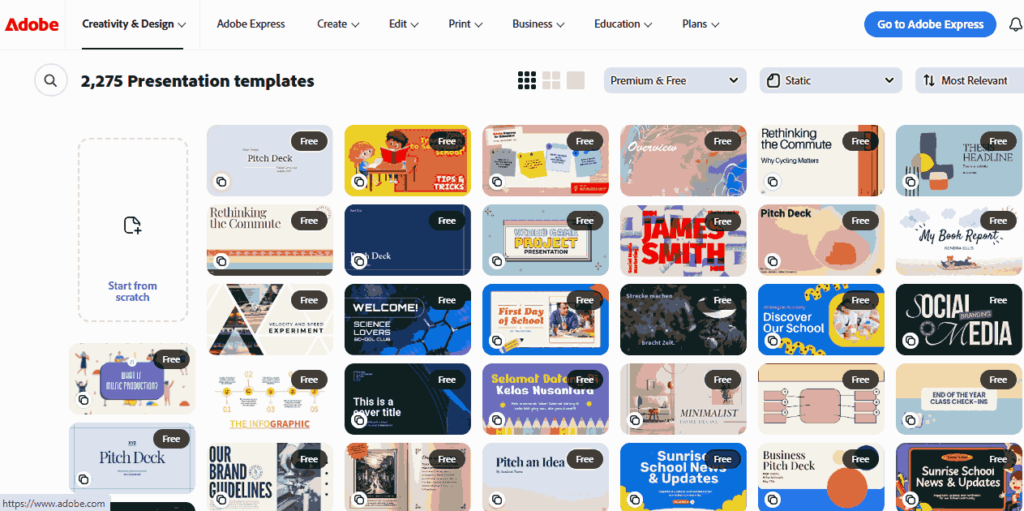
Source: Adobe Express Presentation Templates
Adobe Express provides the closest Canva-style editing experience in this comparison. Users can combine presentation layouts with photographs, graphics, brand assets, and other visual elements inside a browser-based editor before exporting the finished deck as a PowerPoint file. It is better suited to visual content creation than to users who only need a template they can download immediately.
Who should use Adobe Express?
Adobe Express fits marketers, small-business owners, creators, freelancers, and brand teams that prefer browser-based editing and need to export the finished presentation as a PPTX file.
Pros
● Browser-based editor
● Free presentation templates available
● PowerPoint export
● PDF export
● Good for branded visual content
● Strong design environment
Cons
● Some assets and templates are premium
● Not as presentation-template focused as SlideEgg or PresentationGO
● Google Slides use requires exporting the presentation as a PPTX file and then importing it into Google Slides
● May be more than needed if users only want a simple template download
Note: I created a presentation in Adobe Express and exported it as a PowerPoint file. The overall layout stayed intact, although some premium design assets weren’t available on the free plan.
7. Microsoft Create — Best for Native PowerPoint Users
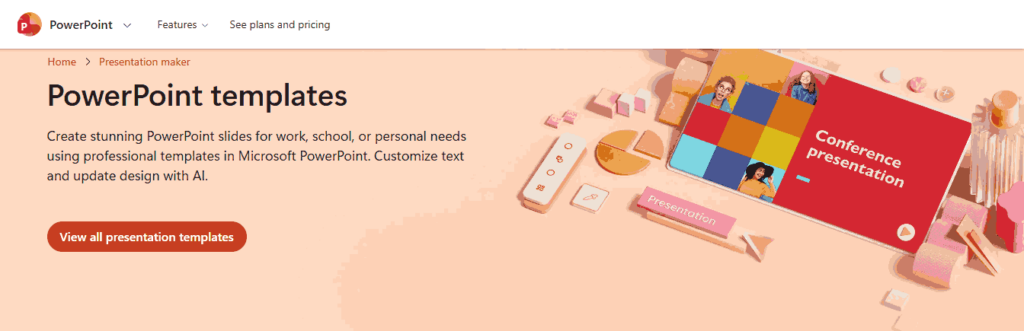
Source: Microsoft Create PowerPoint Templates
Microsoft Create is the most direct option for users who already build and present their work in PowerPoint. Its templates are designed around Microsoft’s own presentation format, which reduces the need to convert files from another design platform. The creative range is smaller than specialist template libraries, but native PowerPoint compatibility is its main advantage.
Who should use Microsoft Create?
Microsoft Create is intended for PowerPoint users, office teams, business professionals, corporate trainers, and students already working within Microsoft 365.
Pros
- Native PowerPoint compatibility
- Free PowerPoint templates available
- Browser editing options
- Good for Microsoft 365 users
- Reliable file format
- Suitable for business and school work
Cons
- Smaller creative range than third-party template websites
- Not as strong for niche template categories
- Google Slides use requires a PPTX import
- Some advanced features may depend on Microsoft 365 or Copilot access
Note: The Microsoft Create template opened directly in PowerPoint without any conversion. Everything was editable, but the overall template selection felt smaller than the specialist presentation template websites.
Best Canva Alternatives by User Type
The best tool depends on your presentation workflow.
| User Type | Best Choices | Why |
|---|---|---|
| Students | Slidesgo, SlidesMania, SlideEgg | Good education and project templates |
| Teachers | SlidesMania, Slidesgo, SlideEgg | Strong classroom and lesson options |
| Business users | SlideEgg, PresentationGO, SlideModel, Microsoft Create | Better for structured business decks and data-heavy diagrams |
| Startups | SlideEgg, PresentationGO, Adobe Express | Useful for pitch decks, roadmaps, marketing slides |
| Google Slides users | Slidesgo, SlidesMania, PresentationGO | Easy online editing and collaboration |
| PowerPoint users | SlideEgg, Microsoft Create, PresentationGO | Strong PPTX support |
| Users avoiding signup | PresentationGO, SlidesMania | Easier direct access |
| Diagram-heavy presenters | PresentationGO, SlideModel, SlideEgg | Strong process, chart, and business-framework templates |
| Marketing teams | Adobe Express, SlideEgg | Good for branded visual presentations |
Things to Check Before Downloading a Free Presentation Template
Free templates are useful, but not every free template is safe or practical for your work. Check these points before downloading: file format compatibility, commercial usage rights, attribution rules, watermarks, download limits, editable elements, font compatibility, slide size, and offline editing needs.
Some free templates require credit, and some require an account before you can download anything. SlideModel, for example, asks you to sign up for a free account before you can access its free template gallery. If you would rather avoid creating an account just to test a design, a platform with direct, no-signup downloads may be a better fit.
Common Mistakes People Make While Choosing Canva Alternatives
Choosing the wrong type of platform: A general graphic-design editor may be unnecessary when the final requirement is simply an editable PowerPoint or Google Slides template. Start by deciding whether you need an online editor, a complete presentation deck, or individual slide elements.
Ignoring file quality: Do not assume a PPTX export will remain fully editable. Check whether fonts, charts, icons, images, shapes, and spacing remain intact after opening the file in PowerPoint or importing it into Google Slides.
Overlooking licensing conditions: Free does not always mean unrestricted. Review attribution rules, commercial-use permissions, download limits, and restrictions on redistribution before using a template for client or business work.
Prioritising appearance over communication: A visually impressive template can still fail if it is difficult to read or inappropriate for the audience. Choose layouts that support the content and avoid excessive animations, decorative effects, or unnecessary visual elements.
Which Template Category Should You Search First?
Start with the audience and purpose of the presentation rather than browsing every available category.
Presenting to investors: Begin with pitch deck templates. Look for layouts covering the problem, solution, market, product, traction, business model, team, competition, and financials.
Reporting business performance: Use business strategy templates for strategic reviews or project management templates for operational updates. These categories usually include timelines, dashboards, charts, team updates, processes, and summary slides.
Explaining a plan or process: Search for project roadmap templates. These layouts make stages, comparisons, milestones, and decisions easier to follow.
Introducing an organisation: Start with company profile templates. They commonly include company history, services, team members, values, achievements, locations, and future goals.
Teaching or training an audience: Use education presentation templates for lessons, classroom activities, thesis presentations, student projects, workshops, and employee training.
Choosing the correct category first reduces browsing time and makes it easier to find a template with the slide structure you actually need.
Which Canva Alternative Is Right for You?
The right Canva alternative depends mainly on where you plan to edit the presentation and what type of slides you need.
Choose SlideEgg when you need a broad range of presentation categories across PowerPoint, Google Slides, and Canva. Slidesgo and SlidesMania are stronger for education and classroom presentations. SlideModel is the better choice for polished business diagrams and data-heavy slides once you’re ready to create a free account, while PresentationGO covers similar ground — charts, diagrams, timelines, and processes — without any signup at all. SlidesCarnival’s former spot in this space is now filled by Canva itself, since the two merged in 2023, which is part of why it’s no longer listed here as a separate alternative.
Adobe Express is suitable for users who want a Canva-like browser editor before exporting to PowerPoint. Microsoft Create is the most direct option when native PowerPoint compatibility matters more than template variety.
Before choosing a platform, confirm the supported file format, free-download limits, attribution requirements, commercial-use terms, and whether the slide elements remain editable. A useful presentation template should not only look polished; it should reduce editing time and help the audience understand the message.
Frequently Asked Questions
Which Canva alternative works best with PowerPoint?
SlideEgg, PresentationGO, Microsoft Create, Slidesgo, SlideModel, and SlidesMania all provide PowerPoint-compatible templates. Microsoft Create is the cleanest choice when native PowerPoint compatibility is the main priority. For a wider range of business, education, pitch deck, timeline, and infographic categories, SlideEgg is the stronger option.
Which Canva alternative works best with Google Slides?
Slidesgo, SlidesMania, SlideModel, PresentationGO, and SlideEgg work well for Google Slides users. Adobe Express can also work if you export the presentation as a PowerPoint file and open it in Google Slides.
Which Canva alternative has the largest free presentation template library?
Free-library sizes change as platforms add templates or alter their access rules, so there is no permanent answer. SlideEgg offers a broad range of free presentation templates across business, education, marketing, pitch decks, timelines, and infographics, but users should confirm the current inventory and daily download limits before choosing.
Are free presentation templates safe to download?
Free presentation templates are safer when downloaded from known platforms with clear file formats and usage terms. Avoid unknown download buttons, suspicious ZIP files, and websites that ask you to install extra software.
Can I use free presentation templates for commercial projects?
It depends on the platform. Some free templates allow commercial use. Some require attribution. Some restrict redistribution. Always check the license before using a free template for client work, business proposals, sales decks, or paid training.
Do Canva alternatives require an account?
Some do, and some do not. PresentationGO offers no-registration downloads. SlideEgg, SlideModel, Adobe Express, and some other platforms may require sign-up for downloads, editing, or saving projects.
Is Canva better than PowerPoint for presentations?
Canva is better for quick visual design and simple online editing. PowerPoint is better when you need offline editing, advanced slide control, presenter tools, and reliable PPTX formatting. If the final file must be used in a workplace or academic setting, PowerPoint templates may be the safer choice.
What is the best Canva alternative for business presentation templates?
SlideEgg, PresentationGO, SlideModel, and Microsoft Create are better choices for business presentation templates. SlideEgg is stronger for full template categories, PresentationGO and SlideModel are useful for diagrams and data-heavy visuals, and Microsoft Create is best for native PowerPoint users.