If you’ve spent an afternoon Googling “best AI presentation maker” and ended up more confused than when you started, you’re not alone.
The category is crowded, the marketing all sounds the same (“create beautiful slides in seconds!”), and most comparison articles were written by people who tested free trials for 20 minutes rather than using the tools under real work conditions. Some still list Tome — which shut down its presentation product in April 2025 — as an active recommendation.
This comparison is different. We evaluated 9 actively maintained tools using five practical criteria: AI generation quality, PowerPoint export fidelity, free-tier honesty, team and brand features, and pricing versus value. We cross-referenced those findings with 500+ real user comments from Reddit (r/productivity, r/startups, r/Entrepreneur, r/marketing), verified G2 and Google Marketplace ratings, and live pricing pages — all checked in July 2026.
The result is a simple answer to the questions people actually ask: Which of these produces the best first draft? Which handles PowerPoint export without breaking everything? Which free plan is actually usable? And which is worth paying for?
Whether you’re a student building a class presentation, a sales rep who needs a branded deck by morning, a startup founder pitching investors, or an enterprise team producing 20+ presentations a month — this guide will tell you which tool fits your situation and, just as importantly, which ones don’t.
Quick Answer
- Template-rich AI generation with a lifetime plan option → SlideEgg AI
- Fast first draft from a prompt → Gamma
- Live in Google Slides or PowerPoint → Plus AI
- Team needs consistent, on-brand decks → Beautiful.ai
- Turn long text or notes into presentations within your existing workflows → SlidesAI
- Free option with broad export formats → Canva AI
- Company is on Microsoft 365 → Microsoft Copilot in PowerPoint
- Maximum budget efficiency → Decktopus
None of these tools produce a presentation you can ship without editing. The gap between “AI-generated first draft” and “presentation-ready output” is still measured in hours for most professional use cases.
⚠ Important 2026 Update: Tome is no longer an AI presentation tool. It discontinued its slide product on April 30, 2025, and pivoted to sales automation software. Any article recommending Tome for presentations in 2026 is out of date.
Side-by-Side Comparison Table
| Tool | Best For | Free Tier | Starting Price | PPTX Export | Rating |
|---|---|---|---|---|---|
| SlideEgg AI | Template-rich AI with lifetime plan & edu/NGO discounts | Yes (400 one-time credits, 10 PPT/day) | Basic / Pro (see pricing page) | Teams $30/user/mo | Lifetime $299 | Yes (PPT & Google Slides) | 4.6/5 (G2) · 5.6M+ users |
| Gamma | Speed — deck from prompt in 30 sec | 400 one-time credits | $9/mo (Plus) | Yes (cleanup often needed) | 4.2/5 (G2) |
| Canva AI | All-rounder, broad template library | Yes (limited AI credits) | $12.99/mo (Pro) | Yes (clean) | 4.7/5 (G2) |
| Beautiful.ai | Design consistency for teams | No | $12/mo (Pro individual) | Yes (clean) | 4.6/5 (G2) |
| SlidesAI | Text-to-slides inside Google Slides & PowerPoint | Yes (12 presentations/year) | $10/mo (Pro, billed annually) | Native add-on — no export step | 4.6/5 Google Workspace Marketplace · 10M+ installs |
| Plus AI | Google Slides & PowerPoint users | 7-day trial | ~$10/mo | Native — no export step | 4.6 Google / 4.8 MS |
| Microsoft Copilot | Enterprise on M365 | No (add-on required) | $30/mo (+ M365 required) | Native — no export step | Built into PowerPoint |
| Decktopus | Low-budget individuals | Yes (limited) | ~$6/mo | Yes | 4.3/5 (G2) |
| Pitch | Team collaboration (weak AI) | Yes | $8/mo (Pro) | Yes | 4.5/5 (G2) |
How We Evaluated
Each tool was assessed on five criteria:
- AI generation quality — Does the first draft require light editing or a full rewrite?
- PowerPoint export fidelity — Does the .pptx look like the original, or do fonts and layouts break?
- Free tier honesty — What does “free” actually include before you hit a wall?
- Team and brand features — Can multiple people work from shared templates?
- Pricing vs. value — Is the paid plan justified by what you get?
Reddit feedback from r/productivity, r/startups, r/Entrepreneur, r/marketing, and r/freelance was used to cross-check vendor claims against real-user experience (500+ comments analyzed).
Tool-by-Tool Breakdown
1. SlideEgg AI — Best for Template-Backed AI Generation with Flexible Pricing
Best for: Template-rich AI & Lifetime Access, Free: 400 one-time credits, 10 PPT/dayBasic / Pro (see pricing page)Teams: $30/user/moLifetime: $299 one-time, G2: 4.6/5 · 5.6M+ users
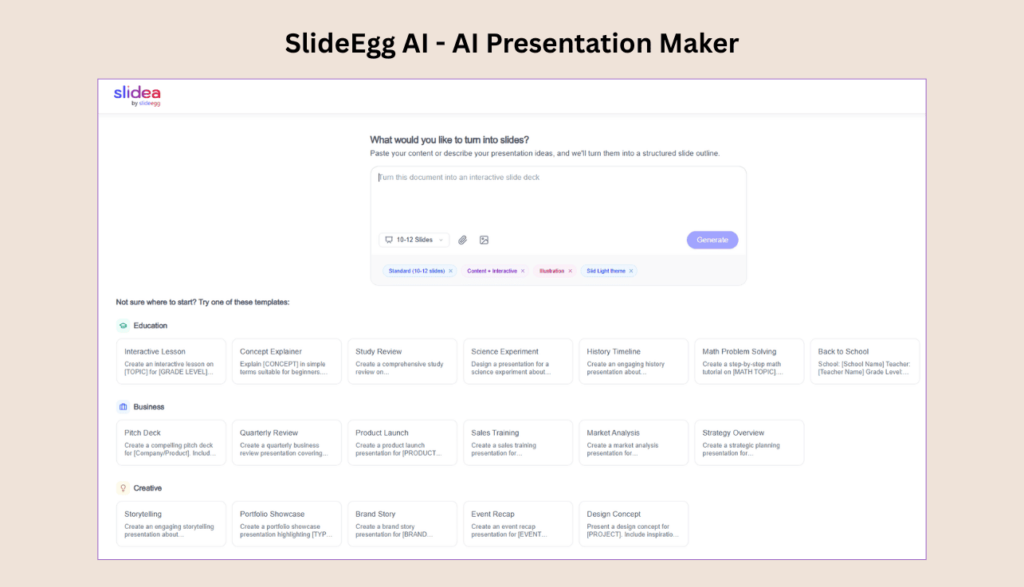
SlideEgg has built its reputation on a massive library of fully editable PowerPoint, Google Slides, and Canva templates — trusted by users at Microsoft, Harvard, MIT, Amazon, IBM, and Stanford. Its AI presentation maker at slideegg.com/app/ai sits on top of that template foundation, letting you generate structured slide decks from prompts with access to purpose-built layouts across four content categories.
The tool accepts a text description or prompt and generates a 10–12 slide outline by default, with the option to choose between Content + Interactive and Illustration modes, and multiple themes. Pre-built prompt templates cover Education (Interactive Lesson, Concept Explainer, Study Review, Science Experiment, History Timeline, Math Problem Solving), Business (Pitch Deck, Quarterly Review, Product Launch, Sales Training, Market Analysis, Strategy Overview), Creative (Storytelling, Portfolio Showcase, Brand Story, Event Recap, Design Concept), and Training (Onboarding, Skills Workshop, Safety Training, Software Tutorial, Leadership Development).
✓ Strengths
- Backed by 200,000+ professionally designed templates — AI output has a stronger visual foundation than most competitors
- Four distinct content categories with ready-made prompt structures reduce blank-page friction
- PPTX and Google Slides export included across paid plans
- 15+ AI PowerPoint tools on Pro plan (annotation, branding, workspace collaboration)
- 15-day free trial on paid plans; no credit card required for free tier
- Lifetime plan ($299 one-time, 200,000 AI credits) — the only tool on this list offering perpetual access with no recurring subscription
- Zoom integration on Basic and above — useful for live classroom and team presentations
- SSO + SCIM on Teams plan; GDPR compliant; dedicated private cloud option
- Special discounts for education institutions, NGOs, and deaf/hard-of-hearing users
- Trusted by 5,641,258+ users; used at enterprise and academic institutions worldwide
✗ Limitations
- Free tier 400 credits are one-time (same cap as Gamma) — you will hit the limit within a few sessions
- Basic and Pro per-seat pricing not displayed publicly without account — verify on the pricing page before committing
- AI generation is newer than Gamma’s or Canva’s — the prompt-to-slide engine, while functional, is still maturing relative to tools that have been AI-first from launch
- Interactive features (live quiz, Q&A, polling) add value but may be unnecessary overhead if you only need slides, not a live presentation platform
Pricing Breakdown (June 2026)
- Free: $0 · 400 one-time AI credits · 10 PPT downloads/day · 200+ templates · Limited AI creation
- Basic: 15-day free trial · 1,000 monthly AI credits · Unlimited templates · PPT + Google Slides + Zoom integrations · Custom themes
- Pro: 15-day free trial · 2,000 monthly AI credits · 15+ AI PowerPoint tools · Custom logo & branding · Collaborative workspace · Priority support
- Teams: $30/user/month (billed annually, 25% discount) · 4,000 monthly AI credits · SSO · SCIM · White labeling · Dedicated private cloud · Digital asset library
- Lifetime Ultimate: $299 one-time (was $599) · Full Pro features · 200,000 total AI credits · No recurring subscription
Who Should Use SlideEgg AI?
SlideEgg AI suits users who want AI generation backed by a professional template library rather than starting from a blank canvas. It’s particularly relevant for educators and trainers (the Education and Training template categories are more developed here than in most competitors), budget-conscious individuals who want to avoid a monthly subscription (the $299 lifetime plan is the only perpetual-access option in this comparison), and teams that need live presentation features (quiz, polling, Q&A) alongside AI slide generation in one platform.
Bottom line: SlideEgg AI combines the depth of a mature template library with AI generation and an interactive presentation layer. The lifetime plan is a genuine differentiator — if you present regularly and want to stop paying monthly, $299 for perpetual Pro access is worth evaluating seriously.
2. Gamma — Best for First Drafts at Speed
Best for: Speed, Free: 400 one-time credits, Plus: $9/mo, Pro: $19/mo, G2: 4.2/5
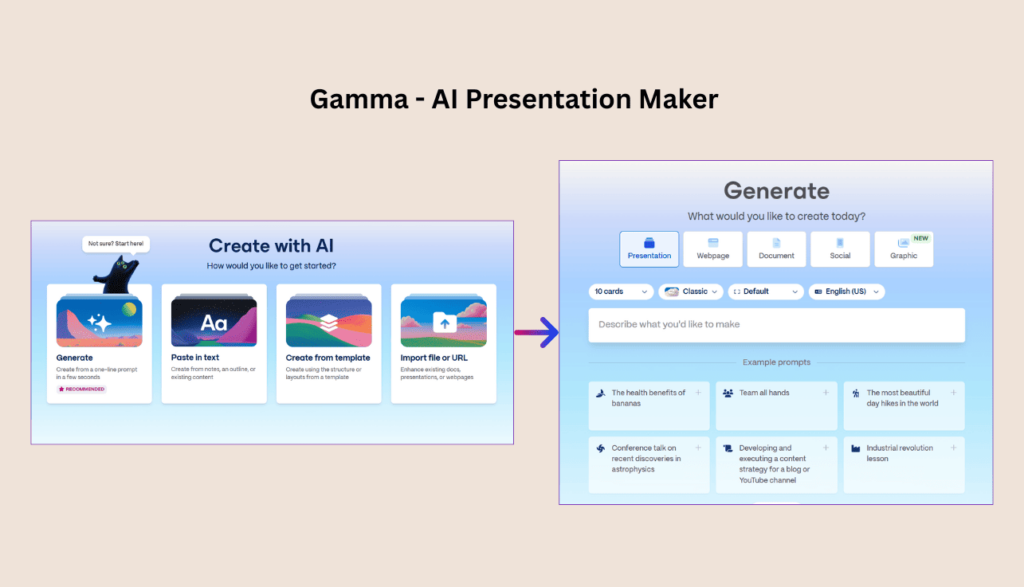
Gamma is the fastest AI presentation generator currently available. Type a topic or paste an outline, pick a style, and a full presentation with layout, text, and images is ready in under a minute. For standard business content — project updates, team briefings, training materials — the first draft is genuinely useful.
✓ Strengths
- Complete 10-slide deck from a prompt in ~30 seconds
- AI-generated speaker notes that expand on slide content
- Presenter analytics — tracks which slides held viewer attention
- Clean browser-based sharing without file attachments
✗ Limitations
- PPTX export quality is the #1 complaint (38% of Reddit threads)
- Generic AI phrasing — industry-specific content needs manual rewriting
- Card-based format is web-native, not slide-native
- Free tier is 400 lifetime credits, not monthly
Credit Consumption Reference
- Full 10-slide deck generation: 80–100 credits
- 5 AI-generated images: ~100–200 credits
- Text expansion on all slides: ~50 credits
Gamma Pricing (2026): Free ($0, 400 one-time credits) | Plus $9/mo (1,000 credits/mo) | Pro $19/mo (4,000 credits/mo) | Ultra $90/mo (20,000 credits/mo)
Free tier reality check: Reddit users consistently flag this as a surprise — the 400 credits are a lifetime allocation, not monthly. Most users burn through 100–200 credits in their first hour. Two or three decks and you’re at the paywall.
Bottom line: Gamma is the best tool for fast first drafts. It is not a final-product tool for professional contexts. Use it to get 70% of the way there, then edit.
3. Canva AI (Magic Design) — Best All-Rounder with a Free Tier
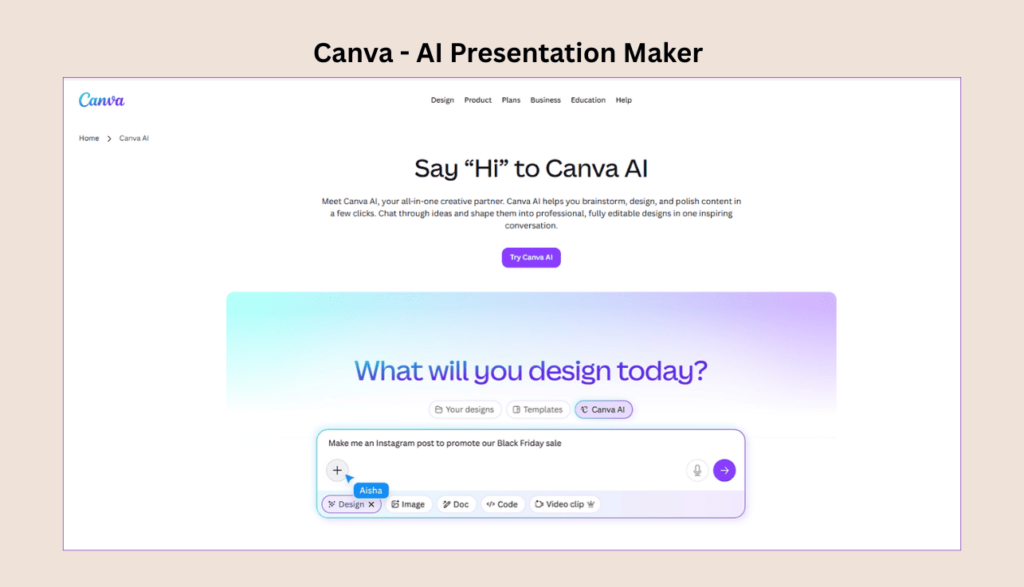
Best for: Flexibility & Free Tier, Free (limited AI credits), Pro: $12.99/mo, G2: 4.7/5
Canva’s Magic Design generates a full presentation from a topic description or uploaded document. The result benefits from Canva’s massive asset library — thousands of templates, millions of stock images, icons, and illustrations. For users already in the Canva ecosystem, the learning curve is minimal.
✓ Strengths
- Broadest export options: PDF, PPTX, MP4, GIF, shareable link
- Magic Charts turns data into visual slides in one click
- Built-in translation into 100+ languages
- Free tier includes basic AI features
- Canva Code for interactive slides without coding
✗ Limitations
- AI output is recognizably “Canva” to experienced audiences
- Prompt limit ~100 characters — limited specificity for deck generation
- Presentation-specific features (speaker notes, analytics) trail dedicated tools
- AI generation depth shallower than Gamma or Plus AI
Bottom line: The most flexible tool on this list. The free tier is genuinely usable. The tradeoff is a “Canva aesthetic” that won’t suit every professional context.
4. Beautiful.ai — Best for Design Consistency Across Teams
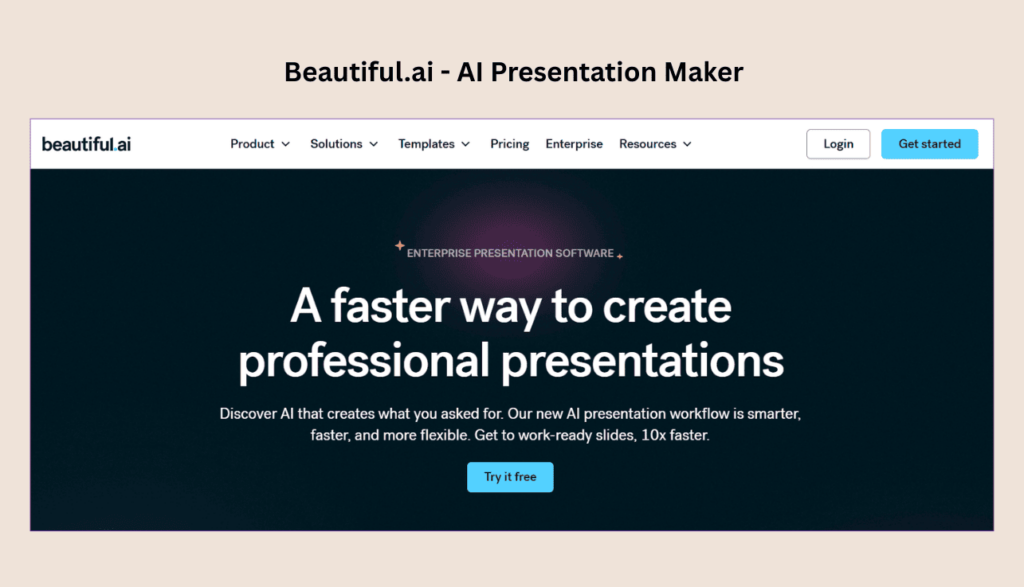
Best for: Brand Consistency, No free tier, Pro: $12/mo, Team: ~$40/user/mo, G2: 4.6/5
Beautiful.ai’s defining feature is Smart Slide technology: templates that automatically adjust layout, spacing, and font size as you add or remove content. Drop in a sixth team photo and the grid reflows. Add a fourth bullet and the font scales down to maintain readability. Non-designers produce polished slides by default.
✓ Strengths
- Design consistency without manual formatting
- Brand kits, shared slide libraries, locked templates
- PPTX export quality significantly better than Gamma
- Auto-aligning data charts as values change
✗ Limitations
- Design assistant, not a content generator — you still write the content
- Enforced design rules restrict unconventional layouts
- No free tier; team plan ~$40/user/mo
- AI content generation weaker than Gamma or Plus AI
Reddit signal: Beautiful.ai gets the highest praise-to-criticism ratio among paid users. Frustration comes almost entirely from pricing — the $40/user/month team price is consistently flagged as expensive for small organizations.
Bottom line: The right choice when presentation quality consistency matters more than AI-generated content. It’s a design system with AI automation, not an AI tool that makes slides.
5. SlidesAI — Best for Creating Presentations from Text & Documents
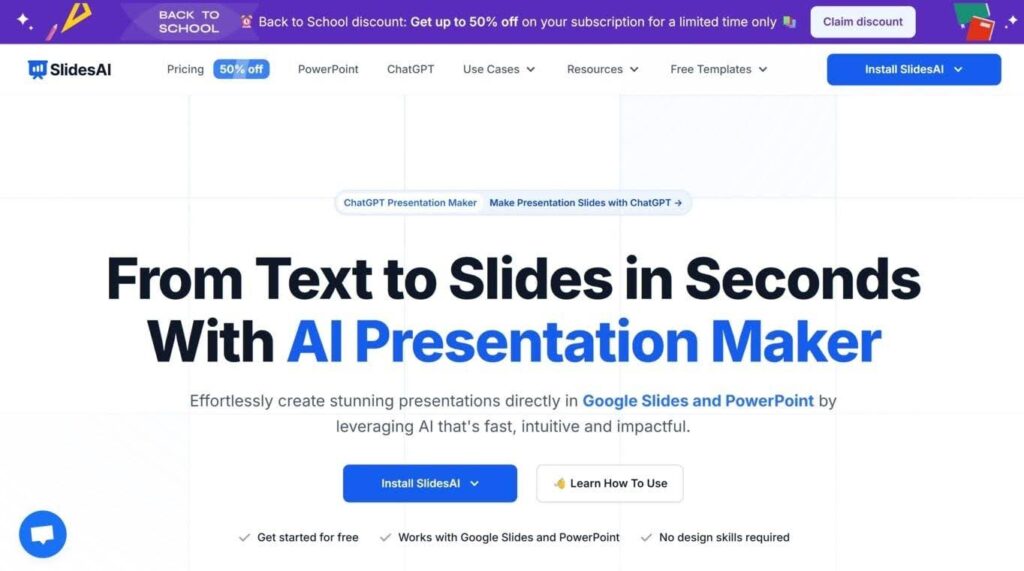
Best for: AI Presentation Creation, Free (limited), Pro: $10/mo, G2: 4.6/5
SlidesAI helps users turn prompts, text, PDFs, and Word documents into presentation-ready slides in minutes. Available as a web app and as addon for Google Slides and Microsoft PowerPoint, it automatically generates structured content, layouts, and visuals, making it a strong choice for professionals, educators, and students who want to save time.
✓ Strengths
- Generates presentations from prompts, PDFs, DOCX, and text
- Works with Google Slides, PowerPoint, and the web
- Supports 100+ languages
- Includes 1.5M+ stock image library with AI visuals
- Customizable themes, tone, and presentation settings
✗ Limitations
- Advanced features require a paid plan
- AI-generated layouts may need minor editing
- Premium templates are locked behind higher-tier plans
- Limited offline functionality
Bottom line: A great option for anyone who wants to create professional presentations quickly with minimal effort, especially if they already use Google Slides or PowerPoint.
6. Plus AI — Best for Google Slides and PowerPoint Users
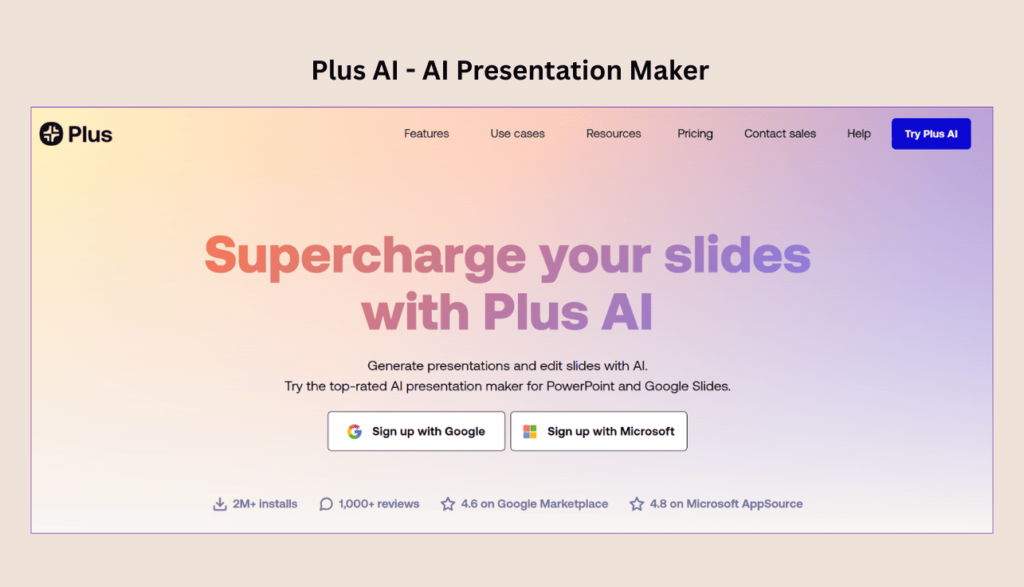
Best for: Native Workflow Integration, 7-day free trialFrom ~$10/mo, 4.6 Google Marketplace, 4.8 Microsoft AppSource, 2M+ installs
Plus AI is an add-on that runs directly inside Google Slides and PowerPoint. You don’t open a separate app, generate a deck, and import it — you work in the tool you already use, with AI assistance layered on top.
✓ Strengths
- No export step — output is native .pptx or Google Slides
- “Remix” feature reformats existing slides into new layouts
- Upload PDF, Word doc, or text file and convert to slides
- Works with your existing organization templates
- SOC 2 Type II compliant — enterprise-grade security
- Supports nearly any language for generation and translation
✗ Limitations
- Less creative flexibility than Gamma’s web-native approach
- Standalone web experience more limited than Gamma or Canva
- AI image generation not as refined as Canva’s Dream Lab
“Hands down the best AI presentation maker on the market when it comes to Google Slides.” — Verified Google Marketplace review
“The integration into PowerPoint is what makes this product so helpful. Making plenty of decks on a weekly basis, I turn to Plus AI for PowerPoint first.” — Verified Microsoft AppSource review
Bottom line: If your work lives in Google Slides or PowerPoint and you want AI that fits your existing process rather than replacing it, Plus AI is the most practical option.
7. Microsoft Copilot in PowerPoint — Best for Enterprise M365 Teams
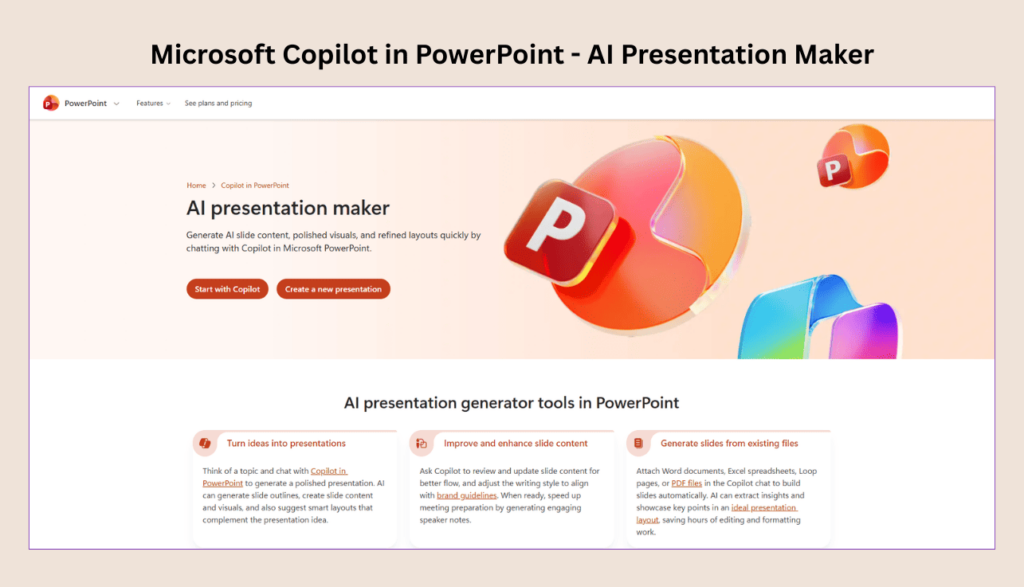
Best for: Enterprise M365, No free tier, $30/mo (+ M365 subscription required)
Copilot in PowerPoint is an AI layer built directly into PowerPoint. Its strongest workflow is generating presentations from existing Word documents: feed it a project brief, strategy doc, or meeting notes, and it extracts key points, organizes them into a slide structure, and applies your organization’s template.
✓ Strengths
- Best-in-class document-to-deck conversion from Word files
- Detailed speaker notes with transitions and talking points
- Cross-app awareness: references SharePoint, OneDrive, Teams content
- Data stays within your M365 tenant — safest for regulated industries
- Native .pptx output — no export step
✗ Limitations
- $30/user/month add-on hard to justify for PowerPoint use alone
- AI generation quality is inconsistent — similar prompts produce varying results
- Output quality constrained by your organization’s existing PowerPoint templates
- Only makes sense if your team actively uses M365 across multiple apps
Bottom line: The right choice for enterprises already committed to Microsoft 365, especially for document-to-deck workflows. For everyone else, the price is difficult to justify.
8. Decktopus — Best Budget Option
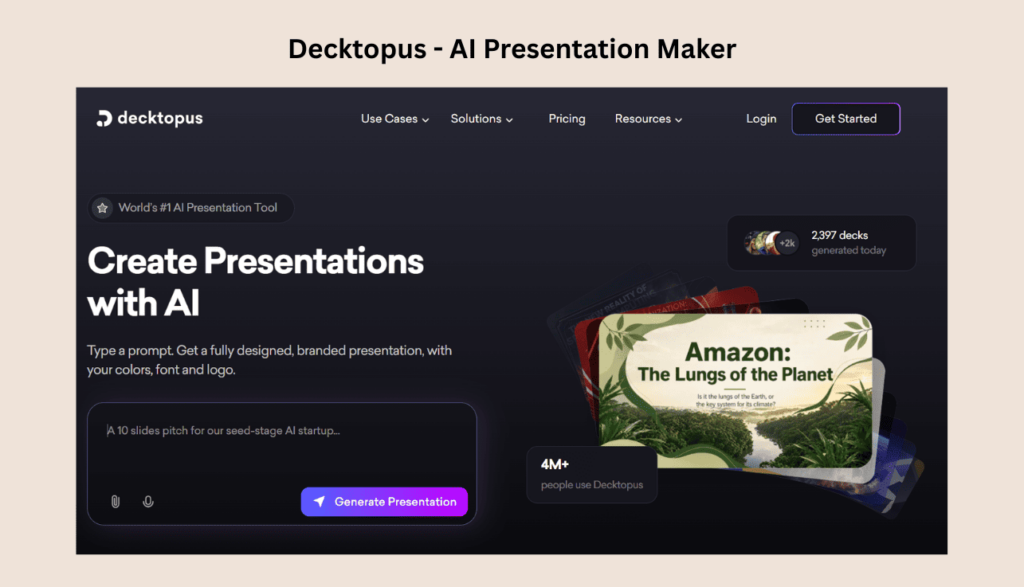
Best for: Tight Budgets, Free (limited)From ~$6/mo, G2: 4.3/5
Decktopus is the most affordable paid option on this list. It generates presentations from prompts, offers a range of templates, and handles basic business content adequately.
✓ Strengths
- Lowest cost among credible options (~$6/mo)
- Accessible interface with a short learning curve
- Covers basic presentation needs for solo users
✗ Limitations
- Reddit consensus: “fine but not great” — AI feels bolted on
- Limited brand customization and team collaboration
- Noticeable quality gap vs. Gamma or Canva at $9–13/month
Bottom line: Defensible if your budget is genuinely tight and presentation needs are occasional and uncomplicated. For regular professional use, the quality gap is noticeable.
9. Pitch — Best Collaboration, Weakest AI Generation
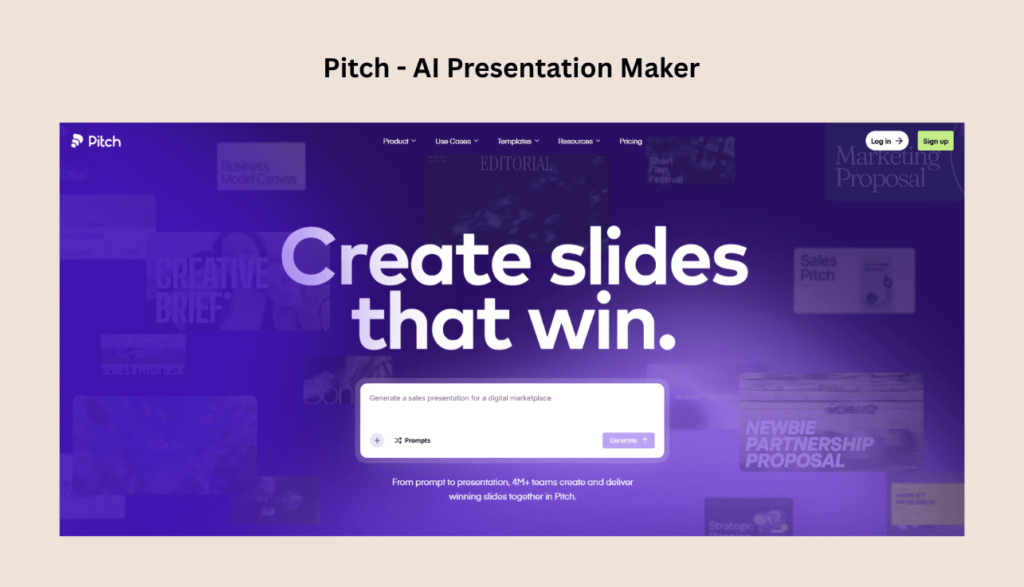
Best for: Team Collaboration, Free (limited)Pro: $8/mo, G2: 4.5/5
Pitch is primarily a collaborative presentation tool that adds AI features, not an AI tool built around presentations. Real-time collaboration, version history, and team workspaces are genuinely well-built.
✓ Strengths
- Best-in-class real-time collaboration and version tracking
- Clean, modern templates and solid design experience
- Reasonable free tier for small teams
✗ Limitations
- AI generation quality rated below Gamma, Plus AI, and Canva
- Reddit users praise Pitch for collaboration but switch tools for AI content
Bottom line: Consider Pitch if collaborative deck building is your primary need and AI content generation is secondary.
Which Tool for Which Use Case?
| Your Situation | Best Tool | Why |
|---|---|---|
| Educators and trainers who need curriculum-ready structures | SlideEgg AI | Pre-built Education and Training prompt templates (Interactive Lesson, Study Review, Onboarding, Safety Training) reduce setup time significantly. |
| Individuals who want to stop paying monthly subscriptions | SlideEgg AI (Lifetime) | The $299 one-time Lifetime Ultimate plan (full Pro + 200,000 AI credits) is the only perpetual-access option in this comparison. |
| Teams needing live interactive presentations (quizzes, polls, Q&A) | SlideEgg AI | The only tool here that combines AI slide generation with a full live presentation platform including audience quizzes, Q&A, and polling. |
| Quick internal team presentations | Gamma (free tier) | Generates a usable deck in under a minute. Save a template for recurring updates. |
| Investor or client pitch decks | Gamma or Plus AI | Use AI for first draft structure. Replace every AI-generated statistic with verified data. |
| Sales teams with brand requirements | Beautiful.ai | Brand kit + smart templates prevent inconsistency across dozens of reps. |
| Students and individuals on a budget | Canva AI (free) | Most functional free tier. Decktopus (~$6/mo) if you need more. |
| Enterprise on Microsoft 365 | Microsoft Copilot | Document-to-deck workflow + M365 data governance. Only if the team also uses Copilot elsewhere. |
| Google Slides or PowerPoint power users | Plus AI | Native integration means no export step, no formatting cleanup, no new tool to learn. |
| Non-English presentations | Canva AI | Built-in translation into 100+ languages within the editor. |
| Converting notes, essays, or reports into slides | SlidesAI | Turn your existing content into a polished presentation by pasting text or uploading a document, and SlidesAI does the rest. |
What AI Presentation Tools Still Cannot Do Well in 2026
Based on consistent Reddit feedback and user research, these are the use cases where all current AI tools underperform:
Academic and Scientific Presentations
No current AI presentation tool has reliable citation management or LaTeX support. The tools frequently hallucinate citations — inventing paper titles, DOIs, and author names that don’t exist. Academic users consistently report spending more time fact-checking than they would have spent building slides manually.
Highly Visual or Design-Led Decks
Designers working on brand presentations or product launches consistently prefer Figma plus manual layout. AI presentation tools default to “structured document” formats that constrain visual creativity. If your deck is design-heavy rather than content-heavy, the AI tools here aren’t built for your use case.
Regulated Industry Content
AI hallucination is a real liability in regulated industries. A slide that reads “According to McKinsey, 67% of teams report…” may be entirely fabricated. In finance, healthcare, and legal work — where every number traces back to a verified source — the AI’s tendency to generate plausible-sounding but unfounded claims is a genuine risk. Microsoft Copilot, which works from your own documents rather than generating content from scratch, has a structural advantage here.
Frequently Asked Questions
Is Gamma’s free plan actually usable?
For testing the tool, yes. For ongoing use, no. The 400 credits are a lifetime allocation, not a monthly reset. Generating one complete presentation with AI images typically uses 100–200 credits. Most users hit the ceiling after two to three decks. The free tier is enough to evaluate whether Gamma fits your workflow before committing to the $9/month Plus plan.
Does Tome still work in 2026?
No. Tome discontinued its AI presentation product on April 30, 2025, and pivoted to sales automation software. Any article listing Tome as a current option is outdated. For a Tome replacement: Gamma is the closest in style (narrative-focused, link-based sharing), or Plus AI if your workflow is PowerPoint/Google Slides-based.
Which AI presentation maker has the cleanest PowerPoint export?
Plus AI (native — no export step at all), Beautiful.ai, and Canva all produce clean .pptx files. Gamma’s export is the most-complained-about in user research — layouts flatten, fonts substitute, and spacing shifts when converting from its web-native card format. Microsoft Copilot generates natively in PowerPoint, so there is no export step.
Can I trust the statistics in AI-generated presentations?
No, not without fact-checking. All AI tools in this category have a documented tendency to invent statistics, attribute quotes to real people who didn’t say them, and generate citations to papers that don’t exist. Treat every AI-generated number as unverified until you have checked the source. This is not a tool-specific issue — it’s inherent to large language models.
Which tool is best for students?
Canva AI’s free tier is the most functional for students — it includes basic Magic Design, a large template library, and PDF and PPTX export. Gamma’s free tier is also usable for occasional presentations but the 400-credit lifetime cap is restrictive for regular academic use.
Is Microsoft Copilot in PowerPoint worth $30/month?
Only if your team is already on Microsoft 365 and uses Copilot across multiple apps (Word, Excel, Teams, PowerPoint). If you’re paying $30/month exclusively for AI in PowerPoint, the per-presentation cost is difficult to justify against Gamma at $9/month or Plus AI at ~$10/month.
Do any of these tools work offline?
None of these tools work fully offline. All require internet connectivity for AI features. Gamma and Canva are entirely browser-based. Plus AI requires connectivity for AI generation, though the native Google Slides/PowerPoint environment continues to work offline for editing. Beautiful.ai is browser-based only.
Which is best for non-English presentations?
Canva AI has the most explicit multilingual support — built-in translation across 100+ languages within the editor. Plus AI can read, write, and translate in most languages. Gamma supports multiple languages but non-English content quality is more variable. Reddit feedback consistently notes that non-English market support is underserved across all AI presentation tools.
Are AI presentation tools safe to use with confidential data?
It depends on the tool. Microsoft Copilot processes data within your M365 tenant and follows your organization’s existing data governance policies — the safest option for regulated industries. The other tools send your content to external AI providers for processing. Plus AI holds SOC 2 Type II compliance. Before uploading unreleased product plans, financial data, or client information, review each vendor’s data handling and privacy policies.
Why do AI-generated presentations often look generic?
Most tools draw from overlapping design patterns and stock image libraries, so the output often looks similar regardless of which tool you used. The fix: use AI for structure and first-draft content, then replace stock images with your own visuals, rewrite key points in your voice, and apply your actual brand guidelines. AI output is a starting point — treating it as a finished product is where most people encounter disappointment.
What features do users most commonly wish existed that don’t yet?
Across Reddit threads, the most-requested missing features are: (1) cleaner PowerPoint export that preserves animations and fonts — universal; (2) offline or desktop app mode; (3) better non-English language quality; (4) real-time collaborative editing comparable to Google Docs; (5) live data connections so charts pull directly from Google Sheets and update automatically in the presentation.
The Honest Verdict
There is no single AI presentation tool that handles every use case well in 2026. The gap between “AI-generated first draft” and “presentation you can ship” is still significant enough that most professional use cases require real editing time.
- SlideEgg AI — the strongest choice for educators, trainers, and anyone wanting to avoid recurring costs. The $299 lifetime plan is the only perpetual-access option in this comparison, and the template library gives AI output a stronger visual foundation than most tools.
- Gamma — fastest first-draft generator, but PPTX export quality remains a real limitation for PowerPoint-dependent workflows.
- Canva AI — most flexible option with the most useful free tier; the tradeoff is a recognizable aesthetic and shallower AI depth.
- Beautiful.ai — solves design consistency better than anything else here; it is a design enforcement tool, not a content generator.
- SlidesAI — the simplest way to turn text you already have into slides without leaving Google Slides or PowerPoint; the 12-presentations-per-year free cap and per-presentation character limits are the real constraints, not the price.
- Plus AI — most practical for professionals whose work lives in Google Slides or PowerPoint; native integration eliminates the export problem entirely.
- Microsoft Copilot — best enterprise choice for M365-committed organizations, particularly for document-to-deck workflows; hard to justify for PowerPoint use alone.
- Decktopus — the budget option; functional for light use, noticeable quality gap for professional work.
- Pitch — best collaboration features in the group; weakest AI content generation.
The practical approach for most teams: pick one primary tool that matches your workflow, use AI to generate a first draft, verify every statistic before the presentation leaves your desk, and treat the AI output as scaffolding rather than the finished structure.