Creative WiFi Technology PPT And Google Slides Templates





















Build a WiFi PowerPoint: From Signal Basics to Network Security
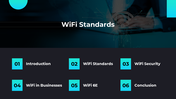
WiFi becomes easier to explain when an audience can follow the connection from a radio signal to the device using it. This 28-slide presentation provides that sequence, beginning with wireless-network fundamentals and progressing into standards, performance, security, and practical applications.
Follow the WiFi Connection Step by Step
The working presentation uses slides 1–22 to cover:
An introduction to WiFi technology
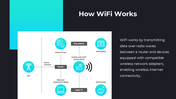
How a router transmits data to connected devices
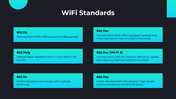
WiFi standards from 802.11a through newer generations
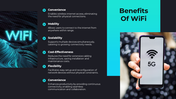
Benefits such as mobility, convenience and device connectivity
Routers, access points, antennas, modems and network adapters
The 2.4 GHz, 5 GHz, 6 GHz and 60 GHz frequency bands
Encryption, authentication and common security controls
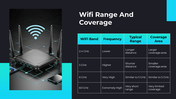
Range, coverage, speed and typical throughput
Mesh networks and WiFi in smart homes
Business and public-space connectivity
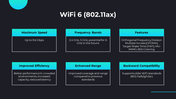
WiFi 6, WiFi 6E and integration with 5G
Security threats and future wireless-network developments
This progression works well for an introductory networking lesson, an employee awareness session or a technology briefing. Instead of showing every slide, select the sections that match the audience. A classroom explanation may require the standards and frequency-band slides, while an office briefing may benefit more from coverage, security and business-use examples.
Review the Technical Details Before Presenting
Wireless standards and performance figures change as technologies are approved and new equipment enters the market. Update the slide that describes 802.11ay as being under development because that statement is no longer current.
The range and throughput tables should also be treated as starting references—not guaranteed results. Actual WiFi performance varies with the router, client device, channel width, interference, building materials, distance and number of connected users. Add the test conditions or source beside any performance figure you retain.
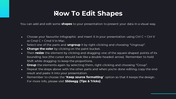
Slides 23–28 are support material rather than part of the WiFi story. They contain two icon libraries, shape-editing instructions, usage terms and the closing slide.
The text, diagrams, photographs and color scheme can be adapted in PowerPoint or Google Slides. The Edit button on the product page offers another way to revise the presentation before downloading it.
For a broader technology lesson, explore the Technology PowerPoint Templates. If the presentation needs to go deeper into network infrastructure, protocols, or connectivity planning, the Networking PowerPoint Templates provide a more focused next step.
More Collections for Creative WiFi Technology PPT
Recommended based on this template.










Similar Templates to Creative WiFi Technology PPT

























Showing36 of69,218 templates