Technology Governance for PowerPoint & Google Slides
Nodes
Colors







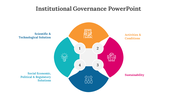





Technology Governance — PowerPoint and Google Slides Template
Spending hours building slides from scratch is time you don't have. A ready-made, fully editable template gets you to a polished presentation in minutes — not hours.
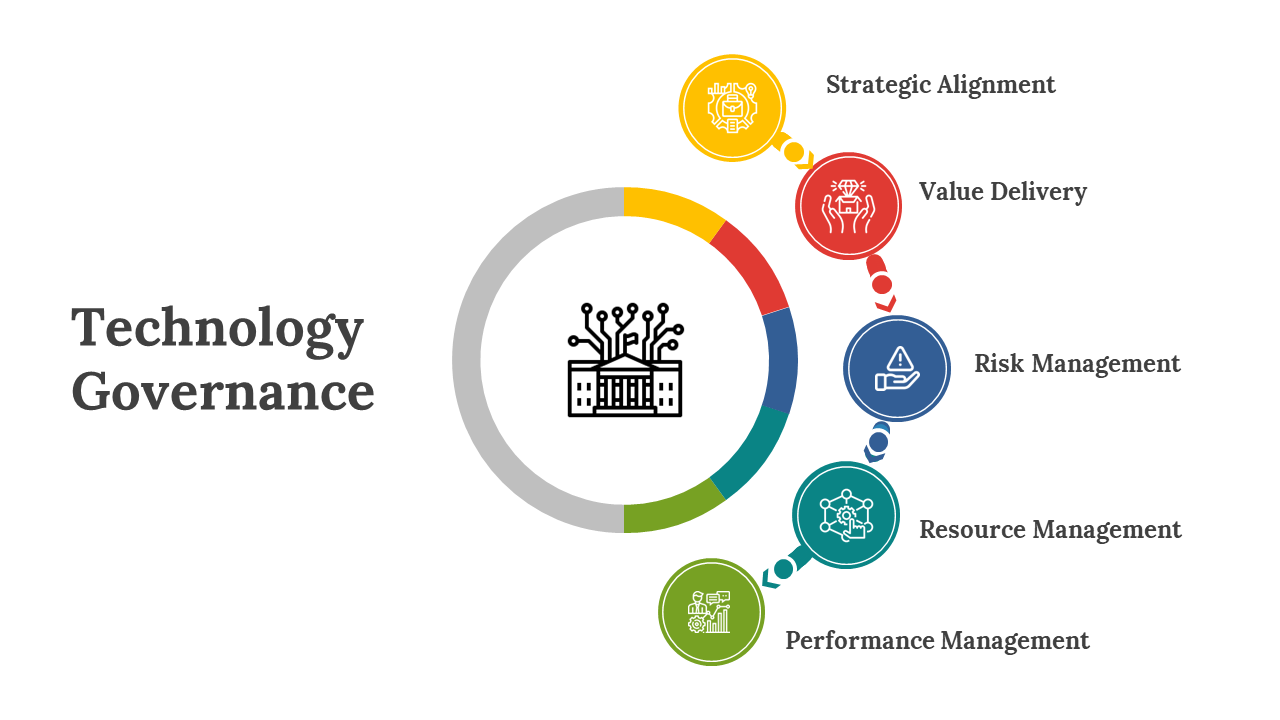
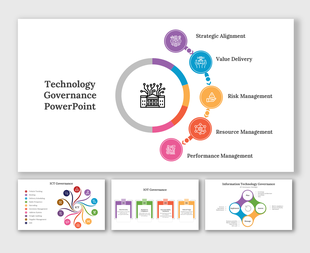
This Technology Governance gives you a clean, fully editable presentation slide that's ready to use the moment you download it. The slide features circular diagram with five colorful segments around a central icon, each linked to colored nodes on a white background. It's structured around a 5-part visual framework — giving your audience a clear, logical sequence to follow. Drop it into your deck, replace the placeholder text, and you're done.
What's Inside
A focused single-slide design — built for one strong visual message, fast to customize — text, colors, icons, and layout are all yours to adjust. Design variations include: Technology Governance, IT Governance, Technology Management, Technology Strategy. Match your brand, adapt the layout, change the colors — it takes minutes, not hours.
Who This Is For
Built for professionals, students, educators, and anyone who needs a polished, ready-to-use presentation template. No design background needed — just open, edit, and present.
Formats & Download
Available for PowerPoint and Google Slides. Download instantly — no design skills required. Everything is fully customizable to match your brand or topic.
Key Features
- Fully editable — text, colors, icons, and layout
- Compatible with PowerPoint and Google Slides
- 16:9 widescreen format — presentation-ready
- Clean, professional design — no clutter
- Premium — instant download access
Explore more Circle Diagrams presentation designs to find the right fit for your next presentation.
More Collections for Technology Governance for PowerPoint
Recommended based on this template.









Similar Templates to Technology Governance for PowerPoint






Showing20 of69,218 templates