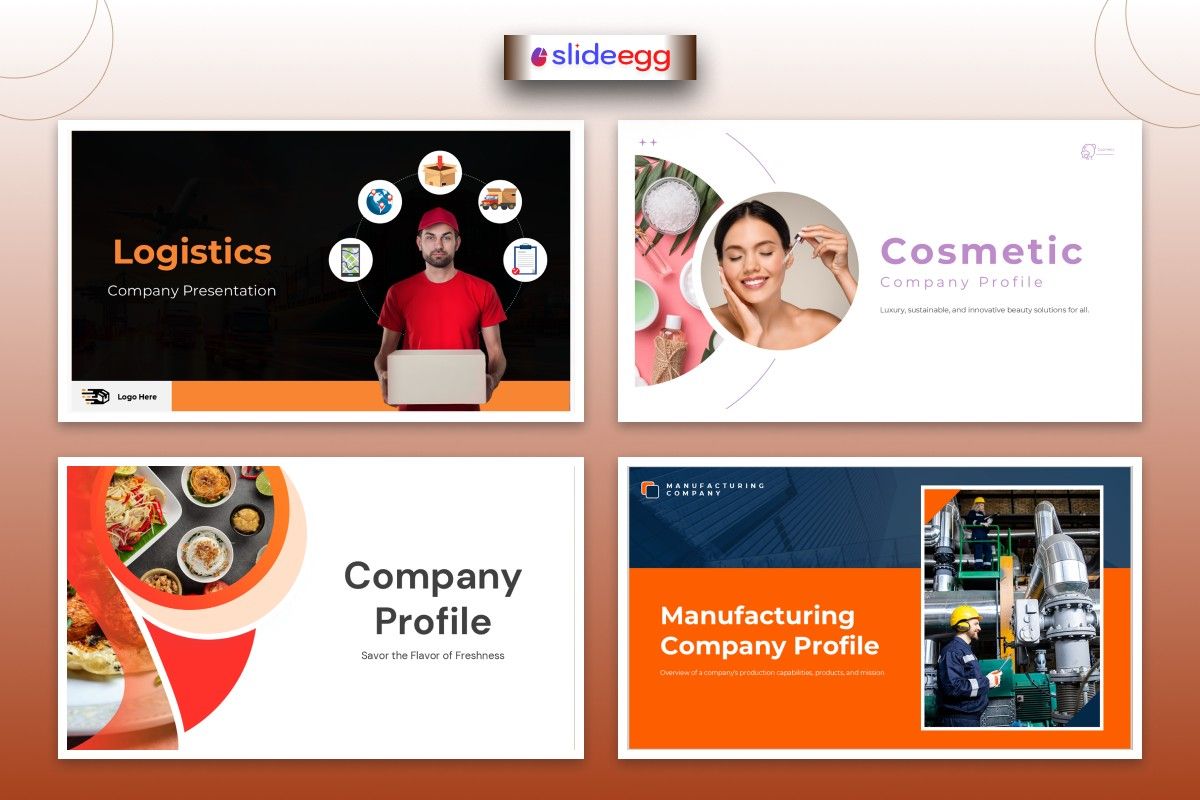
In 2026, attention spans are short, and expectations are high. People don’t want long explanations—they want clear, engaging stories. That’s exactly what your company profile presentation should do.
Think of it like your company’s first handshake. If it’s confident, clear, and memorable, people will want to know more. If it’s confusing or dull, they’ll move on quickly.
This guide will help you design a presentation that not only looks good but actually wins clients, builds trust, and grows your business.
Who Is This Guide For?
This is for you if you are:
- A small business owner trying to attract clients
- A startup founder pitching their idea
- A marketing or sales professional closing deals
- A corporate employee representing your company
- A designer creating presentations for clients
- A student learning business or marketing
What Is a Company Profile Presentation?
A company profile presentation is a simple way to explain:
- Who you are
- What you do
- Why people should trust you
It’s not just slides—it’s your story in visual form.
Why It Matters More in 2026
Today, people judge quickly. Within a few slides, they decide:
“Is this company professional?”
“Can I trust them?”
“Do I want to work with them?”
A strong presentation helps you:
- Build credibility
- Make a great first impression
- Stand out from competitors
- Close deals faster
Step-by-Step: How to Design a Winning Presentation
1. Start with a Clear Structure
Don’t just add random slides. Follow a simple flow:
- Introduction (Who you are)
- About your company
- Your services or products
- Your achievements
- Client testimonials or case studies
- Contact details
Think of it like telling a story—not dumping information.
2. Use a Clean and Professional Design
Your design should support your message, not distract from it.
✔ Use simple colors
✔ Choose easy-to-read fonts
✔ Keep slides clean (less text, more visuals)
Tip: Use a company presentation template to save time and maintain consistency.
3. Choose the Right Templates
Instead of designing from scratch, use:
- free PowerPoint template options for quick setup
- free Google Slides templates for easy sharing and collaboration
These tools help you focus on content instead of design stress.
4. Focus on Visual Storytelling
Don’t overload slides with text.
Replace paragraphs with:
- Icons
- Images
- Charts
- Infographics
Think of your slides like a movie trailer—not a textbook.
5. Highlight Your Unique Value
Ask yourself:
“Why should someone choose my company?”
Make this clear:
- What makes you different
- What problem do you solve
- How do you help customers
Example:
Instead of saying “We offer marketing services.”
Say “We help small businesses get 2x more leads in 3 months.”
6. Add Real Proof
People trust proof more than promises.
Include:
- Client testimonials
- Case studies
- Numbers and results
Example:
“Helped 50+ clients increase revenue by 40%.”
7. Keep It Short and Engaging
Less is more.
✔ 10–15 slides are enough
✔ Each slide = one idea
✔ Avoid long sentences
If your slide looks crowded, it’s too much.
8. End with a Strong Call to Action
Don’t just end your presentation—guide the audience.
Tell them what to do next:
- Contact you
- Book a meeting
- Visit your website
Design Tips That Make a Big Difference
- Use consistent colors and fonts
- Align text and images properly
- Add whitespace (don’t overcrowd)
- Use high-quality images only
- Keep animations simple
Good design is like a clean room—it feels comfortable and easy to stay in.
Common Mistakes to Avoid
- Too much text on slides
- Poor-quality images
- No clear structure
- Using too many colors or fonts
- Forgetting your audience
Pro Tip: Think Like Your Audience
Before creating your presentation, ask:
“What does my audience care about?”
- Clients care about results
- Investors care about growth
- Students care about clarity
When you design for them—not yourself—you win.
Final Thoughts
A winning company profile presentation is not about fancy slides. It’s about clear communication + smart design + real value.
Use the right tools, like a company PPT template, explore free powerpoint templated options, or try a free Google Slides to get started quickly.
Keep it simple. Keep it clear. Tell your story well.
That’s what makes people remember you.
FAQs
1. What is the purpose of a company profile presentation?
The purpose of a company profile presentation is to clearly explain your business, showcase your services, and build trust with your audience. Using an interactive presentation tool makes it more engaging and helps your message connect better with clients, investors, and partners.
2. How many slides should a company profile presentation have?
Usually, 10–15 slides are enough for a clear and effective presentation.
3. Can I use free templates?
Yes, you can use free powerpoint templated and free Google Slides templates to save time and create professional designs.
4. What should I include in my presentation?
Include introduction, services, achievements, client proof, and contact details.
5. How do I make my presentation more attractive?
Use visuals, keep text short, follow a clean design, and use a good company presentation template.



