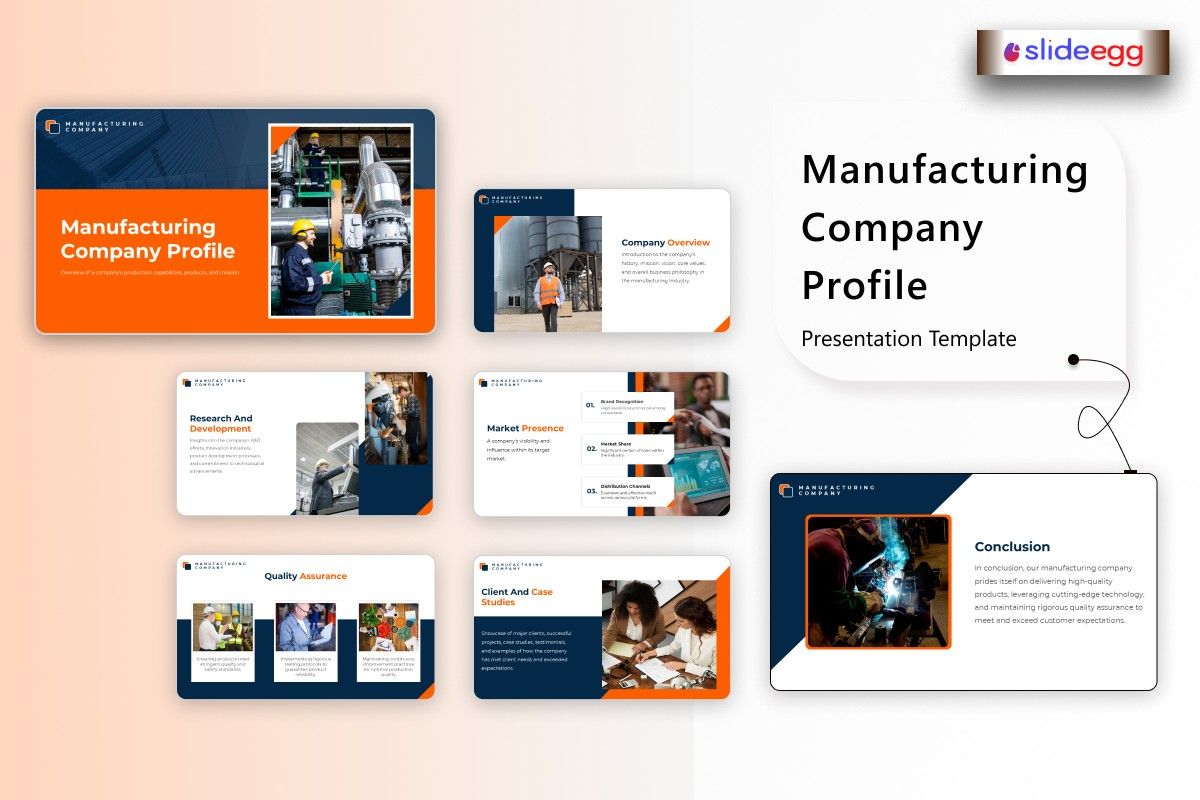
Creating a company profile presentation in 2026 isn’t just about listing your services or showcasing your products. It’s about telling the world who you are, why you’re in business, and what sets you apart from others in the manufacturing industry. Whether you’re a small manufacturer or running a large-scale production facility, having a strong company profile can open doors to new clients, partnerships, and business opportunities.
In this blog, we’ll walk you through how to create a powerful manufacturing company profile presentation that resonates with your audience, delivers key messages effectively, and positions your company as a leader in the industry. Let’s get started!
Why Your Manufacturing Company Profile Presentation Matters
In today’s fast-paced business environment, a company profile isn’t just a static document — it’s a dynamic, essential marketing tool. For manufacturing companies, it’s the go-to asset for introducing your business to potential clients, investors, and partners. A professional presentation helps you:
- Showcase your capabilities: Demonstrate what makes your company stand out.
- Build credibility: Establish trust with potential clients and partners.
- Highlight your strengths: Position your business as an industry leader.
Whether you’re meeting with a client, looking for new suppliers, or raising capital, your profile can make a lasting impression and influence the decisions of those you’re trying to reach.
Key Elements to Include in a Manufacturing Company Profile Presentation
When creating your company profile, it’s important to structure it in a way that captures the essence of your business without overwhelming your audience. Here’s what to include in your presentation:
| Section | What It Should Include | Why It Matters |
| Cover Slide | Company name, logo, tagline, and contact details | Sets the tone and grabs attention at first glance |
| About Us | Company history, mission, and values | Helps your audience connect with your story and vision. |
| What We Do | Products, services, and capabilities | Clearly defines your offerings and how they solve problems. |
| Technology and Innovation | Machinery, tools, and techniques you use in production | Showcases your commitment to innovation and efficiency |
| Our Team | Key staff members and their expertise | Personalizes your company and builds trust with the audience. |
| Achievements | Milestones, awards, certifications | Establishes your business as credible and successful. |
| Client Testimonials/Case Studies | Feedback from clients and success stories | Provides social proof of your work and builds trust. |
| Why Choose Us? | Unique selling proposition (USP) | Differentiates your company from the competition. |
| Call to Action | Next steps, contact details, or how to reach out | Encourages the audience to take action, such as getting in touch. |
How to Build a Powerful Manufacturing Company Profile Presentation
1. Start with a Clean and Professional Design
Your company profile presentation is your first impression — make it count. The design should be sleek and professional, not cluttered or distracting. Use a simple color scheme that aligns with your brand, and ensure your logo and tagline are visible from the start. If you don’t have a designer, start with a company presentation template to help structure your profile without overwhelming yourself with design work.
2. Tell Your Story with the “About Us” Section
This section is your chance to tell your audience who you are and why you do what you do. Keep it concise, but make sure it’s compelling. Explain how your company started, what problem you aimed to solve, and what drives you every day. Make sure the tone reflects your brand values — whether you’re a family-owned business or a tech-driven manufacturing powerhouse.
3. Highlight What You Offer
The “What We Do” section should clearly state your products and services. Don’t just list them; explain why they matter and how they’re beneficial to your clients. For example, if you specialize in custom metal fabrication, show the types of products you create and the industries you serve. Highlight the quality, innovation, and reliability of what you offer.
4. Show Your Technological Edge
Manufacturing in 2026 is about leveraging technology for efficiency and innovation. If you use advanced machinery, automation, or cutting-edge production methods, this is the time to show it off. Explain how these technologies improve your efficiency, reduce costs, or lead to better products. This could be the difference in attracting tech-forward clients who are looking for modern, innovative solutions.
5. Introduce Your Team
While manufacturing is often thought of as a numbers game, it’s really about the people behind the scenes. Introduce key team members, such as your leadership, engineers, or production managers. Provide a short bio and highlight their expertise. By putting faces to your business, you build trust and show the human side of your company.
6. Celebrate Your Achievements
Whether you’ve won awards, achieved certifications, or hit major production milestones, don’t be shy — highlight it! These achievements help build credibility and show potential clients or investors that your company is a trusted and reliable partner. For example, mention ISO certifications, awards for sustainability, or successful partnerships with big-name clients.
7. Use Client Testimonials and Case Studies
Show your work in action. If you’ve helped a client increase efficiency, reduce costs, or achieve success in a unique way, make sure to share that story. Real-world examples and case studies give potential clients confidence that you can deliver results. If possible, include brief client testimonials to add even more credibility.
8. End with a Clear Call to Action
Your profile presentation should lead to the next step. Don’t just leave your audience hanging — tell them what to do next. Whether it’s contacting you for more information, scheduling a meeting, or visiting your website, make sure your call to action is clear and easy to follow.
Tools to Elevate Your Manufacturing Company Profile
In 2026, you don’t need to be a graphic designer to create a professional presentation. Here’s how to make your profile stand out:
Company Presentation Template
Using a company presentation template saves time and gives you a professional structure to work from. It helps you organize the content and ensures your design is on point.
Free Presentation Template
Platforms like Google Slides offer free presentation templates that are easy to customize. They’re a great option if you need to put together a presentation quickly and without any cost.
Interactive Presentation Tool
Adding interactivity to your presentation can make it more engaging. Use an interactive presentation tool to embed clickable links, videos, or real-time data to make your profile more dynamic and interactive.
5 Tips to Make Your Manufacturing Profile Stand Out
| Tip | Why It Works |
| Keep it short and focused | Avoid overwhelming your audience with too much information. |
| Use high-quality visuals | Images and graphics make your profile more engaging and professional. |
| Tailor it to your audience | Customize your profile for different clients or investors. |
| Highlight results, not just services | Show how your company has made a tangible impact with your work. |
| Include a CTA | Always end with a clear call to action so the audience knows what to do next. |
FAQs
How long should my manufacturing company profile be?
Keep it between 10 and 15 slides. This length is ideal for providing a complete overview without overwhelming your audience.
Should I include technical details in my profile?
Include technical details if they’re relevant to your audience, but avoid overwhelming them. Focus more on how your technology improves the product or service quality.
Can I use the same profile for all my presentations?
While you can use a base profile, always customize it for each audience. For instance, tailor the “Why Choose Us?” section based on whether you’re presenting to clients or investors.
Where can I find free presentation templates?
Google Slides, Canva, and SlideEgg all offer free presentation templates that are easy to customize and work well for manufacturing companies.
How do I make my presentation interactive?
Use interactive presentation tools to include clickable links, videos, or even live data. This can make your presentation more dynamic and engaging.
Final Thoughts
Creating a powerful manufacturing company profile in 2026 is all about telling your story in a clear, engaging, and professional way. With the right structure, visuals, and interactive elements, you can craft a presentation that resonates with your audience and helps you stand out in the competitive manufacturing industry. Whether you’re using a company presentation template, a free presentation template, or an interactive presentation tool, the goal is to make a lasting impression and drive new business.



