Slidesgo is a solid starting point for presentation templates — but its 5-downloads-per-month cap, mandatory account creation, and required attribution slide leave many users hunting for something that fits their actual workflow. We tested seven alternatives so you can find the right fit without trial and error.
In This Article
- Why People Look for Slidesgo Alternatives
- Quick Comparison Table
- The 8 Alternatives, Reviewed
- SlideEgg
- Canva
- Beautiful.ai
- Visme
- Pitch
- Google Slides
- Freepik Presentations
- GenPPT
- How to Choose the Right Tool
- Frequently Asked Questions
- Final Verdict
Why People Look for Slidesgo Alternatives
Slidesgo genuinely does a lot right. The templates are visually polished, they cover a wide range of categories, and both PowerPoint and Google Slides formats are supported. But after spending time with the platform, a few friction points come up consistently — and they’re worth naming honestly.
First, you can’t download anything without creating an account. Once you’re registered, you’re capped at 5 free template downloads per month. That’s fine for occasional use, but if you’re building presentations regularly — whether you’re a teacher, a marketer, or a freelancer — you’ll hit that ceiling quickly.
Second, free users are required to keep a Slidesgo credits slide in every presentation. That attribution requirement isn’t a dealbreaker for personal use,
but in a client-facing or professional context, it’s an awkward addition. Removing it means upgrading to a Premium subscription (which caps unlimited downloads at 150/month).
Third, Slidesgo is primarily a Google Slides-first platform. PowerPoint support exists, but the experience is noticeably built around Google’s ecosystem, which creates friction for teams that live in Office 365.
None of these are reasons to dismiss Slidesgo entirely — but they’re real enough that looking at alternatives makes sense. The seven tools below each address at least one of these gaps in a meaningful way.
Quick Comparison Table
Here’s a scannable overview of all seven tools across the factors that matter most when switching from Slidesgo.
| Tool | Free Plan? | Free Templates | PPT Download? | Sign-up Required? | Best For | Paid Starts |
| SlideEgg | ✔ Yes | 100,000+ (free tier) | ✔ Yes | Yes | PPT users, educators, business | $6/user/mo (Basic) |
| Canva | ✔ Yes | 1.6M+ (all types) | ✔ PPTX export | Yes | Designers, marketers, teams | $18/mo (Pro) |
| Beautiful.ai | ✗ Trial only | Curated library | ✔ PPTX export | Yes | Business teams, brand consistency | ~$12/mo |
| Visme | ✔ Yes | Thousands (all types) | ✔ Pro only ($24.75/mo) | Yes | Data-heavy presentations, infographics | $12.25/mo (Starter) |
| Pitch | ✔ Yes | Curated modern templates | ✗ Paid plans only | Yes | Startups, remote teams, pitch decks | $12/mo (Plus) |
| Google Slides | ✔ Yes | Limited gallery | ✔ PPTX export | Google account | Collaboration, internal use | Free |
| Freepik | ✔ Yes | Thousands (free with attribution) | ✔ Yes | Yes (for higher downloads) | Quick downloads, varied styles | $12/mo (Premium, annual) |
| GenPPT | ✗ $1 trial (3 days) | AI-generated decks | ✔ Native PPTX export | Yes | Turning prompts, notes, or PDFs into editable PPT decks | $25/mo ($99/yr) |
The 8 Alternatives, Reviewed
Each tool below is covered with the same structure: what it actually does well, what it doesn’t, who it’s genuinely best for, and what the free tier actually gives you.
Alternative #1: SlideEgg
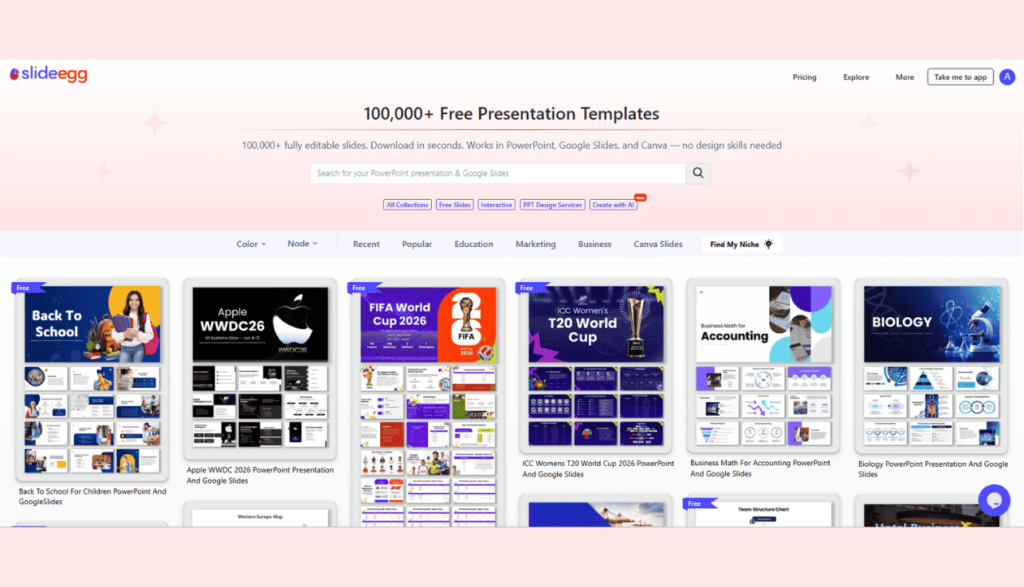
100,000+ PowerPoint, Google Slides & Canva templates — free and paid tiers available
SlideEgg is a presentation template library that focuses heavily on PowerPoint users — which is the most notable point of difference from Slidesgo’s Google Slides-first approach. The platform hosts over 100,000 templates spanning education, business, marketing, data visualization, and niche categories like family-themed or holiday presentations. Templates download as fully editable files in PPT, Google Slides, or Canva format.
The platform offers a significant number of free templates clearly labeled and downloadable after account creation. There’s also an AI Customize feature that lets you adjust a template’s content before downloading — useful if you want a head start beyond raw design. The free plan allows up to 10 template downloads per day, with unlimited downloads available on paid tiers starting at $6/user/month (billed annually).
On the flip side, SlideEgg’s template library skews toward structured, content-ready layouts rather than the highly aesthetic, illustrative styles Slidesgo is known for. If you’re looking for something that looks like it came out of a design agency, you might find SlideEgg’s style more utilitarian. The site also has a mix of free and premium templates, and browsing requires a bit of filtering to separate the two.
✔ What Works Well
- Large free template library covering education, business, marketing, and more
- Supports PowerPoint natively — no format conversion needed
- Clean, content-ready layouts suited to professional and educational use
- AI Customize and PPT Design Services for users who need more than a template
- Plans from $6/user/month (annual) unlock unlimited templates and AI tools
✗ Where It Falls Short
- Design aesthetic is more functional than artistic — not ideal if you want highly illustrated or decorative slides
- Premium template filtering isn’t always immediately obvious
- No built-in collaborative editing like Canva or Google Slides
Best for:PowerPoint users, educators, business teams, and anyone who needs a large bank of free templates that work immediately in PPT, Google Slides, or Canva.
Alternative #2: Canva
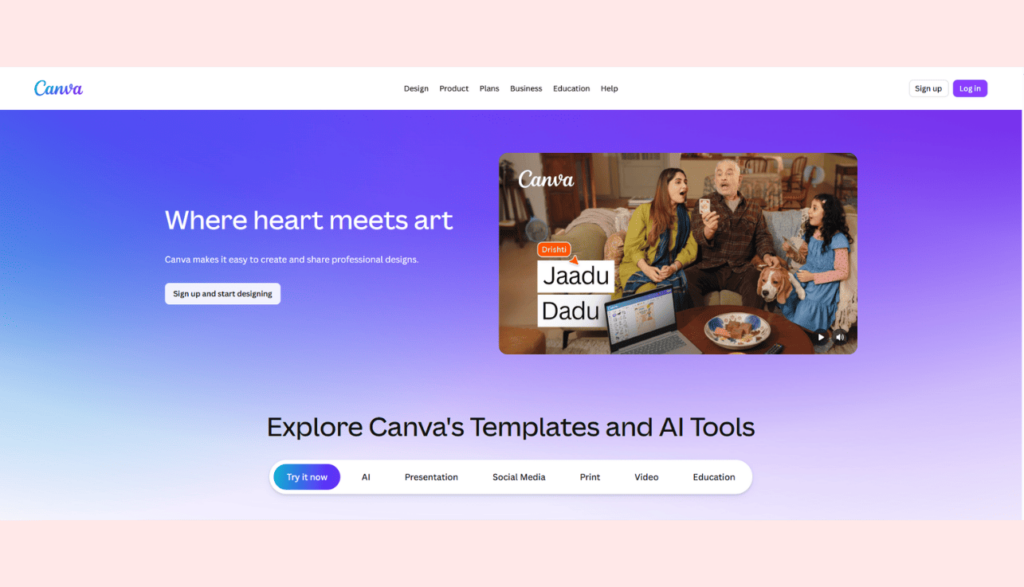
Full design editor with 1.6M+ free templates and built-in collaboration
Canva is the most popular design tool on this list, and there’s a reason for that. Unlike Slidesgo — which hands you a file to take elsewhere — Canva keeps everything inside its own editor. You browse templates, click into one, edit it directly on the platform, and export when you’re done. The free plan gives you access to over 1.6 million templates across presentations, social media, documents, and more, plus 4.7 million free photos and graphics.
For presentations specifically, Canva’s free tier offers more template variety than Slidesgo’s free plan by a wide margin. The drag-and-drop interface requires no learning curve, brand kit tools help with visual consistency, and real-time collaboration means multiple people can work on the same deck simultaneously. The Pro plan ($18/month) unlocks 3.6M+ templates, Magic Studio AI tools, background remover, and 100GB of storage.
The key trade-off: Canva is a design tool first, not a PowerPoint replacement. When you export to PPTX, formatting occasionally shifts — fonts, spacing, or image placements may not translate perfectly, especially with complex layouts. For users who live and breathe PowerPoint, that conversion step can introduce friction.
✔ What Works Well
- Enormous free template library — the largest on this list
- Full design environment with drag-and-drop editing, no extra software needed
- Real-time collaboration built into the free plan
- Magic Studio AI tools for resizing, background removal, and content generation
✗ Where It Falls Short
- PPTX export isn’t always pixel-perfect — complex layouts can shift
- Advanced brand kit controls and AI features require Pro ($18/month)
- Less suited for users who need PowerPoint-native templates without a conversion step
Best for:Marketers, social media managers, teams that collaborate frequently, and anyone who prefers editing inside a browser rather than downloading a file.
Alternative #3: Beautiful.ai
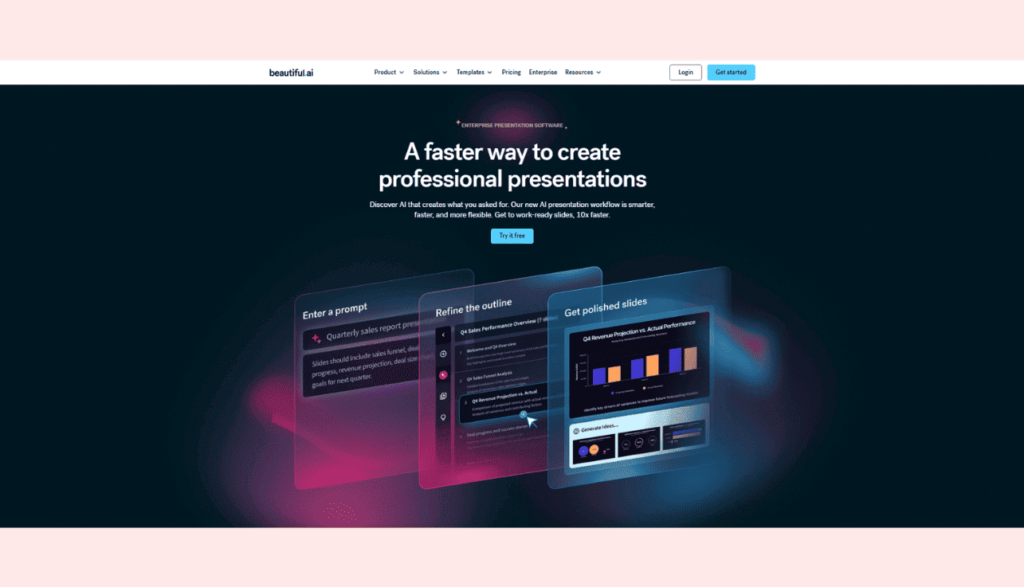
Smart Slides that auto-format your content as you type
Beautiful.ai takes a fundamentally different approach to presentations. Instead of giving you a static template to fill in, it uses what it calls Smart Slides — layouts that automatically adjust spacing, alignment, and visual hierarchy as you add or remove content. Type a bullet point, and the slide reformats. Add an image, and everything re-balances. It sounds subtle, but in practice it eliminates a significant amount of the manual formatting that makes presentation-building tedious.
The platform is built squarely for business teams: sales decks, internal reports, strategy presentations. Brand controls let teams lock in fonts and colors so every slide produced across the organization looks consistent. Real-time collaboration and Slack integration make it a natural fit for teams that are already working in a modern tool stack.
The major catch is pricing. Beautiful.ai has no permanent free plan — and the 14-day trial requires a credit card to start. You’ll be charged automatically when the trial ends if you don’t cancel beforehand. After the trial, plans start at $12/month (billed annually) for the Pro plan, or $40/user/month for Team. For individuals or students looking for a free Slidesgo alternative, this is a dealbreaker. But for small teams that find themselves spending hours reformatting slides, the time savings can justify the cost quickly.
✔ What Works Well
- Smart Slides eliminate manual layout and alignment work
- Brand controls keep team presentations visually consistent
- Clean, professional output without design expertise
- PPTX export preserves slide structure reliably
✗ Where It Falls Short
- No free plan — 14-day trial requires a credit card and auto-charges if not cancelled
- Less creative flexibility than Canva or PowerPoint; Smart Slides guide but also constrain
- Not suited for data-heavy infographics or highly customized visual layouts
Best for:Business teams, sales professionals, and non-designers who need polished, on-brand presentations without spending hours on formatting — and who are willing to pay for that time savings.
Alternative #4: Visme
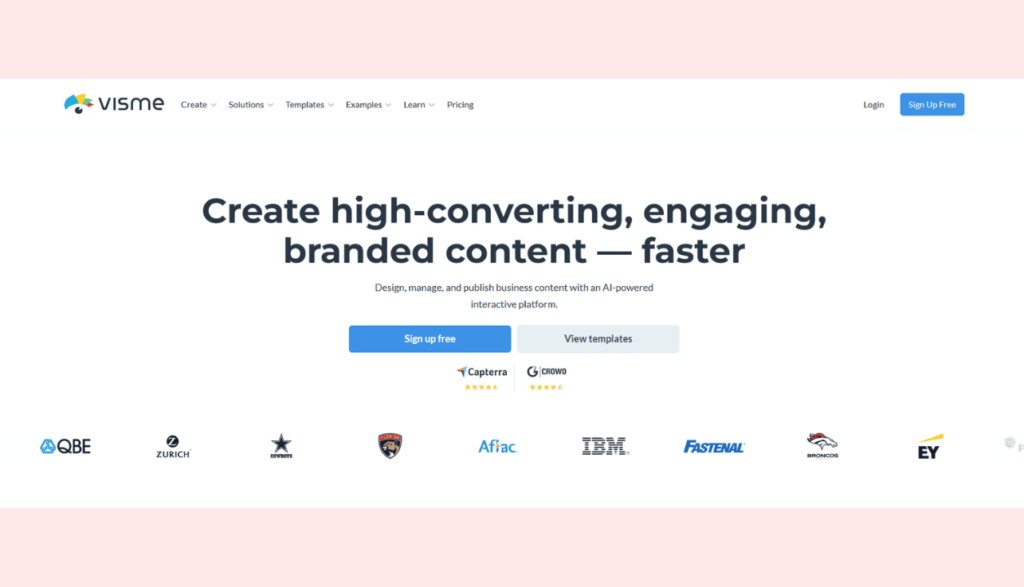
Data visualization and interactive presentations in one place
Visme sits in an interesting position: it’s not quite a template library like Slidesgo, and not quite a pure presentation editor like Canva. It’s closer to a content design platform that happens to do presentations very well — alongside infographics, reports, charts, and social graphics. If your presentations are data-heavy, or if you regularly need to visualize numbers and make them understandable to an audience, Visme offers depth that Slidesgo simply doesn’t.
The free (Basic) plan lets you build and publish presentations, but Visme branding appears on all outputs — removing it is a paid feature. The Starter plan ($12.25/month annual) unlocks more templates and removes branding, but PPTX export is only available on the Pro plan ($24.75/month annual). The drag-and-drop editor gives manual control over every element — closer to traditional design tools than Beautiful.ai’s guided approach.
The trade-off is the learning curve. Visme is packed with options, and getting comfortable with it takes more time than Canva or Slidesgo. For users who just need a quick, clean template and don’t need charts or interactive elements, that feature depth can actually feel like overhead rather than value.
✔ What Works Well
- Best-in-class data visualization tools — charts, graphs, and infographics built in
- Interactive elements: clickable links, embedded media, animated slides
- Free plan gives meaningful access without requiring a credit card
- Broad content toolkit: one platform for presentations, reports, and social assets
✗ Where It Falls Short
- Steeper learning curve than Canva, Slidesgo, or Google Slides
- Free (Basic) plan shows Visme branding on ALL outputs — removing it requires a paid plan
- PPTX export is only available on the Pro plan ($24.75/mo annual) — Basic and Starter export JPG, PNG, PDF only
- Can feel complex if you only need simple, quick presentations
Best for:Data analysts, marketers, consultants, and educators who need to turn numbers and insights into visually engaging presentations — not just design-focused templates.
Alternative #5: Pitch
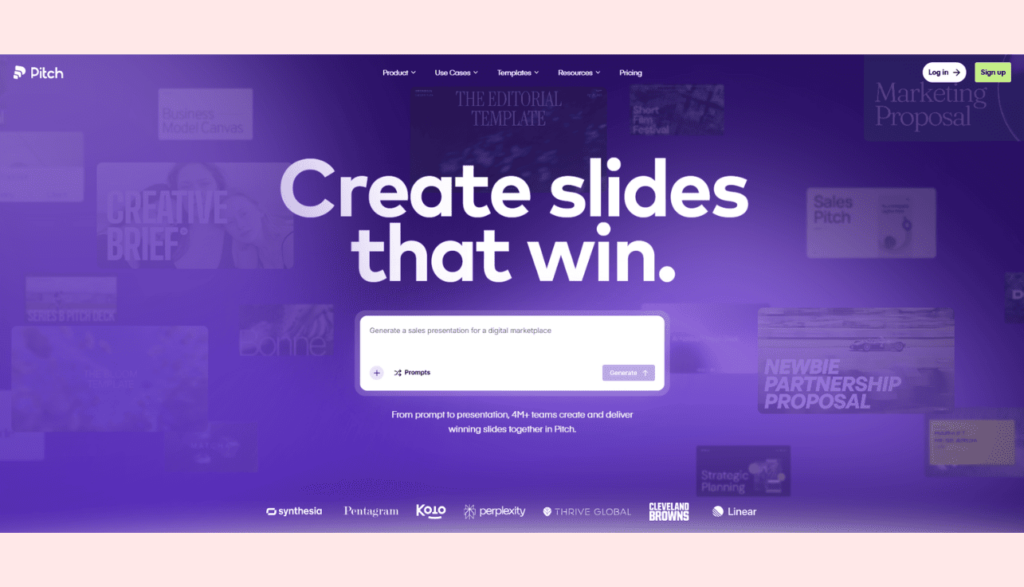
Modern collaboration-first presentation tool built for startups and fast-moving teams
Pitch entered the presentation space as a modern alternative to both PowerPoint and Google Slides, built for teams that move fast. Its free plan supports up to 5 members and gives access to a curated library of modern, startup-friendly templates and real-time collaborative editing. Note that the free plan exports presentations with Pitch branding — PPTX export without branding is available on paid plans (Plus at $12/month, Team at $18/seat/month, Business at $24/seat/month, all billed monthly; annual billing is cheaper).
Where Pitch stands apart from Slidesgo is in its collaboration model. Instead of downloading a file and sharing it via email or Drive, Pitch decks live in a shared workspace. Team members can leave comments, assign sections, and track revisions without any back-and-forth on file versions. An AI assist feature also helps generate slide content from a brief description, which can be useful for getting a first draft off the ground quickly.
The template library is smaller and more curated than Slidesgo’s, so if you need variety in presentation styles or topic-specific templates, Pitch might feel limited. It’s also a web-native platform — if you primarily need to hand off clean, pixel-perfect PPTX files, expect some minor formatting differences in export.
✔ What Works Well
- Real-time collaboration with comments and version history — better than Slidesgo’s share-a-file approach
- Presentation analytics show who viewed your deck and for how long
- Modern, clean template aesthetic that suits startup and business pitches
- AI slide generation helps speed up first drafts
✗ Where It Falls Short
- Smaller template library than Slidesgo, SlideEgg, or Canva
- Less suited for topic-specific or educational template needs
- PPTX export can have minor formatting inconsistencies
Best for:Startups, remote teams, and product or business teams that build pitch decks and investor presentations collaboratively and need to track engagement.
Alternative #6: Google Slides
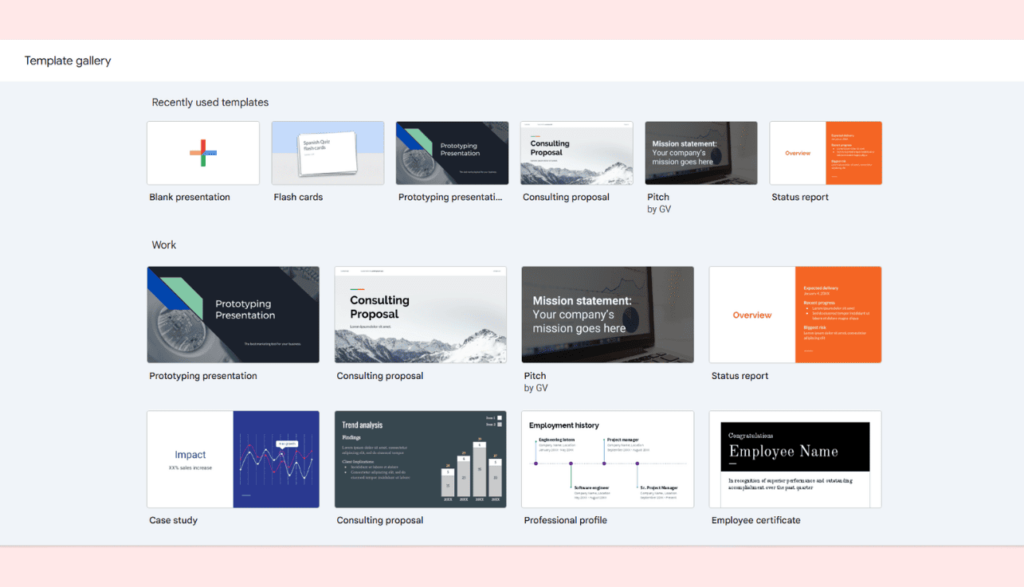
Free, reliable, and universally accessible — collaboration without friction
Google Slides doesn’t try to be a template library, and that’s worth stating upfront. If you’re looking for the kind of visually polished template variety that Slidesgo offers, Google Slides won’t deliver it out of the box. What it does deliver is something arguably more valuable for everyday use: a completely free, zero-install, collaboration-first presentation environment that almost everyone already has access to.
The real advantage over Slidesgo is the collaboration model. A Google Slides link is universally accessible — anyone with a Google account can view, comment on, or co-edit a presentation in real time. There’s no download cap, no attribution requirement, no premium gating. You can import third-party templates from sites like SlideEgg or Freepik into Google Slides and get the best of both worlds: polished design with frictionless sharing.
On design, Google Slides is limited. The built-in theme gallery is basic, the font library is narrower than Canva or PowerPoint, and advanced animations or data visualization require workarounds. But for internal presentations, classroom decks, or team briefings where content matters more than visual flourish, it’s hard to argue with free and frictionless.
✔ What Works Well
- Completely free — no plan tiers, no caps, no attribution requirements
- Real-time collaboration that anyone with a Google account can join instantly
- Works seamlessly with Google Drive, Docs, and Sheets
- Accepts imported PPT files and third-party templates cleanly
✗ Where It Falls Short
- Built-in template gallery is minimal — you’ll need to import from elsewhere
- Design capabilities are significantly more limited than Canva or PowerPoint
- Offline functionality is limited without pre-enabling it in Drive settings
Best for:Students, teachers, and teams who need hassle-free sharing and real-time collaboration without any cost — especially when design is secondary to content.
Alternative #7: Freepik Presentations (Magnific)
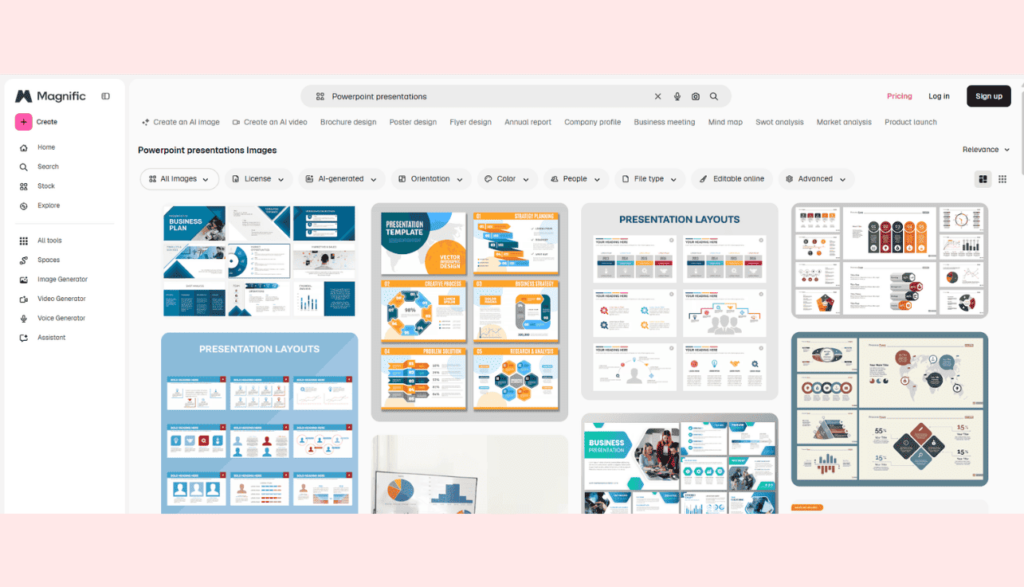
A vast stock-style library of presentation templates with immediate PPT downloads
Freepik is primarily known as a stock asset platform — vectors, photos, icons — but its presentation template section is substantial and often overlooked. The library includes thousands of fully editable presentation templates downloadable as PPTX or Google Slides files, covering business, creative, academic, and marketing categories. Free templates are available without a subscription, though registration is required for higher download volumes.
The design quality on Freepik’s presentation templates tends to be visually strong — the platform’s stock-design roots show in the professional finish. Many templates include custom illustrations, icons, and infographic-ready slide layouts that feel more polished than typical free template sites. If you’ve been using Slidesgo for its visual quality and want something with a similar aesthetic (and often more templates), Freepik is the most direct like-for-like comparison.
Free plan limitations are real: free-tier downloads (up to 10/day) require attribution credits. The Essential plan ($5.75/month annual) adds AI creation credits but still requires attribution on stock downloads. The Premium plan ($12/month annual) unlocks unlimited stock downloads with no attribution required — this is the tier where Freepik becomes a meaningful Slidesgo alternative from a download-volume perspective. The platform is also oriented toward individual asset downloads rather than team workflows, so there’s no built-in collaboration or editing environment.
✔ What Works Well
- High visual quality — templates often feel design-agency-level in appearance
- Large, varied library covering many categories and styles
- Direct PPT downloads without conversion needed
- Premium plan ($12/month annual) unlocks unlimited stock downloads, no attribution — plus vectors, photos, icons
✗ Where It Falls Short
- Free users hit download limits and attribution requirements similar to Slidesgo
- No built-in editor — you download and customize in PowerPoint or Google Slides
- Navigation can feel cluttered when filtering specifically for presentation templates
Best for: Designers and creative professionals who want high-quality, visually impressive presentation templates — and who are already considering a Freepik subscription for other stock assets too.
Alternative #8: GenPPT
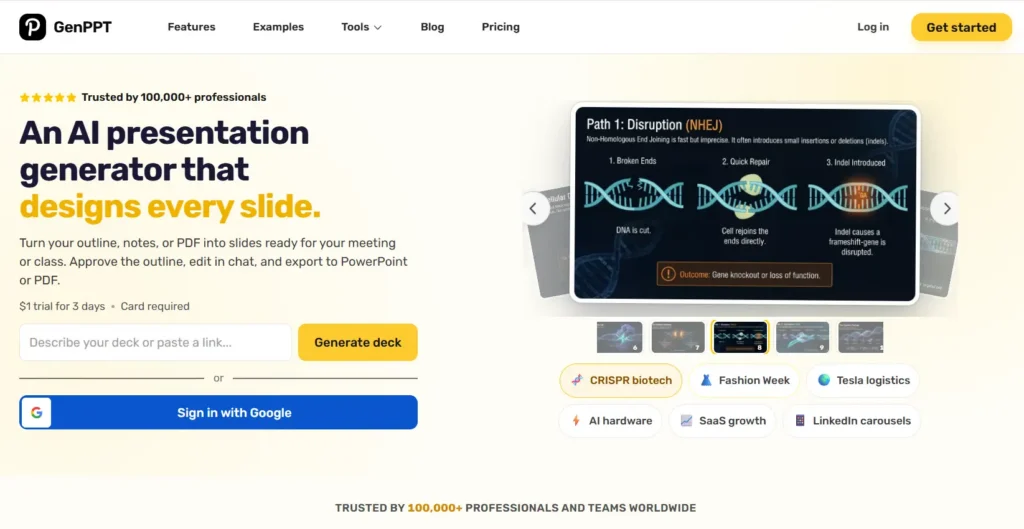
AI presentation generator that turns a prompt, notes, or a PDF into an outline you approve and exports to PowerPoint
GenPPT starts from your raw material — a topic prompt, meeting notes, an outline, or an uploaded PDF — and builds both the narrative structure and the slide layouts for you. Over 100,000 professionals use it when the bottleneck isn’t just picking a visual theme, but getting from a blank page or a dense document to a structured, share-ready presentation.
What makes GenPPT practical in a real workflow is its two-step outline approval. Instead of generating 15 slides blindly and forcing you to rewrite half of them, it first drafts a slide-by-slide outline that you can reorder, trim, or edit. Once you approve the structure, it generates every slide with matching layouts and lets you refine individual slides via chat before exporting directly to PowerPoint (.pptx), PDF, or PNG.
The main trade-off is that GenPPT is a paid AI generation tool rather than a free template bank. There is no permanent free tier — new users start with a 3-day trial for $1, and paid plans run $25/month or $99/year. If you already have your slide copy written and simply want a free graphic template, SlideEgg’s 100,000+ template library is the better fit. If you want AI to turn a brief or PDF into an editable PowerPoint deck in minutes, GenPPT saves hours of manual outlining and slide assembly.
✔ What Works Well
- Approves the slide-by-slide outline first so you don’t waste time fixing off-target AI slides
- Accepts prompts, rough notes, outlines, or PDFs as input
- Exports directly to editable PowerPoint (.pptx), PDF, and PNG files
- Chat-based slide editing lets you rewrite or restructure individual slides quickly
- Annual plan ($99/year) is affordable for regular presentation builders
✗ Where It Falls Short
- No permanent free plan — requires a $1, 3-day trial to test
- Built for AI deck generation rather than browsing thousands of pre-made stock templates
- Teams wanting heavy custom illustration still need a dedicated design pass in PowerPoint
Best for: Founders, marketers, consultants, educators, and students who want to turn a prompt, document, or PDF into a structured, editable PowerPoint presentation without building every slide by hand.
How to Choose the Right Slidesgo Alternative
The honest answer is that there’s no single best pick — it depends on how you actually use presentations. Here’s a simple way to think about it.
📄 You mainly use PowerPoint
SlideEgg or Freepik will serve you better than Slidesgo. Both offer direct PPTX downloads with no conversion friction. SlideEgg’s 100,000+ template library gives you far more volume than Slidesgo’s 5-downloads-per-month free cap.
🎨 You want a built-in design editor
Canva is the clear choice. You edit inside the platform rather than downloading a file, and the free tier is genuinely comprehensive. Beautiful.ai is worth considering if design automation matters more than template volume.
👥 Your team collaborates on decks
Google Slides (free, instant sharing), Pitch (more modern with analytics), or Canva Business all handle real-time collaboration well. Slidesgo doesn’t offer any collaborative editing.
📊 Your slides are data-heavy
Visme is the standout here. No other tool on this list offers the same depth of built-in chart, infographic, and interactive data visualization tools without needing a third-party integration.
🎓 You’re a student or teacher
Google Slides and SlideEgg work well together — Google Slides for editing and sharing, SlideEgg for importing free, ready-made templates. Canva for Education is also worth exploring if your institution is eligible.
💼 You need pitch-deck-quality output
Pitch is built specifically for this. Its template aesthetic, collaboration model, and deck analytics are all oriented toward startup and investor-facing presentations. Beautiful.ai is the alternative if brand consistency is the priority.
Frequently Asked Questions
What is the best free alternative to Slidesgo?
For sheer volume of free PowerPoint templates, SlideEgg (100,000+ templates, works in PPT, Google Slides, and Canva — free and paid tiers available) is the strongest pick. For design flexibility, Canva’s free plan (1.6M+ templates with a full editor) is excellent. If you just need collaboration and already have a Google account, Google Slides is free with no limitations. The best option depends on whether you need PPT files, an editor, or collaboration tools.
Does Slidesgo require sign-up to download templates?
Yes. Slidesgo requires you to create an account before downloading any template — unregistered users cannot download anything at all. Once registered, free users are capped at 5 template downloads per month and must keep a Slidesgo attribution slide in every presentation. Removing attribution requires a Premium subscription, which caps unlimited downloads at 150/month.
Can I use Slidesgo templates without a watermark or attribution slide?
Not on the free plan. Slidesgo’s terms require free users to keep a credits slide attributing the design to Slidesgo. If you’re presenting to clients, stakeholders, or in a professional setting, that attribution slide can be awkward. Removing it requires a Premium subscription. Tools like SlideEgg and Google Slides don’t impose this requirement on their free templates.
Which Slidesgo alternative works best with PowerPoint?
SlideEgg and Freepik both download directly as .pptx files with no conversion step — you open them in PowerPoint and they behave like native PPT files. Beautiful.ai also exports reliably to PPTX. Canva can export to PPTX, but complex layouts occasionally shift during conversion, which can require manual cleanup.
Are there any Slidesgo alternatives that don’t require a login?
SlidesCarnival (not on our main list but worth knowing) allows template downloads without creating an account. SlideEgg allows browsing and downloading many free templates with a simplified process. Google Slides templates are accessible without additional sign-up if you have a Google account — which most people already do.
What’s the difference between Slidesgo and Canva for presentations?
The core difference is the workflow. Slidesgo is a template library — you download a file and edit it in Google Slides or PowerPoint. Canva is a full design editor; you browse templates and edit them inside Canva’s own platform, then export when done. Canva gives you more creative control and collaboration tools but keeps you on-platform. Slidesgo gives you a file to take wherever you need.
Which presentation template site has the most templates in 2026?
By raw numbers, Canva’s free plan offers 1.6M+ templates across all content types (not just presentations). For presentation-specific templates, SlideEgg offers 100,000+ free presentation templates. Slidesgo offers 22,000+ templates but limits free users to 5 downloads per month. More templates isn’t always more useful — quality and format compatibility matter as much as quantity.
Is Beautiful.ai free to use?
Beautiful.ai does not offer a permanent free plan. It provides a 14-day free trial, but a credit card is required to start — you’ll be charged automatically if you don’t cancel before the trial period ends. After that, the Pro plan is $12/month (billed annually). This makes it a paid tool — unlike Canva, Visme, SlideEgg, and Google Slides, which all have ongoing free tiers. For individuals or students, this is a significant difference. For business teams, the time savings on formatting can justify the cost.
Final Verdict
There’s no universal best alternative to Slidesgo — the right tool is the one that fits how you work, not the one with the most features or the highest template count. Here’s the honest summary by use case.
| If you need… | Go with | Why |
| Free PPT downloads, large library | SlideEgg | 100,000+ templates, native .pptx files, free tier available (account required) |
| A full design editor on a free plan | Canva | 1.6M+ templates, drag-and-drop editing, real-time collaboration |
| Auto-formatting for business decks | Beautiful.ai | Smart Slides handle layout automatically; great for brand consistency |
| Data-heavy or interactive slides | Visme | Best built-in charts, infographics, and interactive elements |
| Pitch decks and team collaboration | Pitch | Modern templates, deck analytics, real-time team editing |
| Zero cost, maximum sharing ease | Google Slides | Completely free, instant sharing, import any third-party template |
| High-visual-quality PPT files | Freepik | Design-quality templates that rival paid options, direct PPTX download |
| AI-generated decks from a prompt or PDF | GenPPT | Outline-first approval workflow, chat slide edits, and clean .pptx export |
The pattern worth noting: most people land on two or three of these tools working together, not a single replacement. A common pairing is a template library for sourcing designs and Google Slides or PowerPoint for editing and sharing. Whatever combination you land on, the limitations that pushed you away from Slidesgo — download caps, attribution requirements, sign-up friction — have real solutions in the options above.
One thing worth remembering: the best presentation tool is the one that gets out of your way. Don’t optimize for features you won’t use — optimize for the workflow that lets you focus on what you’re actually trying to say.
Looking for Free Presentation Templates?
Browse 100,000+ fully editable templates for PowerPoint, Google Slides, and Canva — free and premium tiers available.