
Three tools that all claim to make presentations with AI. One built for brand-controlled teams. One built for AI-first speed. One built for template volume and audience interaction. Here’s exactly what each does — and doesn’t — do.
- Beautiful.ai — Smart design for teams
- Gamma — AI-first, text-to-deck
- SlideEgg — Templates + interactive + services
📅 Pricing verified June 23, 2026 🔍 Live scraped from official pages ⚠️ Published by SlideEgg — all tools reviewed equally
Disclosure: This blog is published by SlideEgg, which is one of the three tools reviewed below. SlideEgg is assessed using the same criteria as Beautiful.ai and Gamma — no promotional advantage. All pricing confirmed from official websites in June 2026.
The 30-Second Verdict
| Beautiful.ai | Gamma | SlideEgg |
| Best for Teams that need consistent brand control across every presentation | Best for Fastest AI deck generation from a text prompt — and publishing as a webpage | Best for High-volume template downloads, live audience interaction, and human design services |
In This Review
- How they’re fundamentally different
- Full feature comparison table
- Beautiful.ai — deep dive
- Gamma — deep dive
- SlideEgg — deep dive
- Pricing comparison
- Who should use which
- Final verdict
- FAQ
Foundation
Three Tools, Three Very Different Philosophies
Before comparing features, it helps to understand what each tool was actually built to solve. They’re not the same product with different price tags.
| Beautiful.ai | Gamma | SlideEgg |
| Design-system-first. Smart Slides auto-align content as you type. The platform is built around the idea that your whole team’s presentations should look like one coherent brand — not a mix of personal styles. Design guardrails + brand control | AI-first creation. Type a prompt, get a deck in 30 seconds. Not traditional slides — Gamma uses “cards” that adapt to their content and double as web pages you can share via link or custom domain. Prompt-to-deck speed | Template-library-first with a live presentation layer on top. 100,000+ ready-made designs, an AI customizer on every template, a Kahoot-style audience platform, and human PPT designers for hire — all in one subscription. Templates + audience + services |
Side by Side
Full Feature Comparison
Every major feature, verified from official pricing and feature pages. June 2026.
| Feature | Beautiful.ai | Gamma | SlideEgg |
| Pricing & Access | |||
| Free plan | ✗ None | △ 400 credits, one-time only | ✔ 10 PPT/day, no CC required |
| Cheapest paid plan | $12/mo (annual) | $9/mo (annual) | $6/mo (annual) |
| Free trial | △ 14 days — CC required | △ Free tier (credits don’t refresh) | ✔ 15-day trial, no CC |
| Lifetime plan | ✗ No | ✗ No | ✔ $299 one-time (full Pro + 200k AI credits) |
| Refund policy | △ Within 24h of purchase | △ 3-day window only (strict) | ✔ Cancel anytime |
| AI & Creation | |||
| AI deck generation from prompt | ✔ Unlimited (all plans) | ✔ Credit-based; up to 60 cards/prompt (Pro) | ✔ Credit-based; AI Customize on every template |
| Smart / auto-adapting layouts | ✔ 300+ Smart Slides — core feature | ✔ Card-based auto-layout | △ AI customization only; not auto-layout |
| AI image generation | ✔ All paid plans | ✔ Basic → Premium → Ultra models by plan | ✔ All paid plans |
| Multi-format output (docs, social, web) | ✗ Presentations only | ✔ Slides, docs, websites, social, graphics | ✗ Presentations only |
| Custom branding / themes | ✔ All paid plans; guardrails on Enterprise | △ Pro+ only ($18/mo) | ✔ Basic+ themes; Pro+ logo & branding |
| Live data linking in charts | ✔ Team+ plans | ✗ No | ✔ Yes |
| Templates & Library | |||
| Pre-made downloadable templates | ✗ No — you build inside the tool | ✗ No — generates fresh per prompt | ✔ 100,000+ PPT, Google Slides & Canva templates |
| Export & Compatibility | |||
| PPTX export | ✔ Fully editable | ✔ All plans (layout may shift) | ✔ Native PPTX |
| Google Slides export | ✗ No | ✔ All plans | ✔ All plans |
| Publish as website / custom domain | ✗ No | ✔ Pro: 10 domains · Ultra: 100 domains | ✗ No |
| PowerPoint & Google Slides Add-ins | ✗ No | ✗ No | ✔ Both available — use SlideEgg inside PPT/GSlides |
| Mobile app | ✗ No | ✔ iOS & Android | ✗ No |
| API access | ✗ No | ✔ Pro+ plans | ✗ No |
| Live Audience & Interaction | |||
| Live quiz, Q&A & audience comments | ✗ No | ✗ No | ✔ Built-in |
| Max participants per session | ✗ N/A | ✗ N/A | ✔ 50 free → 100 Basic → Unlimited Pro+ |
| Zoom integration | △ Via integrations | ✗ No | ✔ Native (Basic+) |
| Analytics, Teams & Enterprise | |||
| Viewer & slide analytics | ✔ Per-viewer, per-slide tracking (Team+) | ✔ Detailed analytics (Pro+) | ✔ Live session result tracking |
| Real-time collaboration | ✔ Team+ plans | △ Shared folders Team+ | ✔ Pro+ collaborative workspace |
| SSO / SCIM | ✔ Enterprise only (custom pricing) | ✔ Business plan ($40/seat/mo) | ✔ Teams plan ($16/user/mo) |
| SOC 2 / GDPR compliance | ✔ SOC 2 Type II, CCPA, PCI, GDPR | ✔ SOC 2 Type II | ✔ GDPR, AWS-hosted |
| Human Design Services | |||
| Professional PPT redesign by humans | ✗ No | ✗ No | ✔ $8–$20/slide · NDA · 6–48h · unlimited revisions |
Tool 01
Beautiful.ai
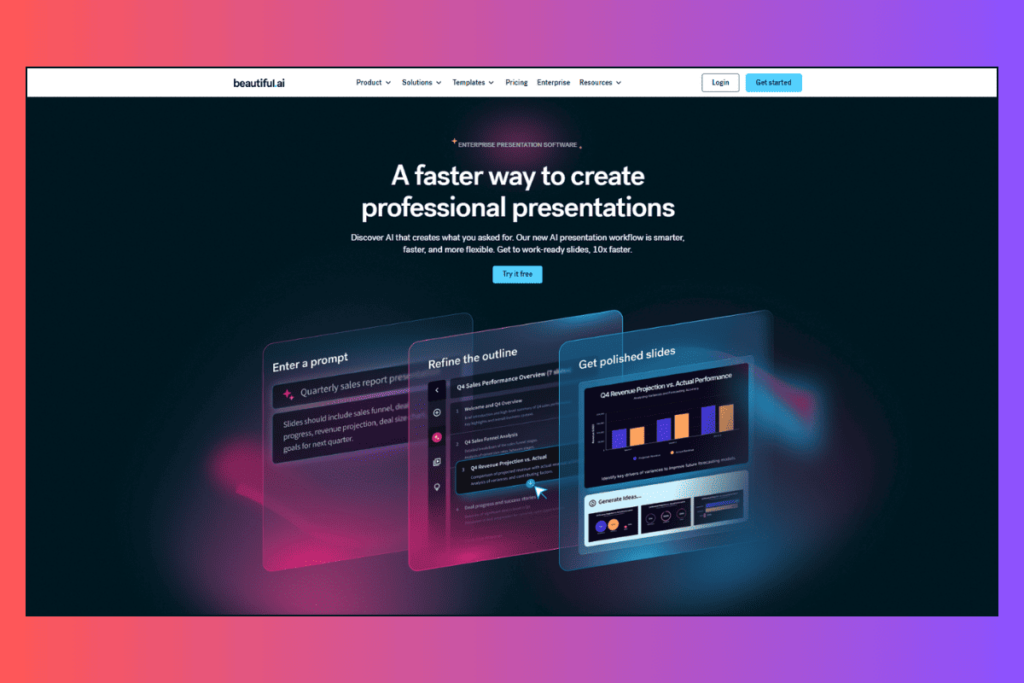
- The brand-design-system for teams who present constantly
- Pro plan from $12/mo · billed annually · beautiful.ai/pricing ↗
Beautiful.ai is not really an AI prompt tool. It’s a design system with AI baked in. The headline feature is Smart Slides — 300+ layouts that adapt to your content as you type. Add a fourth bullet point and the slide restructures itself. Add a logo and the theme propagates. The pitch is zero wasted time on layout decisions.
For teams, the value is in brand control: shared themes, locked slide elements, centralized asset libraries, and (on Enterprise) configurable brand guardrails that prevent someone from accidentally using the wrong font or hex code. The analytics layer on Team plans tracks who viewed a shared deck, which slides they lingered on, and when they dropped off — useful for sales teams.
🧠Smart Slides (300+ layouts)
- Layouts auto-adapt as you add or remove content. No manual resizing.
🎨Custom Theme Builder
- Set colors, fonts, logos, icons, footers — switch themes with one click.
📊Live Data Linking (Team+)
- Charts and tables update from live data sources automatically.
👁Per-Slide Viewer Analytics
- See who opened your deck, which slides they viewed, and for how long.
🔄Version Control + Locked Slides
- Prevent edits to key slides; restore any previous version.
🌍AI Language Translation (Team+)
- On-demand slide translation into 100+ languages.
🔐Enterprise Security
- SOC 2 Type II, CCPA, PCI, GDPR certified. SAML SSO, SCIM, audit logs.
📁Centralized Slide Library (Team+)
- Company-wide shared slides, templates, and brand assets in one workspace.
| ✔ Strengths | ✗ Limitations |
| ✔ Smart Slides eliminate layout decisions ✔ Best-in-class brand control for teams ✔ Live data linking to charts (unique in this group) ✔ Per-viewer slide analytics ✔ Version history and locked slides ✔ Enterprise-grade security (SOC 2 Type II, GDPR) ✔ Audio narration and offline playback ✔ AI translation in 100+ languages ✔ Free for students with .edu email | ✗ No free plan — CC required for trial ✗ 14-day trial auto-charges if not cancelled ✗ No downloadable template library ✗ No live audience interaction features ✗ No Google Slides export ✗ No mobile app ✗ No API access (any plan) ✗ Monthly option ($45/mo) is expensive for casual use ✗ Team plan ($40/user/mo annual) is the priciest in this comparison ✗ No human design services |
Refund policy: Annual subscriptions may be eligible for a partial refund if requested within 24 hours of purchase or renewal. Monthly subscriptions are non-refundable. A processing fee applies.
Tool 02
Gamma
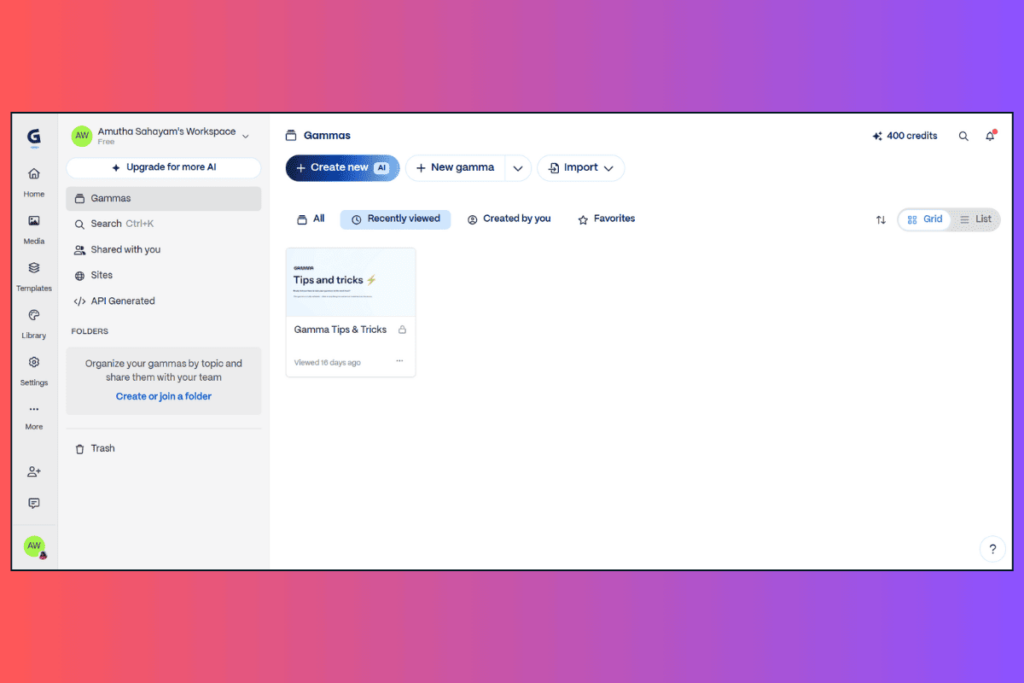
The fastest way to turn a text prompt into a shareable deck — or a website
- Plus plan from $9/mo
- billed annually · gamma.app/pricing ↗
Gamma’s superpower is speed. Type a prompt, paste an outline, or upload a PDF — and Gamma generates a structured, visual deck in roughly 30 seconds. It doesn’t use traditional 16:9 slides: it uses cards, expandable content blocks that adapt to text length and can be published as a webpage on a custom domain (Pro+). That makes a Gamma deck simultaneously a presentation and a shareable web page — a format no other tool in this comparison offers.
Gamma also supports multiple content types beyond slides: documents, websites, social posts, and graphics — all AI-generated from a single interface. The API (Pro+) lets developers wire Gamma into Zapier, Make, or n8n workflows. It raised $68M at a $2.1B valuation in November 2025 and has 70+ million users.
⚡Text-to-Deck in ~30 seconds
- Prompt → full structured deck with layouts, images, and content.
🃏Card Format (Presentation + Website)
- Cards adapt to content and publish as live web pages via custom domains.
🌐Custom Domain Publishing (Pro+)
- Publish decks as websites on up to 10 domains (Pro) or 100 domains (Ultra).
🔗API Access (Pro+)
- Connect to Zapier, Make, Slack, Notion, HubSpot — automate deck creation.
📱Mobile App (iOS & Android)
- Create and view decks on mobile — unique in this comparison.
🖼 Advanced AI Image Models
- Basic → Advanced → Premium → Ultra AI image models, scaled by plan.
📄Multi-Format Output
- Presentations, documents, websites, social posts, and graphics — all from one tool.
📊Detailed Viewer Analytics (Pro+)
- See who viewed shared links, how far they scrolled, and engagement time.
⚠ Important gotchas before you subscribe to Gamma:
(1) Free credits never refresh. The 400 credits at sign-up are a one-time grant. Most users exhaust them in 2–3 sessions. After that you must upgrade or refer friends.
(2) 3-day refund window only (effective December 2025) — applies to annual plans too. After day three, no refund even if unused for 10 months. This is Gamma’s most-cited complaint on Trustpilot (1.7–1.9/5).
(3) Ultra plan is monthly-only — no annual discount available.
| ✔ Strengths | ✗ Limitations |
| ✔ Fastest AI deck creation in this comparison ✔ Cheapest paid entry point ($9/mo) ✔ Card format doubles as a shareable website ✔ Multiple output types (slides, docs, social, graphics) ✔ API access for workflow automation (Pro+) ✔ Mobile app (iOS & Android) ✔ Advanced AI image and video models (Ultra) ✔ SOC 2 Type II compliant ✔ Import PDF/PPTX and export to PPTX/PDF/PNG/Google Slides | ✗ Free tier credits don’t refresh — effectively an extended trial ✗ 3-day refund window only (even on annual plans) ✗ Trustpilot: 1.7–1.9/5 (billing complaints) ✗ No live audience interaction features ✗ No downloadable template library ✗ No PowerPoint or Google Slides add-in ✗ No human design services ✗ PPTX export may lose formatting (card format vs. traditional slides) ✗ Custom branding locked to Pro plan ($18/mo) ✗ No version history or locked slides |
Tool 03
SlideEgg
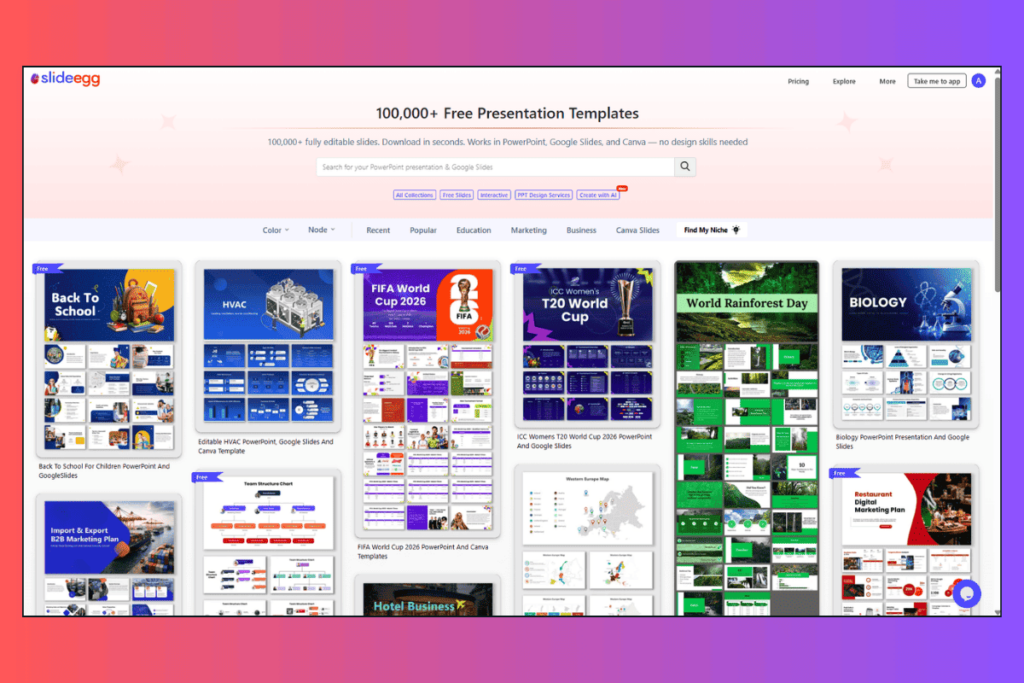
Template library + live audience platform + human design services — three tools in one
- Basic plan from $6/mo
- billed annually · slideegg.com/pricing ↗
SlideEgg’s model is different from both competitors. Where Beautiful.ai and Gamma ask you to build inside their tool, SlideEgg primarily gives you finished templates to download and edit in the tools you already use — PowerPoint, Google Slides, or Canva. 100,000+ templates, 10 free per day with no credit card required.
On top of the template library, SlideEgg runs a live interactive presentation platform. Run live quizzes, collect real-time Q&A, get audience comments, control slides remotely, and export results. No other tool in this comparison has this. And for users who don’t want to design at all, SlideEgg’s PPT Design Service sends human designers to redesign your deck overnight at $8–$20/slide — NDA-protected, unlimited revisions.
📚100,000+ Templates
- PPT, Google Slides, and Canva formats. 10 free downloads/day, no CC needed.
🎯Interactive Presentation Platform
- Live quiz, Q&A, audience comments, remote control, results export — Kahoot-style.
🎨PPT Design Service ($8–$20/slide)
- Human designers. NDA-protected. 6h rush or 48h saver. Unlimited revisions.
🤖AI Customize on Every Template
- One-click AI customization button on all 100,000+ templates.
🔌PowerPoint & Google Slides Add-ins
- Access SlideEgg’s full library from directly inside PPT or Google Slides.
🔁Zoom Integration (Basic+)
- Run interactive presentations directly inside Zoom calls.
⭐Lifetime Plan ($299)
- One-time payment. Full Pro features + 200,000 AI credits. No recurring fees.
🏢Enterprise Features (Teams $16/mo)
- SSO, SCIM, white labeling, private cloud, digital asset library, dedicated manager.
| ✔ Strengths | ✗ Limitations |
| ✔ 100,000+ templates — by far the largest library here ✔ 10 free downloads/day, no credit card needed ✔ Cheapest paid plan ($6/mo) and lifetime plan ($299) ✔ Only tool with live audience interaction (quiz, Q&A) ✔ Only tool with human PPT design service ✔ PowerPoint and Google Slides add-ins ✔ Canva templates section ✔ Zoom integration (Basic+) ✔ 15-day trial on all paid plans ✔ SSO, SCIM, white labeling on Teams plan ($16/mo) ✔GDPR compliant, AWS-hosted ✔Used by MIT, Harvard, Microsoft, IBM, Amazon | ✗ AI generation less sophisticated than Gamma or Beautiful.ai ✗ No card/web-page format (traditional slides only) ✗ No mobile app ✗ No API access ✗ No per-slide viewer analytics on shared links ✗ No version history or locked slides ✗ PPT Design Service is a paid add-on, not included in subscription |
By the Numbers: Pricing Side by Side
All prices verified from official pages in June 2026.
Beautiful.ai
- Pro (Individual) $12/month, billed annually
- ✔ 1 user
- ✔ Unlimited AI content generation
- ✔ 300+ Smart Slide layouts
- ✔ Custom brand themes
- ✔ AI image generation
- ✔ AI writing assistant
- ✔ PPTX import/export
- ✔ Viewer analytics
- ✔ Version history
- ✔ 14-day free trial (CC required)
- Team: $40/user/mo (annual) · Monthly Pro: $45/mo
Gamma
- Pro (Most Popular) $18/seat/month, billed annually ($216/yr)
- ✔ 1 user (2-seat minimum for Team)
- ✔ 4,000 monthly AI credits
- ✔ 60 cards per prompt
- ✔ Premium AI image models
- ✔ Custom branding & fonts
- ✔ Detailed analytics
- ✔ Up to 10 custom domains
- ✔ API access
- ✔ Workspace templates
- ✔ Export PPTX, PDF, PNG, Google Slides
- Plus: $9/mo · Ultra: $90/mo (monthly only) · Free: 400 one-time credits
SlideEgg
- Pro (Best Value) $10 /user/month, billed annually
- ✔ Unlimited templates
- ✔ 2,000 monthly AI credits
- ✔ 15+ AI PowerPoint tools
- ✔ Unlimited participants (interactive)
- ✔ Unlimited live quiz
- ✔ Custom logo & branding
- ✔ Annotation (live sessions)
- ✔ Collaborative workspace
- ✔ Export results (PDF, Excel)
- ✔ 15-day free trial
- Basic: $6/mo · Teams: $16/mo · Lifetime: $299 one-time
| Plan type | Beautiful.ai | Gamma | SlideEgg |
| Free / no-cost tier | None | 400 credits (one-time) | 10 PPT/day (ongoing) |
| Cheapest paid (annual) | $12/mo | $9/mo | $6/mo |
| Most popular (annual) | $12/mo Pro | $18/mo Pro | $10/mo Pro |
| Team plan (annual) | $40/user/mo | $20/seat/mo (2-seat min) | $16/user/mo |
| Monthly billing | $45/mo Pro | $9–$90/mo | Contact for monthly |
| Lifetime option | None | None | $299 one-time |
| Free trial | 14 days (CC required) | Free tier (400 credits) | 15-day trial (paid plans) |
| Refund | Within 24h of purchase | 3 days only (strict) | Cancel anytime |
Decision Guide
Who Should Use Which
Choose Beautiful.ai if…
- Your team presents to clients constantly and consistency matters
- You need live data in charts (unique feature)
- You want per-viewer, per-slide analytics
- Enterprise security (SOC 2, SSO, SCIM) is a requirement
- You’re willing to pay $40/user/mo for team features
- Students with .edu email (free plan available)
Choose Gamma if…
- You need a polished deck in under 5 minutes from a prompt
- You want to publish your presentation as a website
- You build API/automation workflows around content creation
- You produce multiple content formats (slides, docs, social, graphics)
- You need a mobile app for on-the-go creation
- Start monthly at $9 before committing to annual
Choose SlideEgg if…
- You want a large ready-made template library (100,000+)
- You present to live audiences and need quiz/Q&A features
- You want your team to use templates inside PowerPoint/Google Slides
- You need occasional human redesign without hiring an agency
- Budget is tight — free tier (10/day) or $6/mo plan
- You want a one-time lifetime deal ($299)
Final Verdict
These three tools barely compete with each other — they solve different problems. Beautiful.ai is the right choice when a team’s brand consistency and slide-by-slide viewer data matter more than speed. Gamma is the right choice when you need a deck in minutes and want to publish it as a web page or wire it into an automation pipeline. SlideEgg is the right choice when you need volume (100,000+ templates), live audience engagement, work inside PowerPoint or Google Slides daily, or want to hand a rough deck to a human designer overnight.
The honest summary: if you only do one thing with presentations, pick the tool built for that one thing. If you do all three, you’re not unusual — many teams use Gamma to draft, Beautiful.ai to polish for clients, and SlideEgg for education/training sessions with live audiences.
Frequently Asked Questions
Is there a free version of Beautiful.ai?
No. Beautiful.ai has no free plan. It offers a 14-day free trial on Pro ($12/mo annual) and Team ($40/user/mo annual) plans, but a credit card is required to start the trial and you are charged automatically if you don’t cancel before day 14. Students with valid .edu emails can apply for a free education plan at beautiful.ai/education.
Does Gamma’s free plan really work for ongoing use?
Not for ongoing use. Gamma’s free plan gives you 400 AI credits at sign-up and they never refresh. Most users exhaust those credits in their first two or three sessions. From that point, you must upgrade or refer friends (200 credits per referral, capped at 2,000 lifetime). Treat the free plan as an extended trial, not a permanent free tier.
Which tool has the best free plan?
SlideEgg has the most usable ongoing free tier: 10 PowerPoint templates per day, no credit card required, access to 200+ free templates, and basic interactive presentation features. Gamma offers 400 one-time AI credits that never refresh. Beautiful.ai has no free plan at all.
Can I export to PowerPoint from all three tools?
Yes. All three tools support PPTX export. Beautiful.ai exports fully editable PowerPoint files. Gamma exports to PPTX on all plans, though formatting may shift since Gamma uses a card layout rather than traditional 16:9 slides. SlideEgg templates download as native PPTX files directly editable in PowerPoint.
Which is cheapest for a solo user?
SlideEgg Basic at $6/user/month (annual) is the cheapest paid plan, followed by Gamma Plus at $9/month and Beautiful.ai Pro at $12/month. However, SlideEgg also offers 10 free downloads per day with no credit card required, meaning many solo users never need to pay at all.
Do any of these tools offer live interactive audience features?
Only SlideEgg. It includes a built-in interactive presentation platform with live quizzes, Q&A, audience comments, remote control, annotation, and real-time participant tracking — similar to Mentimeter or Kahoot. Beautiful.ai and Gamma do not offer live audience interaction features.
What is Gamma’s refund policy?
Gamma offers refunds only within the first 3 days of subscribing, and only if you have used less than 10–20% of your monthly credits (depending on plan). This applies to annual subscriptions too. After day three, no refund is issued even if the annual plan is mostly unused. This is Gamma’s most-cited complaint, contributing to a Trustpilot rating of 1.7–1.9/5.