6,800+ Strategy and Business Plan PowerPoint Templates | Page 118
Don't know what to include in your strategy or business plan? Our templates cover startup pitches, annual planning, investor presentations & operations. Each one is structured with everything you need.










Showing5,664 of6,866


Find the Right Business Plan or Business Strategy PowerPoint Template
A business plan presentation and a business strategy presentation may look similar, but they support different conversations. Before choosing a business strategy PowerPoint template, decide what your audience needs to understand or approve.
Open the full preview before downloading — the most useful template is not necessarily the one with the most slides, but the one whose sequence fits the story you need to tell.
Choose a deck based on the job you're trying to complete
Six common jobs, each pointing to a different kind of deck.
Present a new business idea or funding opportunity.
Explain how an existing business will compete and grow.
Review quarterly or annual performance.
Translate a strategy into responsibilities and deadlines.
Prepare the organization for disruption or operational risk.
Align the leadership team on priorities before the next planning cycle.
Popular business plan templates
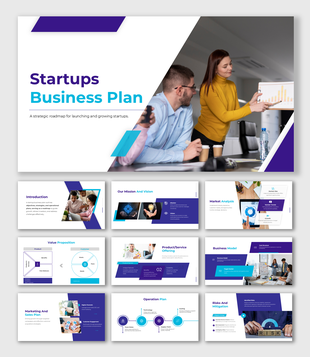
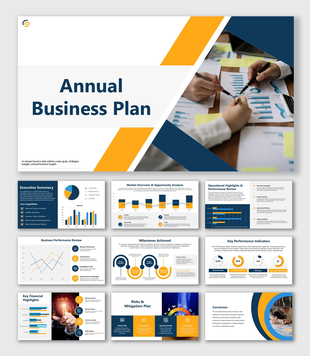
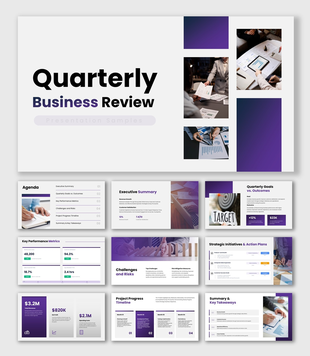
Six designer picks across startup, industry, strategy, and review decks.
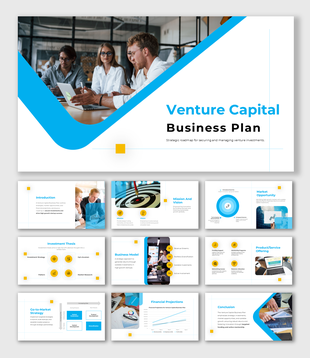
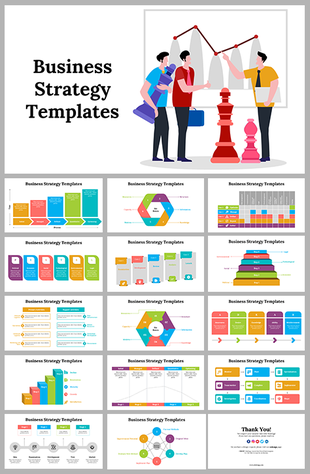
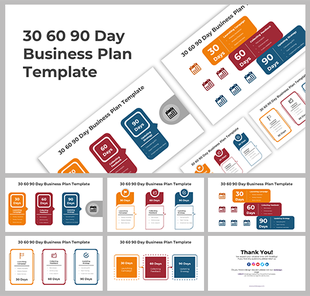
When you need a business plan vs. a business strategy
Two decks that look alike but answer different questions.
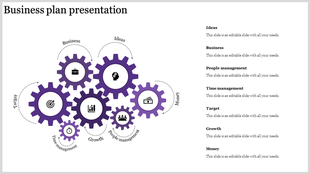
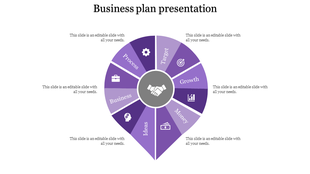
Business plan presentation
Use when introducing a company, validating an opportunity, discussing funding, or explaining how the business will operate. Check the preview for space to cover:
- The problem or market opportunity
- The proposed solution and target customers
- Business and revenue model
- Market evidence and competitor positioning
- Operational requirements and team responsibilities
- Financial assumptions and funding request
Business strategy presentation
Use when the business already exists and the audience needs to understand its direction. Look for a template that connects:
- The present business situation and the goal being pursued
- The priorities that support that goal
- Initiatives, owners, and timelines
- Measures of success
- Risks and dependencies
If the plan needs a visual sequence of milestones, pair it with a Strategic Roadmap template.
Reviewing an existing business, or putting a plan into action
Two more situations that call for a different structure than a pitch.
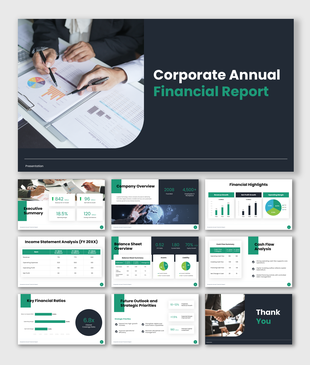
Reviewing performance (QBRs & annual reviews)
Meant for evaluating progress, not introducing the company from the beginning. Check the template can clearly present:
- Results against targets
- Important wins and setbacks
- Sales, customer, or operational trends
- Priorities for the next period
During a collaborative review, Live Polls help when the audience must participate in the decision.
Putting a plan into action (30-60-90 & continuity plans)
A 30-60-90-day plan communicates early milestones; a business continuity plan prepares for disruption. Look for room to identify:
- The action, owner, and deadline
- The expected outcome and dependencies
- Risks and progress measures
For multi-step workflows, a Flowchart template can make the sequence easier to follow.
Use the preview as a sample, not a finished plan
Review the complete slide sequence instead of choosing from the cover slide alone.
Replace sample content with verifiable business information
A polished design cannot compensate for questionable numbers or vague assumptions.
Add supporting slides only where they're needed
Six frameworks worth adding — but only when you can complete them with real evidence.


Generate a starting draft with AI
Describe the business idea, the audience, and the decision you want from them, and the AI Presentation Maker drafts a 10–12-slide outline you can refine with verified facts.
Try the AI Presentation MakerWhy you can trust these templates
Ready to build your plan or strategy deck?
Shortlist two or three templates, compare their real slide sequences, and pick the one that needs the fewest structural changes.
289 Templates
1105 Templates
371 Templates
56 Templates
491 Templates
465 Templates
72 Templates
688 Templates
13 Templates
105 Templates
27 Templates
13 Templates
64 Templates
85 Templates
185 Templates
167 Templates
29 Templates
25 Templates
97 Templates
27 Templates
Collections Similar to Strategy / Business Plan
Strategy / Business Plan Video Tutorials
Watch quick, practical walkthroughs and level up your presentation design skills in minutes.

Strategy / Business Plan Templates: FAQs
How do I make a business plan PowerPoint presentation?
Start with the decision you need from the audience. Organize the slides around the opportunity, target customer, business model, evidence, execution plan, finances, and next step. Keep one main message on each slide and move detailed supporting information to an appendix.
What slides should a business plan presentation include?
A complete business plan presentation should include a cover slide, executive summary, company overview, problem and solution, market opportunity, product or service description, competitive analysis, go-to-market strategy, financial projections, funding requirements, team bios, and a call-to-action slide. Most investor decks run 10-15 slides.
Which business plan template is best for a startup?
For startups, choose a pitch deck covering problem/solution, market size (TAM/SAM/SOM), traction, team, and funding ask in 10-12 slides. The Startup Business Plan and Venture Capital Business Plan templates on SlideEgg are built for this. For bank loans or accelerators, use a full business plan with financial projections and a 3-year roadmap.
Which template should I use for a business growth presentation?
Choose a complete deck containing the current position, growth opportunity, proposed initiatives, required resources, financial impact, timeline, and success measures. Use the Decks filter, then inspect the slide previews to confirm that the presentation supports a growth discussion rather than a general company introduction.
What is the difference between a business plan and a business strategy template?
A business plan template covers the complete document — objectives, market analysis, operations, financials, and team — used for investor pitches and funding. A business strategy template focuses on frameworks: SWOT, OKRs, competitive positioning, and annual priorities – used for board presentations and leadership alignment.
Does SlideEgg provide industry-specific business plan templates?
Yes. The collection includes business plan presentations for areas such as real estate, restaurants, hotels, healthcare, education, consulting, franchises, and small businesses. Search using the industry name, but choose according to the slides inside the deck—not only the image on its cover.
Can I download a free business plan presentation?
Use the 'Free' filter to find templates available for free download. The product listing or product page identifies whether a template is free or premium. Check its status and supported editing format before you begin customizing it.
Can I convert a business plan PowerPoint into a PDF?
Yes. After editing the presentation, export it as a PDF through PowerPoint or Google Slides. Use PDF when recipients only need to read the finished plan; keep the editable presentation file when your team still needs to revise slides, figures, or comments.