Free - Elegant Timeline Presentation Template With Five Node
Free








Creative Timeline Presentation Template
Are you tired of dull presentations that do not engage the audience? To help you make a professional timeline, we are offering this Timeline Presentation Template.
Slide Description:
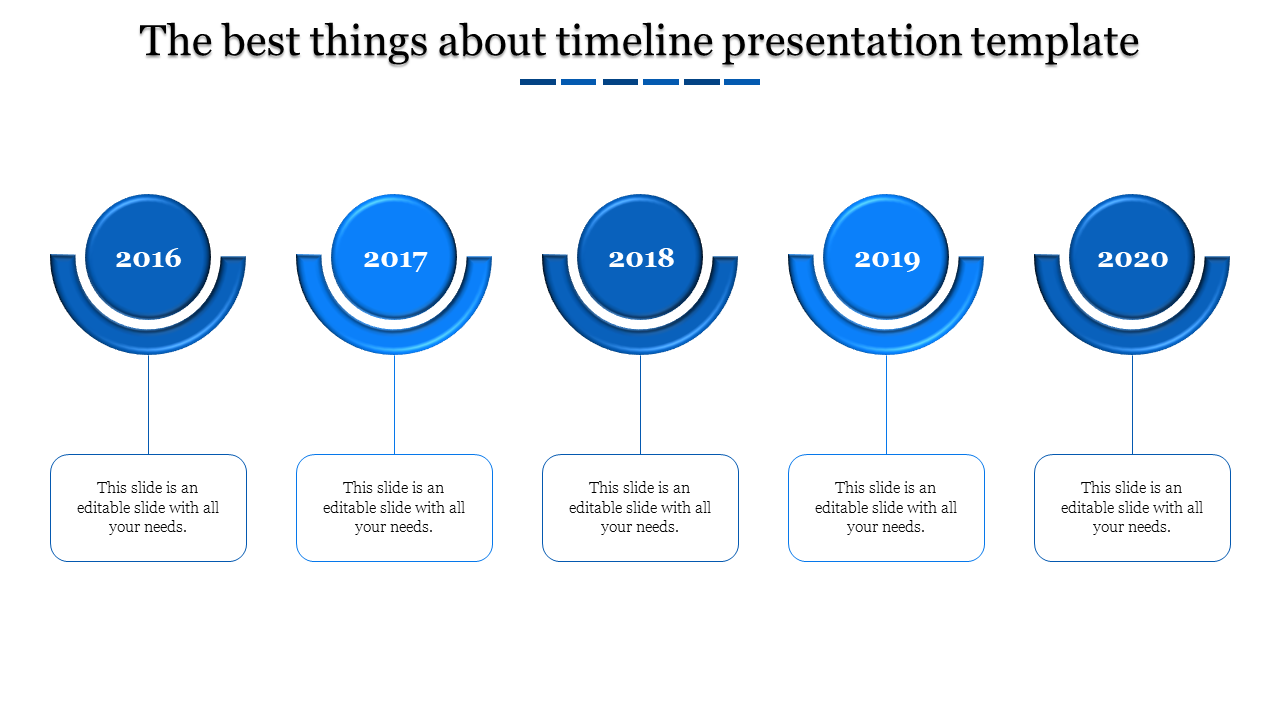
Our timeline is neatly laid out from 2016 up to 2020. Every year is formulated using an oval-shaped node to denote a regular progression from one year to the next. The blue and white background emanates professionalism, making your content stand out.
Who Can Benefit?
Professionals: Win the trust of clients, employees, and shareholders through the use of an eye-catching timeline that captures the organizational development, accomplishments, and milestones to date.
Students: Sharpen your history, business, or project presentations with a visually set chronological timeline.
Anyone: No matter if you’re preparing for a meeting to pitch an idea, to present how a project is going, or if you are teaching a class, this template proves helpful.
How to Use:
Customize: The best is to make the presentation in Google Slides or else open the template in PowerPoint.
Now you can download our Timeline Presentation Template to start on an interactivity that informs, compels and most of all entertains.
Features of the template:
- Slides are available in 4:3 & 16:9
- Well-crafted template with instant download.
- Get slides that are 100% customizable and easy to download









You May Also Like These PowerPoint Templates




Showing20 of69,218 templates