Free - Elegant Timeline PowerPoint Presentation Template In Green Color
Free





Timeline Presentation Template
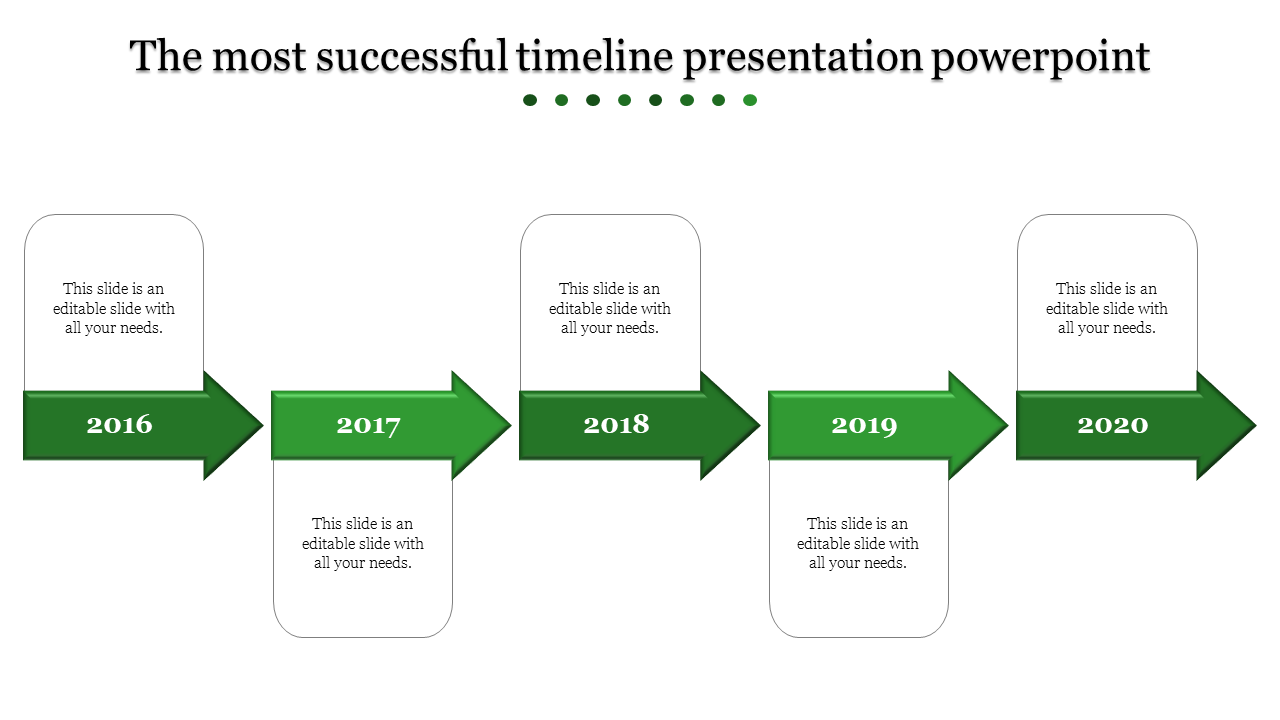
Every project has a journey, and our Timeline PowerPoint Presentation template helps you map it out seamlessly. Our template features a horizontal timeline with five milestones, each represented by a year from 2016 to 2020. Each milestone is depicted as a green rectangle with an arrow pointing to the right, indicating progression through time. Below each year there is a placeholder text.
Purpose of this slide:
To present a timeline of events or achievements in a clear and visually appealing manner. It provides a structured framework for showcasing chronological information. Whether you’re a business professional, educator, project manager, or anyone needing to convey development over time, this template can be beneficial.
Benefits for Users:
Organization: The slide offers an organized layout, making it easy to present temporal data. Customizability: Being editable, users can tailor it to their specific content requirements. Visual Continuity: The design ensures smooth visual transitions between milestones, effectively conveying growth and progress.
Download our templates today and transform your project timelines into compelling visual narratives.
Features of the template:
- Slides are available in 4:3 & 16:9
- Get slides that are 100% customizable and easy to download
- Highly compatible with PowerPoint and Google Slides









You May Also Like These PowerPoint Templates




Showing20 of69,218 templates