100+ Free December Month Special Days Presentation Templates | Page 3
Browse ready-to-edit December Month Special Days templates for PowerPoint, Google Slides, and Canva. This collection covers Christmas, World AIDS Day, Human Rights Day, Kwanzaa, New Year's Eve, Winter Solstice, Boxing Day, and more. Choose a template, customize the text and visuals to match your event, and download it in your preferred format.



How to Pick the Right Design for December Month Presentations
No other month tests a presenter's range quite like the last 31 days of the year. In four weeks, you may need to deliver an AIDS awareness presentation for a healthcare team, lead a Human Rights discussion for a civic group, run a Christmas assembly for a school, and close with a corporate retrospective for leadership.
Each occasion carries a different audience, a different emotional register, and a completely different visual language. Getting the tone wrong costs credibility before you say a word. This collection addresses that directly with 100+ purpose-built, fully editable decks covering every major observance from the 1st through the 31st December, organized by occasion type so you can find and download the right design in minutes.
Templates Organized by Occasion Type
Health and Awareness Observances
The month opens with its most institutionally significant dates. World AIDS Day on December 1 is observed by governments, health bodies, NGOs, and schools across every region. The accompanying 37-slide deck covers awareness messaging, prevention statistics, global response data, and narrative layouts suited to public health presentation and classroom sessions alike. Every statistic placeholder must be replaced with verified figures from WHO or UNAIDS before presenting — those numbers are illustrative, not live data, and outdated health figures in a formal awareness context damage speaker credibility in ways that good visual design alone cannot offset.
December 3 brings the International Day of Persons with Disabilities, observed under the UN mandate to promote the rights and well-being of persons with disabilities worldwide. Accessibility-forward, structured layouts make this template appropriate for HR teams, educational institutions, and civic organizations. On the 5th, International Volunteer Day gives nonprofits and community groups a ready framework for reporting volunteer hours, program impact, and outreach results through timeline and data-driven visuals.
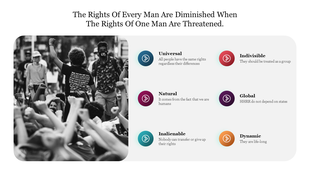
Human Rights Day on the 10th closes this first window. The 22-slide deck covers rights history, UN frameworks, and global advocacy context — practical for law programs, NGOs, and civic organizations preparing formal sessions. The same verification rule applies here: any references to legislation, treaties, or institutional frameworks should be confirmed against current sources before the deck goes in front of a live audience.
Cultural and Educational Observances
The middle weeks shift tone entirely. Wright Brothers Day on December 17 marks the 1903 anniversary of the first powered flight. The monochrome aviation-history template suits science departments, engineering teams, and school programs looking for a curriculum-tied activity.
The 18th brings UNESCO's Arabic Language Day, which recognizes one of the six official UN languages — the materials cover linguistic history, cultural reach, and regional significance across formally structured pages used by academic institutions and language programs worldwide.
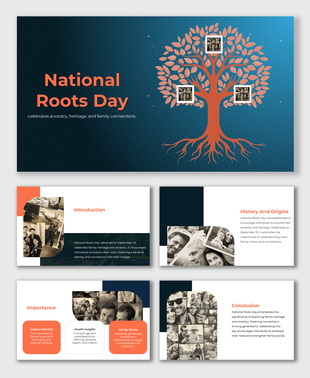
December 21 arrives with the Winter Solstice, the shortest day in the Northern Hemisphere. The Solstice deck approaches the occasion from astronomical and seasonal angles with cultural context drawn from multiple traditions, making it one of the most broadly usable options for multi-faith workplaces. Because it carries no single religious association, it works in settings where acknowledging the season without centering any one faith is the priority.
Activities and Food Observances
Lighter food and activity observances round out this part of the month. National Brownie Day, National Cocoa Day, National Cookie Exchange Day, National Violin Day, and National Crossword Puzzle Day all fall in this window, and each has a dedicated template in this collection — useful for school parties, office gatherings, and community events where a celebratory rather than formal tone fits.
Christmas, Boxing Day, and Holiday Gatherings
Christmas on the 25th draws the highest search volume of any single observance in this collection. The Merry Christmas template spans fully editable designs with festive illustrations, Santa imagery, and seasonal layouts built for school assemblies, corporate holiday gatherings, and community events. It is free and compatible with PowerPoint, Google Slides, and Canva. School programs will find the count practical for 20–30 minute sessions without trimming; corporate events have room for organization-specific messaging and team photography.
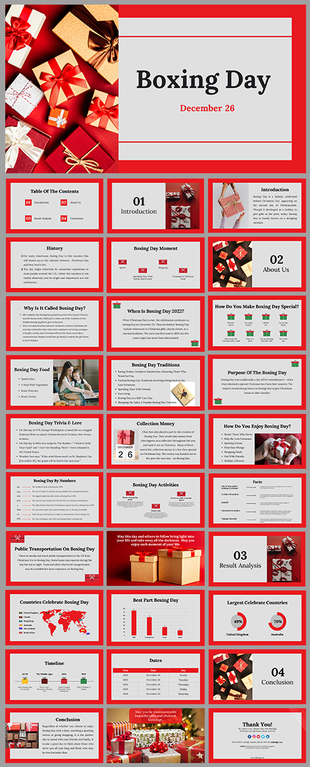
Boxing Day on the 26th is widely observed across the UK, Canada, Australia, and Commonwealth countries. The deck covers the history, traditions, and cultural background of the occasion with red-themed layouts suited to educational programs and community acknowledgements — particularly relevant for schools and organizations in Commonwealth regions planning sessions for this date.
Kwanzaa, Festivus, and Multi-Tradition Celebrations
Kwanzaa runs from December 26 through January 1. The Kwanzaa deck is built specifically around the Nguzo Saba — the seven principles — using the established red, black, and green palette. This is not an adapted Christmas design or a repurposed holiday format. The layout hierarchy, symbolism, and content structure were created for Kwanzaa, which means the materials accurately represent the occasion without requiring the presenter to rework the visual framing.
For multi-faith workplaces observing several December traditions, downloading separate, purpose-built templates for each occasion produces better results than forcing a single design to cover multiple cultural contexts — each of which it represents poorly as a result.
Also in this period: the Feast of the Seven Fishes, a traditional Italian-American Christmas Eve celebration with seafood imagery and cultural history, and Festivus, the secular observance familiar from popular culture. Both are free to download and suited to community events and classroom studies.
New Year's Eve and Corporate Year-End Reviews
New Year's Eve on the 31st anchors corporate year-end reviews, team retrospectives, and community countdown gatherings. The 37-slide deck includes year-in-review sections, annual milestone layouts, goal recap pages, and forward-looking sections built for structured business use. Teams running the same retrospective format annually should keep a clean master copy with placeholder year text refreshed each season, rather than tracking down embedded year references across 37 pages under deadline pressure. A stale year on an opening title is an immediate credibility problem that no subsequent slide can recover from.
Free vs Pro Options and Format Compatibility
Free templates in this collection include the Merry Christmas pack, Winter Solstice, Festivus, Feast of the Seven Fishes, National Crossword Puzzle Day, National Violin Day, and others. The Free or Pro label appears on every card before you open it — no extra filtering needed. Free downloads require no account. Pro plans add slide variants, expanded layout options, and extended visual assets.
All designs work with PowerPoint, Google Slides, and Canva. Choose your format before editing — switching platforms after customization means rebuilding the work from scratch. Teams using Google Drive should select Google Slides on download. Offline presenters who rely on native animation controls are better served by PowerPoint. Canva suits teams where contributors need to make edits without dedicated presentation software installed.
The range between an awareness presentation and a New Year's Eve retrospective is wider than in any other month. Selecting the right template for each event is the most important step before opening the file. Browse the full collection above, choose the design that matches your needs, and download it in your preferred format.
Explore all 100+ free and pro December templates above — or use SlideEgg's AI Customize feature to generate a personalized version of any design in seconds. No design skills needed.
Frequently Asked Questions
Are these December templates free to download?
Many templates in this collection are completely free — including the Merry Christmas, World AIDS Day, Human Rights Day, Winter Solstice, and Festivus packs. The Free or Pro label is visible on every template card. Free templates can be downloaded without creating an account. Pro templates are available under SlideEgg's subscription plan.
Do these templates work with Google Slides, PowerPoint, and Canva?
Yes. Most of the template in this collection is compatible with all three platforms — PowerPoint, Google Slides, and Canva. When downloading, select your preferred format. The layout, content structure, and visual design are consistent across all three.
What December observances are covered in this collection?
The collection covers 20+ December observances including World AIDS Day (Dec 1), International Day of Persons with Disabilities (Dec 3), Human Rights Day (Dec 10), Wright Brothers Day (Dec 17), Winter Solstice (Dec 21), Christmas (Dec 25), Boxing Day (Dec 26), Kwanzaa (Dec 26–Jan 1), and New Year's Eve (Dec 31), plus national food days, cultural celebrations, and awareness events throughout the month.
Can I use these templates for school presentations and events?
Yes. Templates in this collection are widely used for school programs — Christmas assemblies, World AIDS Day awareness lessons, Human Rights Day discussions, and end-of-year events. Most free packs are 17–34 slides, suitable for 10–30 minute classroom or assembly sessions.
Are these templates editable — can I change colors, fonts, and images?
Yes, all templates are fully editable. You can change text, swap colors, replace images, update statistics, and insert your organization's branding. Editing works natively in PowerPoint, Google Slides, and Canva — no design software needed.
Are there templates specifically for corporate year-end presentations?
Yes. The New Year's Eve template (37 slides) includes year-in-review sections, milestone layouts, goal recap slides, and forward-looking sections specifically designed for corporate year-end events and internal team presentations.
What is the difference between the Free and Pro templates in this collection?
Free templates are available for immediate download with no account or payment required. Pro templates offer more slides, additional layout variants, and exclusive visual assets. Pro access is available through SlideEgg's subscription plan. The label on each card clearly identifies free vs. pro before you click.
Why does visual tone matter more when choosing a December template than in other months?
December spans health awareness events, civic observances, cultural celebrations, and year-end reviews — all within the same four weeks. Using a festive design for a health awareness session, or a clinical layout for a Christmas event, signals a preparation error that the audience notices immediately.
What should I do before using a health awareness template in a public presentation?
Replace all placeholder statistics with verified current figures from WHO, UNAIDS, or your relevant national health authority. The data in these templates is illustrative only and is not updated when health organizations publish new annual numbers.
What should I check when reusing a year-end template the following December?
Update every year reference — title slides, timelines, milestone sections, and summary pages — before the first presentation. These references are embedded in the design and do not update automatically.