Free - Neuralink Template For PowerPoint And Google Slides
Free
















 Canva
Canva
Neuralink Presentation Template To Explain Brain-Tech Clearly
Neuralink is one of those topics that grabs attention instantly but becomes difficult the moment you try to explain it properly. Is it a medical breakthrough, a brain-machine interface, an AI extension, or all of them at once? That is where most presentations fail. They either stay too basic or become too technical too fast.
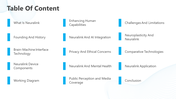
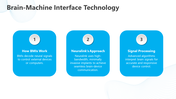
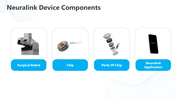
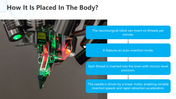
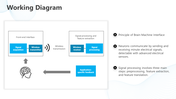
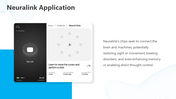
This deck helps you present the topic in a way that feels clear, structured, and credible. It moves from the basics of Neuralink and brain-machine interfaces into the actual device, chip components, implant process, working diagram, and practical applications. That makes it useful when your audience expects more than surface-level information.
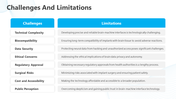
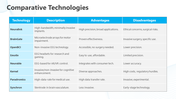
It also covers the parts that serious viewers will look for: privacy, ethics, mental health relevance, limitations, neuroplasticity, public perception, and comparisons with other brain-interface technologies. So the presentation does not feel one-sided or incomplete.
The visual style supports the subject well. A light background, blue accent blocks, and medical-tech imagery give it a clean and research-focused look. It feels more like a clinical or innovation briefing than a promotional deck.
If you need to explain Neuralink with substance, not noise, this deck is built for that. Download this template if you need a clear and credible way to present Neuralink, from core technology to real-world concerns and applications.
Features of this template:
- Fully editable slides.
- Works in PowerPoint, Google Slides, and Canva.
- Clean layout for easy reading.
- Available in 16:9 and 4:3 ratios.
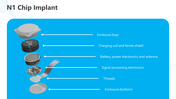
- N1 chip structure breakdown.
- Implant placement process slide.
- Brain-machine working diagram.
- Comparison with other BCI technologies.
- Dedicated ethics and privacy coverage.










You May Also Like These PowerPoint Templates





















Showing36 of69,218 templates