Dynamic Business Presentation Template And Google Slides
Nodes
Colors












Dynamic Business Presentation Template and Google Slides
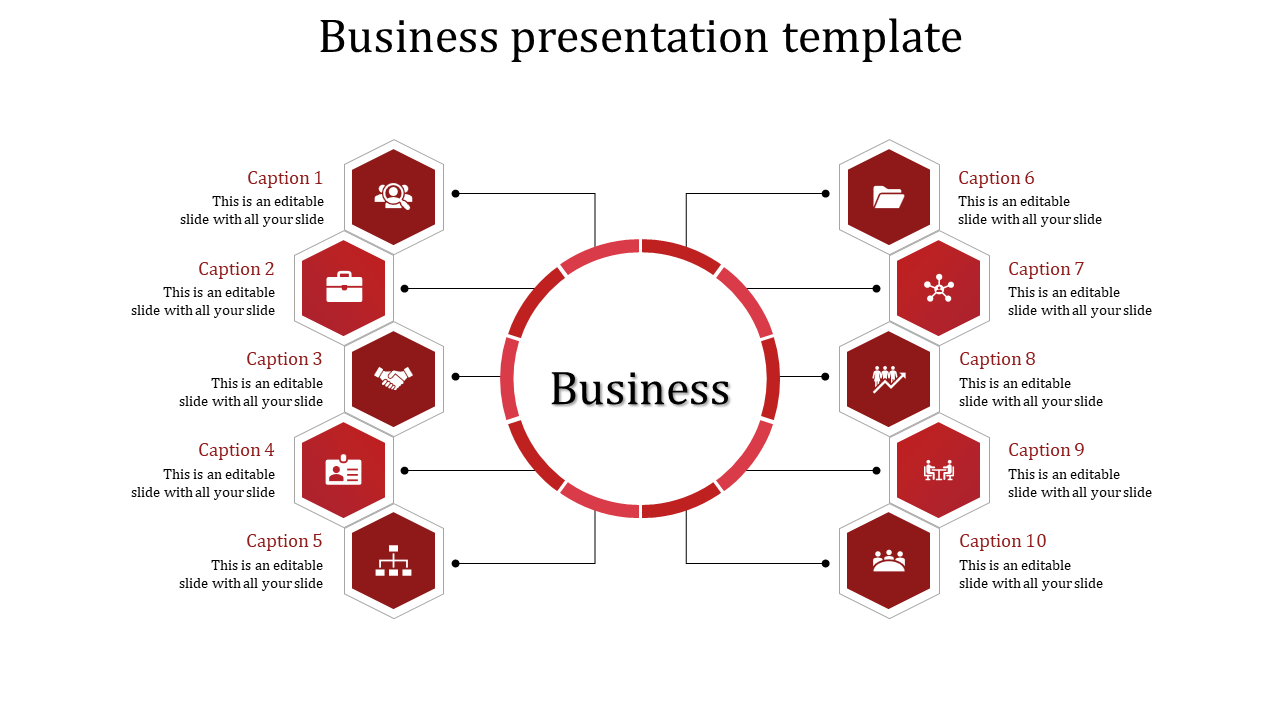
Capture attention and clarity with our Business PowerPoint Template and Google Slides! A web of ten hexagons radiating from a central circle, each hexagon representing a phase of your business process. Inside the circle, prominently displayed, is the word "Business," emphasizing your core focus. This visually engaging template delineates the intricacies of your business journey, from inception to execution. Seamlessly convey your business strategy and objectives to stakeholders, ensuring transparency and alignment. Elevate your presentations and drive meaningful discussions with our versatile template. Download now and unleash the power of impactful storytelling in your business endeavors!
Features of the template
- 100% customizable slides and easy to download.
- Slides are available in different nodes & colors.
- The slide contains 16:9 and 4:3 formats.
- It is easy to change the colors of the slide quickly.
- Well-crafted template with an instant download facility.
More Collections for Dynamic Business Presentation Template
Recommended based on this template.









Similar Templates to Dynamic Business Presentation Template






Showing20 of69,218 templates