Virtual Intelligence Vs Artificial Intelligence PowerPoint

 Canva
Canva
Virtual Intelligence Vs Artificial Intelligence PPT, Google Slides, and Canva Template
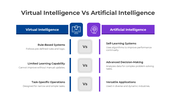
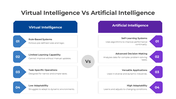
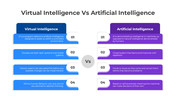
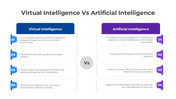
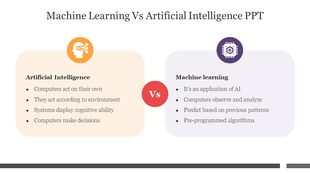
Virtual Intelligence (VI) and Artificial Intelligence (AI) are often used interchangeably, but they represent distinct concepts in technology. Virtual Intelligence refers to systems or software that simulate human-like behavior, usually in virtual environments, to create immersive and interactive experiences. On the other hand, Artificial Intelligence involves more complex systems that enable machines to perform tasks typically requiring human intelligence, such as learning, problem-solving, and decision-making.
Purpose Of The Slides
This Virtual Intelligence vs. Artificial Intelligence PPT template is designed to clarify the key differences between these two technologies, helping business professionals, students, and tech enthusiasts understand their applications and implications. With a detailed comparison of VI and AI, this slide deck offers an insightful perspective on their roles in the healthcare, entertainment, and customer service industries. It’s perfect for presentations on emerging technologies and their potential impact.
Who Can Use It?
- Business Professionals: Gain a clear understanding of AI and VI to make informed decisions on technology adoption.
- Students: Learn about the evolving world of artificial intelligence and its applications.
- Tech Enthusiasts: Explore the differences and similarities between virtual intelligence and artificial intelligence.
- Educators: Create engaging lessons or seminars on AI and VI for students in tech-focused programs.
Special Key Features
Each slide is fully customizable with vivid visuals for a clear, organized data presentation. Download today to deepen your understanding of reach and engagement and boost audience interaction!
Features of this template
- 100% customizable slides and easy to download.
- The slides contain 16:9 and 4:3 formats.
- It is easy to change the colors quickly.
- Highly compatible with PowerPoint, Google Slides, and Canva templates.










You May Also Like These PowerPoint Templates




Showing36 of69,218 templates