Ultimate Template Technology PowerPoint Slide Design
Nodes
Colors














Organize Four Mobile Technology Priorities on One Slide
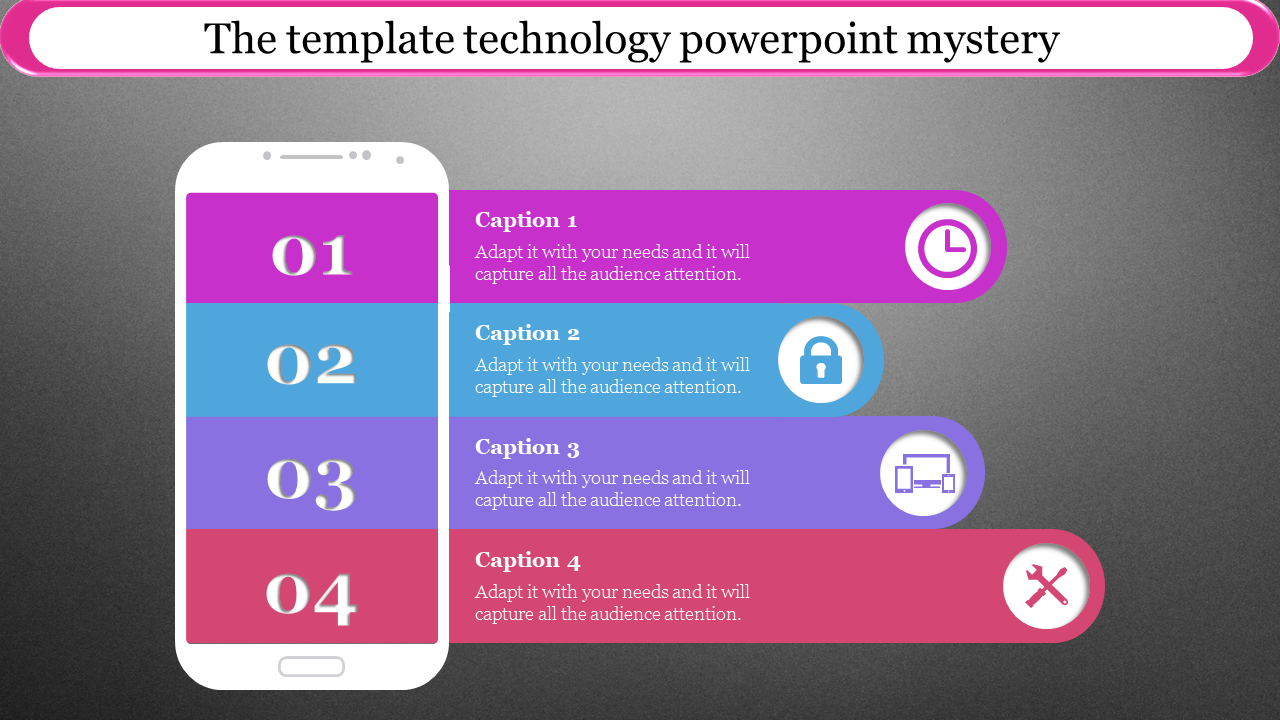
This free PowerPoint infographic places four numbered points beside a smartphone illustration. Each row has a separate colour and a supporting icon, making the layout suitable for explaining four related technology requirements, stages, or decisions in a fixed order.
The existing icons already suggest a practical structure:
Clock: Speed, availability, implementation time or response targets
Lock: Security, privacy, access control or regulatory requirements
Connected devices: Device compatibility, user access or system integration
Tools: Installation, maintenance, technical support or future upgrades
These are only suggested meanings. Change the icons when your four points represent a different relationship.
Replace the Default Headline First
The sample title, “The template technology PowerPoint mystery,” does not clearly explain the slide and should be removed from the finished presentation. Replace it with a specific promise, such as:
Four Requirements for a Secure Mobile Platform
Mobile App Implementation Priorities
Technology Readiness Across Four Areas
From Access to Ongoing Technical Support
A clear headline allows the audience to understand why the four items belong together before reading the details.
Keep the Sequence Honest
Use the numbers as steps only when the items genuinely happen in order. If security, compatibility, and maintenance are simultaneous considerations, describe them as four priorities instead of presenting a false process.
Each caption should contain one meaningful statement rather than a general definition. Add an owner, measure, or decision wherever possible—for example, “Support iOS and Android devices” is more useful than “Device compatibility.”
The smartphone graphic, numbered bands, icons, captions, and background can be adjusted through SlideEgg’s Edit option or in PowerPoint. This slide can introduce a detailed mobile-technology discussion; when four short rows cannot carry the necessary evidence, continue the subject with a fuller deck from the Technology PPT templates.
More Collections for Ultimate Template Technology PowerPoint Slide
Recommended based on this template.










Similar Templates to Ultimate Template Technology PowerPoint Slide













Showing20 of69,218 templates