Innovative Project Plan Template PPT And Google Slides


 Canva
Canva
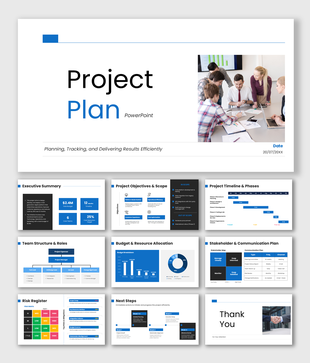
Project Plan PowerPoint, Google Slides, and Canva Template
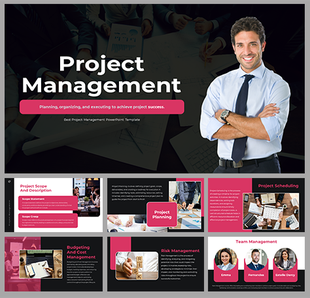
You know project management matters, but when it comes to presenting its full scope, strategy, and execution framework to a team or leadership group, finding the right structure can slow everything down. This Project Plan Template PPT takes that problem off your plate entirely. Built for project managers, Scrum masters, business analysts, operations professionals, and management students, this deck gives you a complete, data-backed, and visually organized presentation that covers project management from first principles all the way through to execution and closure.
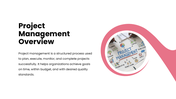
The slides are designed to do more than just inform; they are built to impress and align. The presentation opens with a clear project management overview that frames the discipline as a structured process for delivering goals on time, within budget, and to the right quality standard. The importance of project management slide reinforces the why, covering efficiency gains, risk reduction, cost control, and improved team coordination, giving your audience the context they need before the details begin.
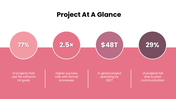
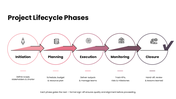
A standout project at a glance slide hits audiences with four powerful industry benchmarks, success rates with PM software, the performance advantage of formal processes, the scale of global project spending, and the cost of poor communication delivered as bold statistics that make the business case for structured project management impossible to ignore. The project lifecycle phases slide then maps the complete five-stage journey initiation, planning, execution, monitoring, and closure with a clear explanation of each phase and a gating principle that ensures quality and alignment at every transition point.
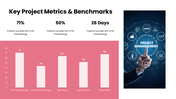
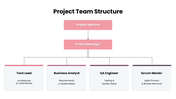
The key project metrics and benchmarks slide goes deeper with a visual comparison of success rates across teams using PM methodology, agile, waterfall, and hybrid approaches — giving data-driven professionals the evidence they need to justify methodology choices. A structured project team hierarchy slide maps the full organizational structure from project sponsor and project manager through to tech lead, business analyst, QA engineer, and Scrum master, with role-specific responsibilities clearly defined for each position.
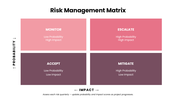
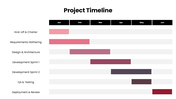
The risk management matrix slide is one of the most practically valuable in the deck — presenting a four-quadrant probability-impact grid covering monitor, escalate, accept, and mitigate risk responses with a built-in review instruction that keeps risk assessment ongoing rather than one-time. A detailed project timeline slide maps seven key activity streams across a six-month execution window from kickoff and requirements gathering through design, two development sprints, QA, testing, and deployment, giving teams a shared visual reference for progress and accountability.
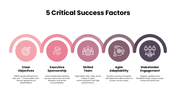
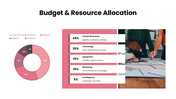
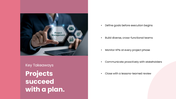
The five critical success factors slide captures the human and strategic dimensions of project success: clear objectives, executive sponsorship, skilled team composition, agile adaptability, and stakeholder engagement, each explained with a practical, actionable statement that project teams can put to work immediately. A transparent budget and resource allocation slide breaks down spending across five categories: human resources, technology, operations, marketing, and contingency, with percentage splits and line-item descriptions that make financial planning tangible. The deck closes with a memorable key takeaways slide that distills the entire presentation into five principles every project professional should carry into every project they run.
Everything in this template is fully customizable: team structures, timeline activities, risk categories, budget figures, benchmark data, and color schemes so you can shape every slide around your actual project, methodology, and organization. Whether you are presenting to a steering committee, a client, a project kickoff audience, or a management class, this template helps you present project management with the credibility and structure it deserves. Download it now and walk into your next project presentation fully prepared.
Features of this template
- 100% customizable slides and easy to download.
- The slides contain 16:9 and 4:3 formats.
- Easy to change the colours quickly.
- Highly compatible with PowerPoint, Google Slides, and Canva templates.
You May Also Like These PowerPoint Templates
Showing36 of69,218 templates