Buy Now Process Template For PowerPoint Presentation
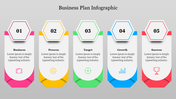
How to Choose Process Presentation Templates
The presentation templates that are available online to allow you to get the ball rolling on a presentation without the need to hire an experienced designer or salesperson. The aim of using these templates is to let you get your presentation off the ground as quickly as possible. This means that the presentation should be completed in under half an hour, provided that you use a high-quality template. If you want your presentation to be the best, then you need to pay close attention to the template. By doing this, you will ensure that your presentation will not only stand out but will also be complete and professional. The reason for this is that professionals carefully consider most of the template projects that are available on the internet, so there is no need to worry about the quality of the template. When it comes to preparing an Annual report, you should ensure that the template that you use is the most professional one available. The result of your search will provide you with a variety of templates that are available online, and you can choose the one that you think will suit your needs.
While you are searching for process presentation templates, you should be able to read reviews about them from other experts and people who have used the template before. Besides, you should also be able to gather a few ideas about the style of presentation that you want to present. This is usually done by creating a one-page description of the presentation and detailing the main points that you want to cover in the presentation. It is important to remember that in this one-page outline, you should include both the benefits and disadvantages of the new program. Once you have started to create the framework, you should begin to build the slides for the presentation template. Again, there are a variety of templates that allow you to choose from a wide variety of templates such as PowerPoint, Keynote, PowerPoint, and more. As the outline is being created, you should also be considering the different styles of presentation that you want to present in the Annual report. After the framework has been created, you should check that the key phrases and the process flow are in place.
You can do this template by yourself, on clicking here









You May Also Like These PowerPoint Templates







Showing20 of69,218 templates