1700+ Free Technology PowerPoint Templates | Page 17
You're frustrated because your tech explanation isn't landing. The problem isn't your knowledge. It's the presentation structure. Start with context, then details. Show the business problem first. Then explain your technology. That's the order that works.
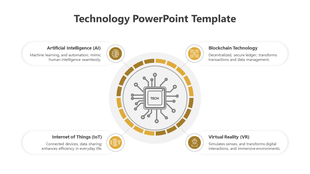



Showing816 of1,734


Find the Right Technology PowerPoint Template for Your Explanation
A technology PowerPoint template should make the subject easier to understand—not merely make the slides look futuristic. Start by deciding what the audience needs from the presentation.
Choose a complete presentation deck when you need to introduce the topic, explain how it works, examine evidence and finish with a conclusion or recommendation. Choose an individual diagram, background or infographic when the main presentation already exists and only one visual explanation is missing.
The initial collection includes several distinct presentation needs:
- 01Technology explainers: Introduce a technology, how it works, its applications and limitations.
- 02Implementation presentations: Show adoption stages, responsibilities, dependencies and timelines.
- 03Decision presentations: Compare alternatives, costs, risks and expected outcomes.
- 04Technology reports: Present performance, progress, incidents or operational results.
- 05Classroom presentations: Explain concepts through definitions, examples, diagrams and review questions.
- 06Visual support slides: Add a process, comparison, quotation, framework or transition to an existing presentation.
Identify the purpose before choosing the colour scheme. A suitable structure will help the audience more than a design selected only because it looks technical.
How to Find Free Technology PPT Templates
The Technology category contains both free and premium products. It should not be understood as an entirely free collection.
During our review, 16 of the first 48 visible products were marked Free. The order and availability may change when the collection is updated, so use the Free filter to see the currently available free technology PPT templates.
Before downloading, check the individual product page for:
- ·A visible Free or premium status
- ·The number and type of slides included
- ·Whether it is a complete deck or a focused visual layout
- ·Available editing formats
- ·Widescreen or standard slide dimensions
- ·Any account, download or usage requirements
This avoids choosing a design based only on its preview image and discovering later that it does not include the slides or format you require.
Check PowerPoint, Google Slides and Canva Availability
Format availability can differ between products. Do not assume that every technology template supports every editing platform.
-
PowerPoint
Choose the downloadable PPTX version when you need PowerPoint-specific editing, presenter tools or local file access.
-
Google Slides
Select a Google Slides-compatible product when browser-based editing and remote collaboration are important.
-
Canva
Use Canva only when the individual product page explicitly offers a Canva-compatible version.
-
SlideEgg Edit option
Where available, the Edit button can be used to inspect and adjust the template online before completing the presentation.
After opening a template in another platform, review the fonts, alignment, transitions, charts and animations. Some presentation features can behave differently after a file is imported or converted.
Choose a Template Based on the Technology Story
The first 48 products are not 48 versions of the same presentation. They cover different subjects and communication tasks.
Explaining Connectivity and Emerging Networks
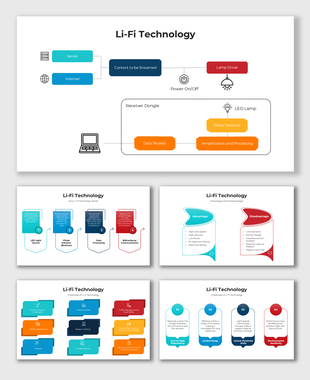
Templates covering 5G, 6G, Wi-Fi and Li-Fi are suitable when network evolution, speed, applications, infrastructure or connectivity is central to the presentation.
A useful structure is:
- 1.Current communication limitation
- 2.Technology definition
- 3.How the network works
- 4.Key capabilities
- 5.Practical applications
- 6.Infrastructure requirements
- 7.Security or accessibility concerns
- 8.Limitations and future development
Do not present predicted performance or adoption figures as established facts. Technology forecasts should include a source, date and explanation of the assumptions involved.
Presenting Technology Adoption or Implementation
Use implementation, operational technology, governance or capability-framework layouts when the audience needs to understand how a technology will be introduced and managed.
Include:
- ·Current and target states
- ·Scope and requirements
- ·Affected users and systems
- ·Implementation phases
- ·Owners and responsibilities
- ·Dependencies
- ·Security and operational risks
- ·Success measures
- ·Next decision
A roadmap without owners, dependencies or measurable outcomes is only a sequence of dates. Add the information required to make each stage actionable.
Creating a Broad Technology Overview
General technology decks can combine subjects such as artificial intelligence, robotics, cybersecurity, cloud computing, blockchain or virtual reality. They are useful for introductory lessons, trend briefings and industry overviews.
Avoid giving every technology equal space simply to fill the deck. Select the subjects that support the presentation’s purpose and compare them using consistent criteria, such as:
- ·Current maturity
- ·Primary use
- ·Intended users
- ·Implementation requirements
- ·Cost or resource implications
- ·Main limitation
- ·Security or ethical concern
- ·Expected effect
Adding One Visual to an Existing Presentation
A technology background, quotation slide or node-based infographic should support one moment in the presentation. It should not be treated as a complete explanation of the topic.
Use these focused layouts for:
- ·Section transitions
- ·Process summaries
- ·Feature overviews
- ·Comparisons
- ·Short quotations
- ·Closing reflections
- ·Key takeaways
If a single slide requires several paragraphs to explain it, the subject probably needs multiple slides or a more structured diagram.
Move to a Specialist Collection When the Topic Requires It
A broad technology template may not provide the right terminology or visual structure for a specialist subject.
-
Use Artificial Intelligence PowerPoint templates for machine learning, generative AI, automation, AI applications and responsible-use topics.
-
Choose Cloud Computing PowerPoint templates for cloud services, architecture, storage, migration and infrastructure.
-
Explore Cyber Security PowerPoint templates for threat awareness, controls, incident response and security strategy.
-
Use Information Technology PowerPoint templates for IT operations, infrastructure, service management and technical systems.
-
Choose Mobile Phones PowerPoint templates when mobile devices, applications or user experience are the main subject.
Use a specialist category when it helps the audience understand the topic—not simply because its name contains another search keyword.
Build a Technology Presentation People Can Follow
A clear technology presentation usually moves through six questions:
01
What problem are we examining?
Describe the user, technical, operational or educational problem before introducing the solution.
02
Why does it matter?
Show the effect on cost, time, reliability, security, access, performance or user experience.
03
How does the technology work?
Explain only the components and processes required for the audience to understand the message.
04
What evidence supports the explanation?
Use dated research, measurements, examples, test results or documented observations.
05
What are the limitations and trade-offs?
Address cost, complexity, infrastructure, privacy, security, accessibility or adoption barriers.
06
What should happen next?
Finish with a takeaway, decision, discussion question, recommendation or implementation step.
Move detailed specifications, supporting calculations and large architecture diagrams into an appendix when they interrupt the main story.
Adapt the Detail to the Audience
For Students
Define unfamiliar terms, include one labelled visual and use a real example before discussing advanced details. Finish with key takeaways or review questions that match the assignment.
For Educators and Trainers
Organize the deck around what learners should be able to explain, compare or perform. Alternate explanation slides with examples, questions and knowledge checks.
For Professionals and Decision-Makers
Begin with the operational or business impact. Present options, evidence, costs, risks and a clear recommendation. Put technical proof in the appendix for anyone who needs to examine it.
For Technical Teams
Show system boundaries, data movement, dependencies, assumptions, failure conditions and control points. Label connections with actions such as “validates,” “encrypts,” “routes” or “stores.”
Create a Technology Presentation With AI
Use Create with AI when the required subject is not adequately covered by an existing template. A useful prompt should specify the audience, purpose, structure, evidence requirements and exclusions.
Prompt for a Student Presentation
“Create a 10-slide presentation explaining how 5G networks work for undergraduate students. Begin with the communication problem, explain the main components in simple language, compare 4G and 5G, include one real-world application, discuss limitations, and finish with three review questions. Do not use unexplained technical jargon.”
Prompt for a Business Decision
“Create a 12-slide decision presentation for department leaders comparing on-premises infrastructure with cloud computing. Cover the current problem, requirements, cost considerations, security, scalability, implementation effort, major risks and a comparison matrix. Leave placeholders for our company’s evidence instead of inventing figures.”
Prompt for Technical Training
“Create a 12-slide cybersecurity incident-response briefing for an IT operations team. Include detection, severity assessment, containment, evidence preservation, communication, recovery, responsibilities, escalation points and post-incident review. Mark every section that requires organisation-specific policies or contact information.”
These are sample prompts, not verified technical content. Review every generated draft before presenting it.
- ✓Verify technical claims with current, authoritative sources.
- ✓Replace invented examples, statistics and citations.
- ✓Check standards, regulations, product capabilities and dates.
- ✓Do not enter credentials, confidential architecture, customer information or unpublished research.
- ✓Ask a qualified reviewer to check content involving safety, security, legal or financial decisions.
Use Interaction to Learn Something From the Audience
Interaction should support the presentation’s purpose rather than serve as decoration.
A live Word Cloud can help collect audience responses through a QR code or session code. Consider asking:
- ·“What is the biggest barrier to adopting this technology?”
- ·“Which technology risk concerns you most?”
- ·“What should this implementation prioritize?”
- ·“Which technical term needs further explanation?”
A poll can compare options, a quiz can check understanding and an open-ended question can collect concerns before a decision. Use the response in the discussion that follows; otherwise, the activity adds interruption without value.
What We Verified in the Technology Collection
The following observations come from reviewing the live category and its initial product set:
- ·1,721 products were listed in the category at the time of review.
- ·48 products were displayed before the Load More option.
- ·16 of those 48 products were visibly labelled Free.
- ·The visible products included 5G, 6G, Wi-Fi, Li-Fi, smart technology, wearable technology, operational technology, technology governance, web technology and platform technology.
- ·The initial results mixed broad decks, specialist presentations, backgrounds and focused infographic layouts.
- ·Free status, slide count and format availability must still be checked on the individual product page.
These figures describe the collection at the time of review. They should be updated dynamically or rechecked when the product order changes.
Recommended Reading
- ·How to Structure Complex Technology Presentations
- ·Why Technology Presentations Fail and How to Fix Them
- ·How to Create a Technology Presentation Using ChatGPT
Choose Your Next Step
Choose a complete deck when the audience needs the full explanation. Select an individual slide when only one diagram, comparison or summary is missing. Use the Free filter when you need a no-cost option, or use Create with AI when the topic requires a more specific starting structure.
327 Templates

252 Templates
173 Templates
47 Templates
204 Templates
291 Templates
222 Templates
26 Templates
67 Templates
33 Templates
26 Templates
24 Templates
24 Templates
24 Templates
61 Templates
84 Templates
73 Templates
93 Templates
24 Templates
92 Templates
Become an expert with SlideEgg
Watch quick, practical walkthroughs and level up your presentation design skills in minutes.

Frequently Asked Questions
Are these technology PowerPoint templates free to download?
Yes, most templates in this collection are free. Free templates are marked with a 'Free' badge and can be downloaded immediately without creating an account. Premium templates require a SlideEgg subscription and include additional slides, higher resolution previews, and commercial use rights.
Do these templates work with both PowerPoint and Google Slides?
Yes. Every technology template on SlideEgg is available in both PowerPoint (.pptx) format and Google Slides format. When you click a template, you can choose your preferred platform before downloading. The design, layout, and editable elements are preserved in both formats.
Can I use SlideEgg technology templates for commercial presentations?
Yes. SlideEgg technology templates are free of license and can be used by students, educators, individuals, and professionals. You can also use them for commercial purposes, including client presentations, investor decks, business meetings, professional training materials, and corporate reports.
I have a 10-minute slot but so much to explain. What do I prioritize?
Forget trying to explain everything. Focus on: What problem are you solving? How does your tech solve it? Why should they care? That's it. Everything else is optional. If you nail these three things in 10 minutes, you've done your job. Don't try to cover everything.
I'm showing a live demo and need slides that support it, not compete with it. What should my slides look like?
Keep slides minimal. Use them to set context before the demo, then let the demo speak. After the demo, use slides to summarize what people just saw. Your demo is the star. Slides are the supporting actor. Don't overload slides with information when you're demonstrating.
How do I explain abstract concepts like AI, blockchain, or microservices visually?
Use analogies first. Don't start with the technology. Start with something relatable your audience knows. Then show how your technology works like that analogy. Real-world examples make abstract concepts understandable. That's the bridge people need.