Direct Vs Indirect Procurement PowerPoint And Google Slides

 Canva
Canva
Direct Vs Indirect Procurement PowerPoint, Google Slides, And Canva Template
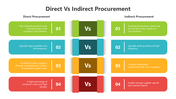
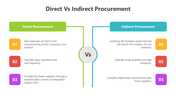
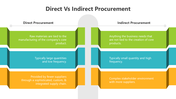
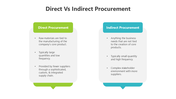
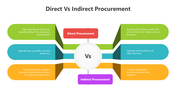
Direct vs Indirect Procurement refers to two core categories in the procurement process—each playing a different role in a company’s supply chain and cost management strategy. Direct procurement focuses on goods and materials used in production, while indirect procurement includes services, tools, and utilities needed for daily operations.
Purpose Of The Slides
This slide deck is designed to explain the differences between direct and indirect procurement, their impact on operations, and how organizations manage sourcing, supplier relationships, and spend analysis for each type. Using comparison tables, process flows, and visual breakdowns, it makes complex procurement structures easy to present and understand.
Who Can Use It?
Perfect for procurement professionals, supply chain analysts, sourcing managers, business students, and consultants. It’s also helpful for teams conducting vendor strategy meetings, category spend reviews, or corporate training sessions on purchasing practices.
Special Key Features
Includes 13 customizable slides with multicolor themes, side-by-side comparison layouts, sourcing flowcharts, and benefit-risk visuals. Compatible with PowerPoint, Google Slides, and Canva—easy to edit and ideal for professional use.
Download the Direct vs Indirect Procurement slide deck today—clarify your sourcing strategies, streamline decision-making, and communicate procurement priorities with confidence.
Features of this template
- 100% customizable slides and easy to download.
- The slides contain 16:9 and 4:3 formats.
- Easy to change the colors quickly.
- Highly compatible with PowerPoint, Google Slides, and Canva templates.

You May Also Like These PowerPoint Templates




Showing36 of69,218 templates