SSL VPN PowerPoint Presentation Template And Google Slides

 Canva
Canva
SSL VPN PowerPoint, Google Slides, and Canva Template
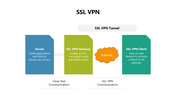
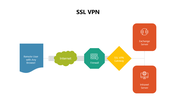
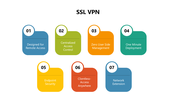
Make secure remote access easy to explain with this SSL VPN PowerPoint Template. This professionally designed slide deck shows how users connect safely to company servers through an SSL-encrypted VPN tunnel, using clear diagrams, icons, and step-by-step visuals. It turns complex networking and security concepts into simple, easy-to-understand slides.
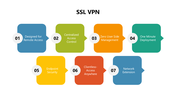
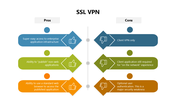
The template visually explains the roles of the SSL VPN client, gateway, internet, and server, along with how data flows securely between them. It also covers remote access, centralized control, endpoint security, clientless access, and network extension, helping your audience quickly understand how SSL VPN works in real-world business environments.
Fully editable in PowerPoint and Google Slides, this template is perfect for IT teams, cybersecurity trainers, network engineers, students, and business presentations. Whether you’re teaching VPN concepts, presenting a security solution, or training employees, this deck gives you a clear, professional, and engaging way to communicate SSL VPN technology.
Features of this template
- 100% customizable slides and easy to download.
- The slides contain 16:9 and 4:3 formats.
- Easy to change the colors quickly.
- Highly compatible with PowerPoint, Google Slides, and Canva templates.










You May Also Like These PowerPoint Templates







Showing36 of69,218 templates