Free - Operational Plan PowerPoint Template and Google Slides
Free

 Canva
Canva
Operational Plan Presentation Template
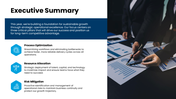
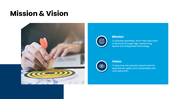
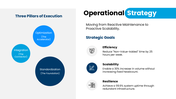
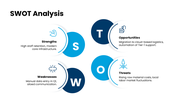
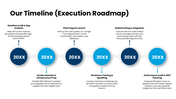
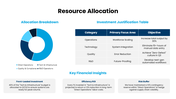
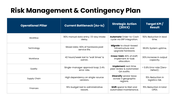
Strategy usually gets attention. Execution gets judged later. That delay is where many teams get into trouble. A plan can sound smart in the meeting, then fall apart once people start asking who owns what, which resources are needed, what the timeline looks like, where risk shows up, and how progress will be tracked. Our operational plan deck is useful because it forces those loose ends into view. This deck presents 18 slides with coverage around process analysis, execution strategy, timelines, resource allocation, risk management, and performance tracking.
What this deck actually helps clarify
The value is not in saying "we have a plan", but is in showing how the plan moves. This slide set is better suited to teams that need to explain workflow, ownership, timing, dependencies, and performance in a way others can review without guessing. That makes it useful for internal roadmaps, operational strategy reviews, cross-functional planning sessions, and execution-focused business discussions where high-level goals are no longer enough.
Why the visual style matters here
The white and blue theme suits an operational plan presentation because it keeps the slides looking clear, formal, and easy to review. Operational content often includes timelines, workflows, resource details, and performance updates, so the design needs to support readability rather than distraction. A layout like this helps separate planning sections more neatly and makes the deck feel structured when multiple operational points are discussed in one presentation.
Where it fits best
This is more useful for leaders, operations managers, consultants, startups, and business teams who need to make execution look visible, structured, and reviewable. It is useful for review meetings, strategy discussions, and execution planning where clarity matters more than decoration. It works less like a vision deck and more like a working plan that can be discussed, challenged, and updated. Use it when the audience needs to see how work gets done, not just where the business says it wants to go.
Features of this template:
- 100% customizable slides for quick editing.
- Available in 16:9 and 4:3 formats.
- Instant download for quick access.
- Compatible with PowerPoint, Google Slides, and Canva.
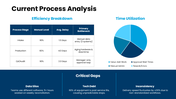
- Covers process analysis, execution strategy, timelines, resource allocation, and risk management in one deck.
- Includes charts and tables to support performance tracking and operational review.
- Uses a modern multi-color theme to separate planning sections more clearly.
- Useful for internal execution roadmaps, strategy reviews, and cross-functional planning discussions.



You May Also Like These PowerPoint Templates
Showing36 of69,218 templates