Netflix PowerPoint Template and Google Slides UI Design










Netflix PowerPoint Template and Google Slides UI Design
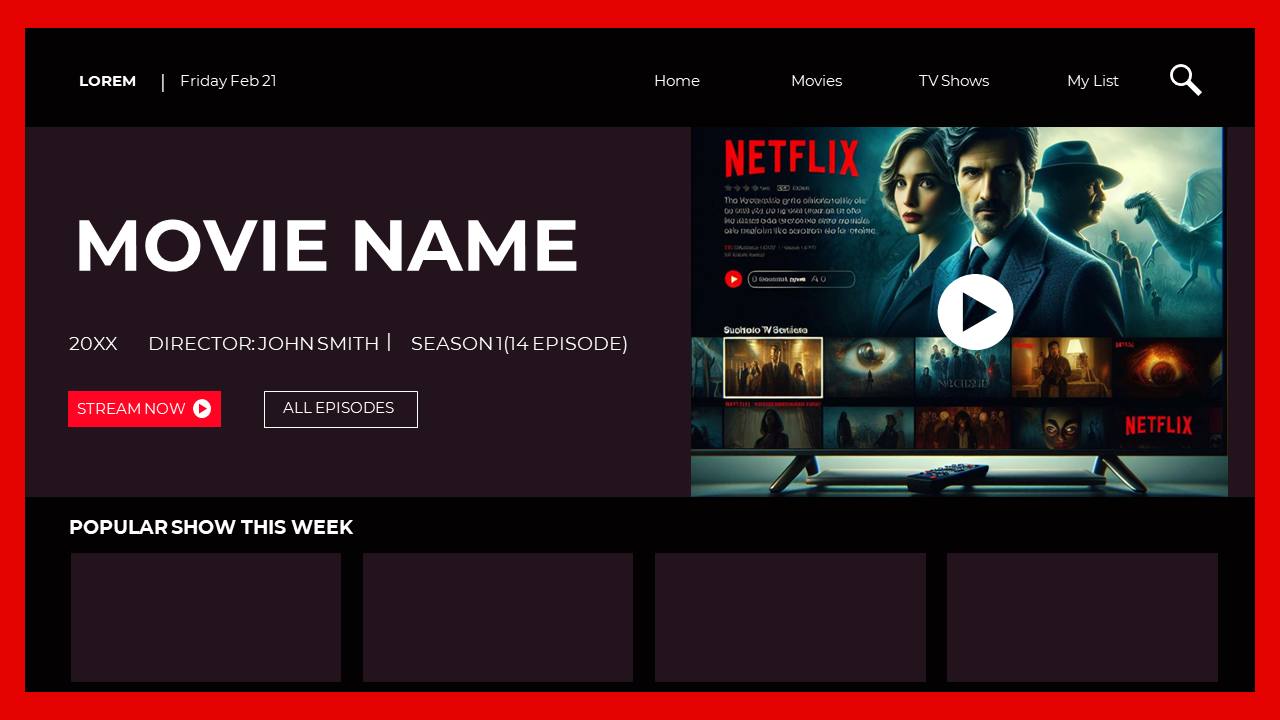
Deliver a "box-office" presentation with this premium Netflix PowerPoint Template. Designed to mirror the world’s most recognizable streaming interface, this slide features a sophisticated dark-mode layout with high-contrast typography. Whether you are pitching a new media strategy or reviewing cinematic trends, this streaming service UI provides a professional, immersive experience that keeps your audience focused on the "Movie Name" and your key insights.
Key Features & Modern AI Workflow
The "Visual Skin" for Media Insights: Position this Netflix template as the ultimate "skin" for your ChatGPT or Gemini research. Ask your AI to "summarize the top 5 streaming trends of 2026" and paste the output directly into the "Popular Show" containers for a seamless, professional look.
- Authentic Streaming Layout: Includes dedicated sections for "Movie Name," Director, Season details, and a functional "Popular Show This Week" gallery.
- High-Impact UI Elements: Features recognizable interface components like the "Stream Now" button, episode lists, and a navigation bar with "Home," "Movies," and "My List".
Creative Use Cases
- Brand Strategy Pitches: Showcase your brand as the "Next Big Hit" using a cinematic UI framework.
- Product Launch Gallery: Use the thumbnail sections at the bottom to display various product iterations or features.
- Educational Storytelling: Teachers and students can use the "Season/Episode" layout to break down historical events or literature chapters.
Frequently Asked Questions
- Is this a real Netflix app? No, this is a PowerPoint and Google Slides template designed to visually simulate the Netflix user interface for presentation purposes.
- Can I replace the movie poster? Yes. All image placeholders are fully editable, allowing you to swap the default background and thumbnails with your own media assets.
- Is the text editable? Absolutely. Every field, from the "Movie Name" to the Director credits, is a 100% customizable text box.

You May Also Like These PowerPoint Templates



Showing20 of69,218 templates