Event Management Google Slides And Canva Templates






 Canva
Canva
Event Management PowerPoint, Google Slides, and Canva Template
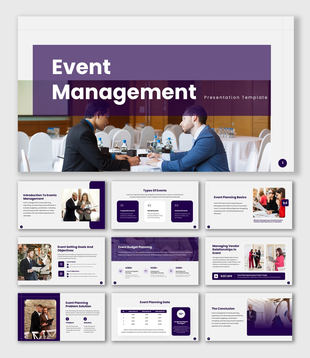
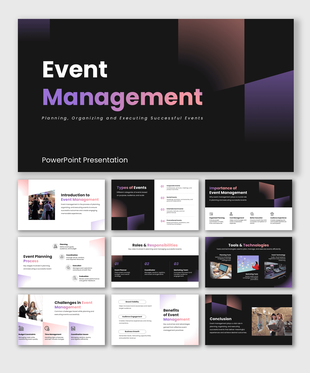
In event management, the difference between a good presentation and a great one comes down to structure — and this template gets that right from the very first slide. The Event Management Slide Template is a versatile, well-rounded presentation resource designed for event management professionals, academic educators, corporate trainers, project coordinators, and students who need a clean, comprehensive, and ready-to-use deck that covers every key aspect of managing events successfully.
What makes this template stand out is how thoroughly it has been designed to serve multiple use cases. Whether it is being used for a college lecture, a team training session, a client onboarding presentation, or a professional development workshop, every slide is built to communicate with authority and visual clarity. It opens with a grounded introduction to event management that frames the discipline in terms of planning, budgeting, logistics, coordination, and marketing — giving audiences an immediate understanding of the scope and skill involved.
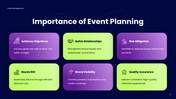
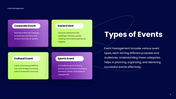
The importance of event planning slide makes a compelling six-point case for why structured event management matters — covering goal achievement, relationship building, risk mitigation, ROI maximization, brand visibility, and quality assurance — each supported by a dedicated icon for visual reinforcement. The types of events slide broadens the perspective across four key categories — corporate, social, cultural, and sports events — showing audiences the full range of contexts in which event management skills apply.
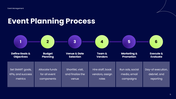
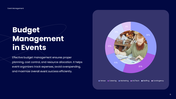
One of the most practically valuable slides in this deck is the event planning process — a six-stage visual workflow that takes audiences from defining SMART goals and KPIs through budget allocation, venue and date selection, team and vendor management, marketing and promotion, all the way to day-of execution and post-event evaluation. The budget management slide follows with a clear cost breakdown across venue, catering, marketing, AV and tech, staffing, and contingency — presented through a visual chart that makes budget proportions immediately easy to understand.
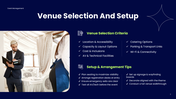
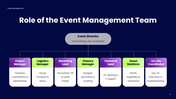
A detailed venue selection and setup slide provides both a checklist of selection criteria — covering location, capacity, AV facilities, catering, parking, and connectivity — and a practical set of setup tips that any coordinator can use on event day. The marketing and promotion strategies slide covers three high-impact channels — social media marketing, email campaigns, and influencer partnerships — giving audiences a clear framework for building event awareness and attendance. The role of the event management team slide maps the full organizational structure from the event director and project manager down to the on-site coordinator and guest relations team, making responsibilities and reporting lines crystal clear.
The challenges in event management slide rounds out the educational narrative by honestly addressing the real-world pressures professionals face — from budget overruns and vendor reliability to last-minute cancellations, large crowd management, data privacy concerns, and keeping pace with rapidly evolving technology. A confident conclusion slide ties the entire presentation together with a memorable summary of what effective event management truly delivers.
All slides, icons, charts, and layout elements are fully editable, giving you the freedom to tailor content, update figures, and align the visual style with your brand or institution — no design experience needed.
Some templates cover the basics. This one covers everything. Download the Event Management Slide Template today and deliver a presentation that gives your audience a complete and professional understanding of event management from every angle.
Features of this template
- 100% customizable slides and easy to download.
- The slides contain 16:9 and 4:3 formats.
- Easy to change the colors quickly.
- Highly compatible with PowerPoint, Google Slides, and Canva templates.
You May Also Like These PowerPoint Templates


Showing36 of69,218 templates