Domain Name System PPT Template And Google Slides
Free


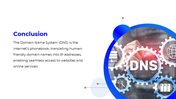

Domain Name System (DNS) Presentation Template: Simplify Complex Networking Concepts
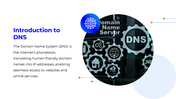
Explaining the Domain Name System (DNS) can be daunting, especially when trying to break down its complexities for a broad audience. Whether you're facing technical experts or beginners, making DNS simple and engaging is key to ensuring understanding. This Domain Name System PowerPoint Template is designed to help you do just that. It provides a clear, structured framework to explain how DNS works, its role in internet infrastructure, and its importance in modern networking.
What the Slides Cover
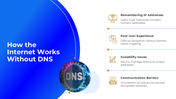
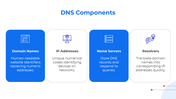
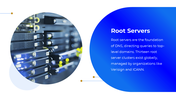
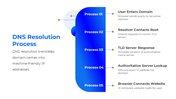
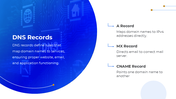
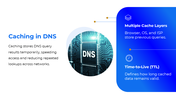
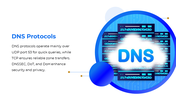
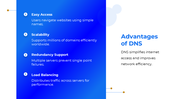
The deck begins by addressing the problems of navigating the internet without DNS, such as memorizing IP addresses and scalability issues. It then dives deeper into the technical aspects of DNS, covering components like the DNS hierarchy, root servers, and DNS records (A, MX, CNAME). With sections on caching with TTL, security threats, protocols, and advantages, each concept is clearly laid out on its own dedicated slide to ensure comprehensive understanding.
Who Will Find This Useful
This template is ideal for IT instructors, networking students, system administrators, and anyone preparing a technical explainer on internet infrastructure. Its clean, professional design is perfect for classroom projectors, online tutorials, and self-study.
Ready to simplify DNS for your audience? Download this Domain Name System Template now and deliver a professional presentation that makes complex networking concepts easy to understand.
Features of this template:
- Fully Customizable: Change any color, text, or logo to fit your presentation context.
- Cross-Platform Files: Native formats for PowerPoint, Google Slides, and Canva included.
- Screen-Ready Resolution: Optimized for both 16:9 widescreen and 4:3 standard display formats.
- Pre-Written Technical Content: Placeholders include real DNS definitions, not generic lorem ipsum.
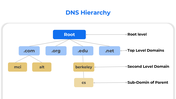
- DNS Hierarchy Tree Slide: Visual tree showing Root, TLD, Second Level, and Sub-Domain layers.
- "Internet Without DNS" Problem Slide: Four-point layout showing what breaks when DNS is absent.
- Security Issues and Solutions as Separate Slides: Threats (spoofing, hijacking, DDoS) and fixes (DNSSEC, DoH, DoT) each get their own dedicated slide.
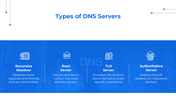
- Four-Column DNS Server Type Layout: Recursive resolver, root server, TLD server, and authoritative server compared side by side.
Explore Related Collections
Recommended based on this template.










You May Also Like These PowerPoint Templates














Showing36 of69,218 templates