Cost Comparison PowerPoint Presentation And Google Slides

 Canva
Canva
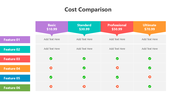
Cost Comparison PPT, Google Slides, And Canva Template
Cost comparison is the process of evaluating the total expenses associated with different options to determine the most cost-effective choice. This method is widely used in business strategy, procurement, budgeting, and financial planning to analyze costs across multiple vendors, products, or services. By comparing fixed costs, variable costs, operating expenses, and hidden fees, businesses can make informed decisions that maximize profitability and cost efficiency. Whether for project management, investment analysis, or operational planning, cost comparison plays a crucial role in budget allocation and cost-saving strategies.
Purpose Of The Slides
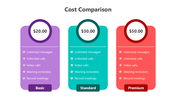
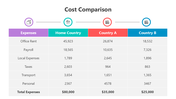
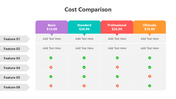
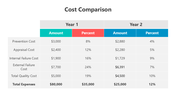
This 11-slide deck presentation is designed to provide a detailed overview of cost comparison, its benefits, and its applications in business and finance. Featuring a multicolor theme, the slides are easy to customize and are ideal for corporate finance teams, business strategists, and procurement professionals. The content includes cost analysis models, decision-making frameworks, cost-benefit analysis, and real-world examples, ensuring a structured and engaging format.
Who Can Use It?
Special Key Features
Download this Cost Comparison PowerPoint template to create professional, data-driven, and insightful presentations. Designed for finance professionals, business leaders, and analysts, this template ensures clarity, strategic insights, and effective cost evaluation for decision-making.
Features of this template
- 100% customizable slides and easy to download.
- The slides contain 16:9 and 4:3 formats.
- Easy to change the colors quickly.
- Highly compatible with PowerPoint, Google Slides, and Canva templates.










You May Also Like These PowerPoint Templates


Showing36 of69,218 templates