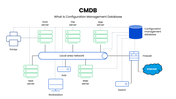
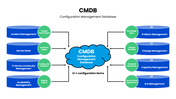
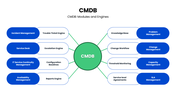

From there, a configuration items slide breaks down how the CMDB actually links to IT service management functions, connecting incident management, service desk, and availability management on one side to knowledge base, change management, and SLA management on the other, with each pairing routed through its own engine. A companion module and engine slide puts the CMDB at the literal center of the diagram, radiating out to trouble ticket engines, escalation engines, and configuration baselines.
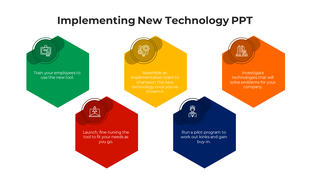
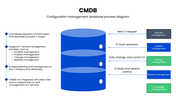
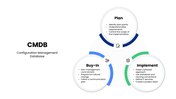
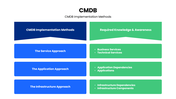
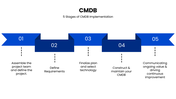
The process side gets equal attention. A CMDB process diagram shows how new CI requests, fault resolution, and version control actually flow through the database, while a three-part plan, buy-in, and implement slide covers the human side of a CMDB rollout, identifying pain points, earning management commitment, and following naming conventions. Rounding it out, an implementation methods slide compares the service, application, and infrastructure approaches, and a five-stage implementation slide walks through the full rollout, from assembling the project team to driving continuous improvement.
It's well suited for IT service management teams, ITSM consultants, systems architects, and training sessions that need to explain how a CMDB actually fits into day-to-day IT operations. Every diagram, label, and stage is easy to edit for your own environment.