United Nations PowerPoint Template for Presentations
 Canva
Canva






United Nations PowerPoint Template for Presentations
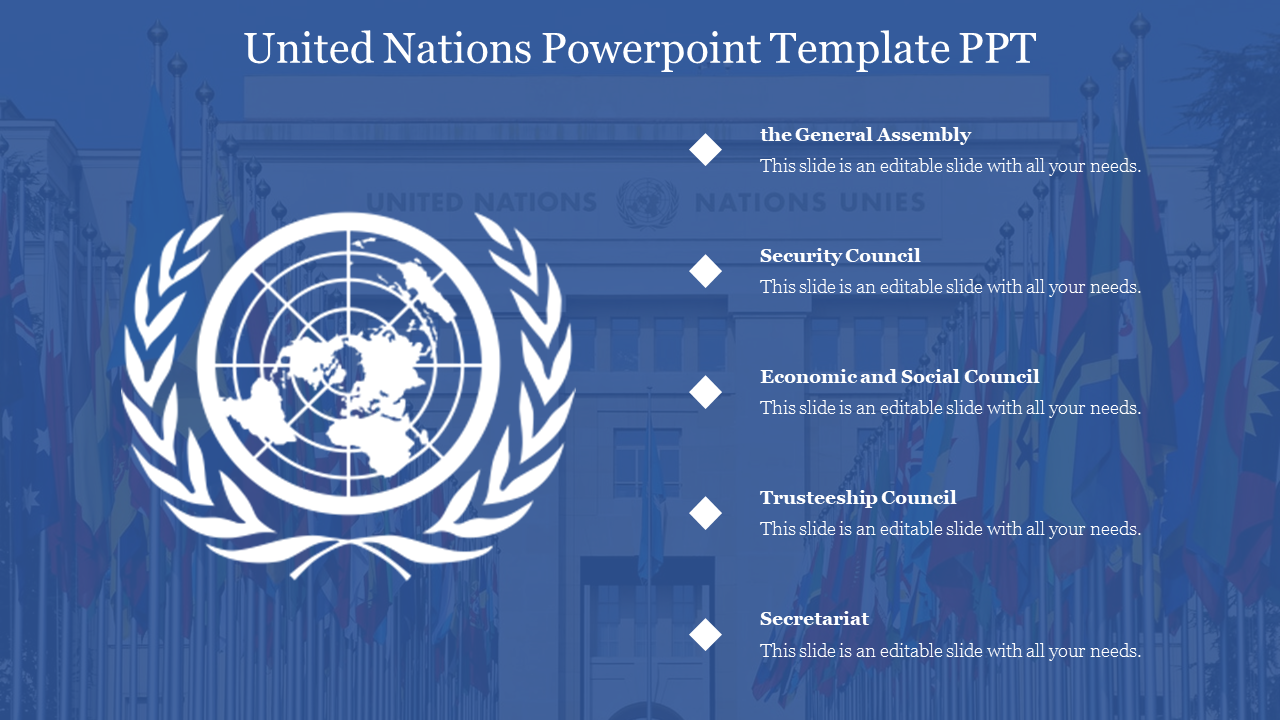
Present global issues with authority using this United Nations PowerPoint Template. Designed for formal settings, this slide features a high-quality graphic of the United Nations emblem prominently on the left, anchoring your content in the context of international diplomacy and cooperation. The layout includes five distinct text nodes on the right, providing a structured format to outline agendas, resolutions, sustainable development goals (SDGs), or committee details.
The professional blue backdrop and clean typography ensure your message remains the focal point, making it an essential tool for Model United Nations (MUN) conferences, political science lectures, and NGO impact reports.
Key Features
- 5-Node Agenda Layout: Perfectly structured for listing up to five key points, resolutions, or committee members.
- United Nations Emblem Graphic: Features a clear illustration of the UN logo, establishing immediate thematic relevance for your topic.
- Fully Editable Elements: All text boxes, colors, and shapes are 100% customizable, allowing you to adapt the slide for specific committees (e.g., WHO, UNICEF, Security Council).
- Cross-Platform Compatibility: Downloadable as a PowerPoint file and fully optimized for use in Google Slides and Canva.
Strategic Use Cases
- Model UN Conferences: Introduce your country's stance, draft resolutions, or outline opening speeches with a professional visual aid.
- International Relations Classes: Educate students on the structure of the UN, its principal organs, and its history.
- NGO & Non-Profit Reporting: Present alignment with UN Sustainable Development Goals (SDGs) to stakeholders and donors.
FAQs
- Is this a free template? No, this is a Premium template available for instant download with a subscription. It offers professional-grade design and vector graphics.
- Can I change the number of text nodes? Yes, the slide is fully editable. You can easily duplicate or remove the text boxes to fit 3, 4, or 6 points depending on your presentation needs.
- Is the blue background mandatory? No, the background color is customizable. You can change it to white or any other color to match your organization's branding while keeping the emblem graphic intact.
You May Also Like These PowerPoint Templates
Showing20 of69,218 templates