500+ Free Marketing Strategy PowerPoint Templates | Page 8
Struggling to structure your marketing strategy deck? Follow a clear slide order that links audience insight, objectives, positioning, channel mix, budget, and KPIs—so reviews stay focused and approvals move faster.

Showing384 of508


Make Your Mark with Top-Notch Marketing Strategy PowerPoint Templates and Google Slides Themes!
Marketing Strategy Templates by Framework
A good marketing strategy presentation should show how your audience, goals, positioning, channels, budget, and KPIs connect. These templates help you present campaign plans, product launches, brand growth, digital marketing plans, and market expansion ideas clearly. You can edit the text, colors, charts, icons, and layouts to match your brand and present your strategy in PowerPoint or Google Slides.
4Ps Marketing Mix Template Slides
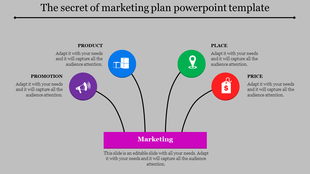
Use the 4Ps marketing mix template slides to explain product, price, place, and promotion in a clear visual format.
These slides help your audience understand what you are offering, how it is priced, where it will be sold, and how it will be promoted.
They are useful for product launches, retail marketing, SaaS strategy, campaign planning, and brand positioning presentations.
SWOT Analysis Presentation Templates
SWOT analysis presentation templates help you explain strengths, weaknesses, opportunities, and threats in a simple structure.
They make it easier to review your current market position before deciding the right marketing direction.
Use these slides to discuss business risks, competitor pressure, market gaps, internal strengths, and growth opportunities.
PESTLE Analysis Slides
PESTLE analysis slides help you explain the outside factors that may affect your marketing strategy.
You can use them to cover political, economic, social, technological, legal, and environmental changes in a clear way.
These slides are useful for market entry plans, product launches, industry research, and long-term business planning.
Go-To-Market Strategy Templates
Go-to-market strategy templates help you show how a product, service, or campaign will reach the right audience.
These slides can explain your target market, value proposition, positioning, launch timeline, sales channels, and success metrics.
They are useful for startup launches, SaaS growth plans, product marketing, agency strategy decks, and stakeholder presentations.
Marketing Funnel Presentation Slides
Marketing funnel presentation slides help you show how people move from awareness to interest, action, and conversion.
They make it easier to explain lead generation, nurturing, sales handoff, customer acquisition, and retention strategy.
Use these slides to connect your marketing activities with business results and identify where the funnel needs improvement.
Brand Strategy Presentation Templates
Brand strategy presentation templates help you explain how your brand should look, sound, and stand in the market.
These slides can cover brand purpose, audience, messaging, tone, visual identity, competitor position, and value proposition.
They are useful for brand launches, brand refresh projects, internal team alignment, and marketing communication plans.
Customer Journey Map Slides
Customer journey map slides help you show how customers interact with your brand from first awareness to long-term loyalty.
They make customer needs, pain points, emotions, decision moments, and service gaps easier to understand.
Use these slides to improve campaigns, website experience, customer support, sales communication, and retention planning.
Digital Marketing Strategy Templates
Digital marketing strategy templates help you organize SEO, social media, email, paid ads, content marketing, and analytics in one plan.
These slides make it easier to present campaign goals, audience targeting, channel strategy, budgets, timelines, and KPIs.
They are useful when you need to turn scattered online marketing ideas into a clear and measurable growth plan.
Marketing Budget Plan Templates
Marketing budget plan templates help you show how marketing funds will be used across campaigns, tools, teams, and channels.
They make budget discussions easier by showing why each expense matters and how it supports the main strategy.
Use these slides for quarterly planning, annual marketing plans, campaign proposals, ROI discussions, and executive reviews.
Content Marketing Plan Templates
Content marketing plan templates help you organize blogs, social posts, videos, emails, lead magnets, and campaign assets.
These slides make it easier to show content goals, publishing timelines, audience segments, topic clusters, and performance metrics.
Use them to build a focused content plan that supports traffic, lead generation, brand awareness, and audience engagement.
Market Expansion Strategy Slides
Market expansion strategy slides help you explain how a business will enter a new region, audience segment, or industry.
These slides can cover market opportunity, audience research, competitor analysis, positioning, pricing, channels, and launch roadmap.
Use them to show why the new market is worth entering and how your team plans to reduce risk while growing.
Campaign Strategy Presentation Templates
Campaign strategy presentation templates help you plan campaigns with clear goals, audience details, messaging, timelines, and KPIs.
They are useful for product promotions, seasonal campaigns, social media campaigns, event marketing, and lead generation plans.
Use these slides to show what needs to happen, who owns each task, and how campaign success will be measured.
Who Can Use These Marketing Strategy Presentation Templates?
Marketing managers can use these templates to present campaigns, channels, budgets, KPIs, and performance plans clearly.
Business owners can use them to explain growth plans, market opportunities, product promotions, and customer targeting.
Start-up founders can use them for go-to-market plans, investor discussions, product launches, and business expansion ideas.
Consultants and agencies can use them to prepare client strategy decks faster with clear recommendations and action plans.
Sales teams can use them to connect marketing plans with pipeline goals, lead generation, and customer conversion.
Product teams can use them to present launch plans, positioning, audience strategy, and market fit in a structured way.
Why Use SlideEgg’s Marketing Strategy Templates?
Save time by avoiding the need to build every marketing strategy slide from scratch.
Present your message, data, goals, and strategy in a clear and organized format.
Edit the text, colours, icons, charts, diagrams, and layouts to match your brand.
Use the templates in PowerPoint, Canva, and Google Slides for different presentation needs.
Create decks for business meetings, marketing reviews, campaign proposals, client presentations, and investor pitches.
Make your next step clear by showing the plan, the reason behind it, and the expected outcome.
Use ready-made layouts to present your marketing story with better structure and less design effort.
Become an expert with SlideEgg
Watch quick, practical walkthroughs and level up your presentation design skills in minutes.

Frequently Asked Questions
Why does slide order matter for marketing strategy approval?
Slide order creates logical flow. Stakeholders follow your thinking if slides flow: audience → objectives → positioning → tactics → budget → KPIs. Wrong order confuses them. Right order gets approval faster. This template enforces the right order.
What should I include in each section of the template?
Audience insight: who you're targeting and why. Objectives: what you want to achieve. Positioning: how you'll differentiate. Channel mix: which channels, why each. Budget: allocation and ROI. KPIs: how you'll measure success. The template has sections for each, showing what goes where.
How does this template help stakeholders understand my strategy?
It connects the dots. Shows HOW audience insight leads to objectives, HOW objectives drive positioning, HOW positioning determines channels, HOW budget aligns with channels, HOW KPIs measure success. Connected thinking = understanding = approval.
Can I customize the slide order for my specific strategy?
The order is proven for approval. But you can adjust emphasis. Spend more slides on your unique positioning. Spend less on standard tactics. The core order (audience → objectives → positioning → tactics → budget → KPIs) stays. That's what makes reviews focused.
How do I present complex budget and ROI data clearly?
The template has structure for budget allocation (by channel, by quarter). Show ROI projections clearly. The template guides where budget data goes and how to visualize it. Connected to objectives and KPIs, budget makes sense instead of looking like random spending.
Will stakeholders understand how channels connect to objectives?
Yes. The template flows from objectives → positioning → channel selection. Each channel slide explains WHY that channel given your positioning. Stakeholders see the logic. Logic = confidence = faster approval.
What if I need to present to different stakeholder groups?
The structure works for all groups. Executives see strategy logic (audience → objectives → positioning). Finance sees budget justified by objectives and KPIs. Sales sees positioning and messaging. Same structure, different emphasis. Focused reviews = faster approvals.
What if I need help customizing a marketing strategy presentation template?
We offer a variety of resources to help you get the most out of our templates, including tutorials, YouTube videos, and customer support.