SPOOKY SALE Grab Spooky Halloween Deals – Up to 80% OFF

Linear - Single Presentation Templates | Page 12

“I am trying to present my business in a single line straight away”—how about using our attractive Free Linear - Single Google Slides Themes and PowerPoint Templates? Of course, you won’t find perfect linear-styled templates to present the same.
Free
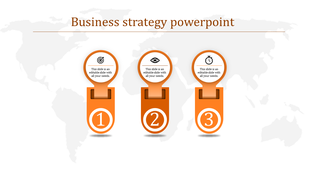
Business strategy PPT slide featuring three orange colored sections with icons for goals, analysis, and time management.
Free
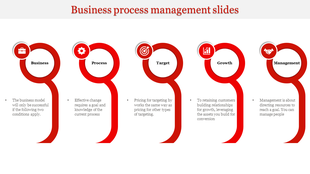
Infographic with five red circular elements linked together, featuring icons and captions for business process stages.
Free
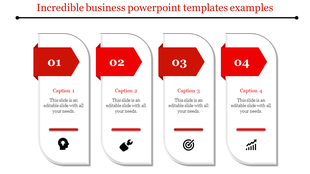
Four white rectangular shapes with red arrowheads and captions, arranged horizontally with business icons.
Free
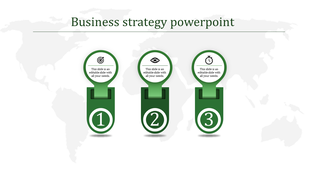
Infographic with three steps, each represented by a green section, icons, and numbers 1 to 3, over a map background.
Free
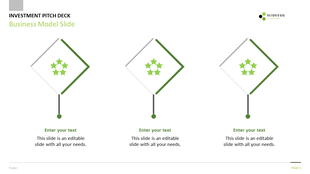
Business model slide featuring three diamond shaped icons with green highlights, and placeholder text on a white background.
Free
Five white rectangular panels with curved edges and gray arrow shaped headings, each showing icons and captions.
Free
Financial template featuring three numbered steps in red tones, using rectangular panels with rounded corners.
Free
Four vertical cards with rounded edges, featuring colorful icons in red, blue, green, and yellow, with captions below.
Free
30 60 90 sales plan with labels and black percentage boxes above captions for each phase in teal, yellow, and red blocks.
Free
Four blue blocks with icons and captions illustrating steps to improve a business plan on a light gray background.
Free
Business finance slide displaying four labeled steps in a horizontal and vertical arrangement, with green currency symbols.
Free
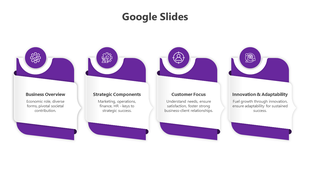
Google Slides template showing four sections with rounded purple boxes and business themed icons.
Free
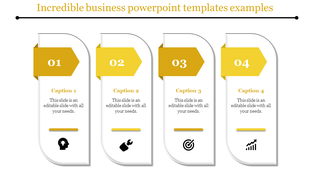
Infographic template showing four vertical panels with yellow highlights, captions, and step-specific icons.
Free
Infographic slide with four hexagonal icons representing business, goal setting, data analysis, and finances with captions.
Free
Technology slide showing three yellow pentagonal tiles with icons, numbers, and captions on a white canvas.
Free
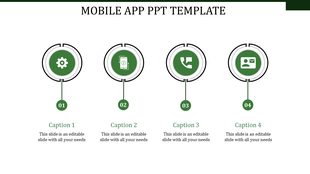
Green themed mobile app PowerPoint template with four icons representing various app features.
Free
Business slide three blue cards aligned horizontally with icons for process tools, wrench, and growth chart.
Free
Corporate slide with three gradient boxes, each containing an icon, caption, and blue step button below.
Free
Infographic PPT slide with six yellow hexagonal icons for business, gear, target, chart, money, and handshake with captions.
Free
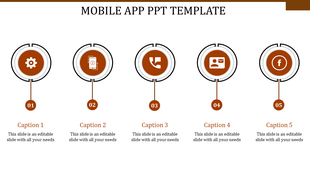
Mobile app slide with four orange circular icons, each representing a step number, connected to captions in a linear layout.
Free
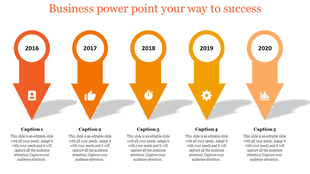
Four step infographic with yellow gradient arrows, featuring icons and circular number markers on the right.
Free
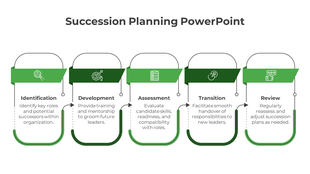
Business process management slide with five stages from business to management, in a gray circular design with icons.

Showing576 of602

Got a Unique Idea? Craft with AI
Credits left : 0

Unlocking Impact: Free Linear - Single PowerPoint Templates and Google Slides Themes


Linear-single presentations are like a well-organized bookshelf – each slide is neatly stacked, waiting to be explored. They cut through the noise, presenting information in a linear fashion. No detours, no distractions. Simply a clear path from beginning to end.

Why Choose Our Slides?

Our templates are creative and attractive. The designs are modern and professional. There are a variety of shapes and sizes used throughout the slides, which helps to keep the presentation interesting. The slides are also not cluttered with too much text or images, which makes them easy to follow.
Here are some of the specific design elements that you can see in our collection:

  • Slides in various shapes and sizes: There are rectangular slides and square slides, and some are shaped like triangles. This variety helps to break up the monotony of a traditional presentation.
  • Bold colors: The colors used in the templates are bright and eye-catching. This can help maintain your audience's engagement and attentiveness throughout your presentation.
  • Easy-to-read fonts: The fonts used in the templates are clear and easy to read. This is important because you don't want your audience to struggle to read the text on your slides.
  • Simple icons: The templates include a variety of simple icons that can be used to illustrate your points. These icons are a great way to add visual interest to your slides and to help your audience remember the information you are presenting.

Themes Inside Our Linear - Single Presentation Templates:

  • Strategic Brilliance: Perfect for presenting sales plans or pricing strategies. Our slides make complex ideas easy to grasp.
  • Digital Transformation: Our designs demystify tech terms, from APIs to feasibility studies.
  • NOISE Analysis: It’s simpler than it sounds. Our visuals make this analytical tool approachable for all.
  • Team Introductions: Say goodbye to boring lists. Our slides bring your team’s story to life with vibrant visuals.

Why Our Slides Stand Out?

  • Crafted for Clarity: Each design element is chosen for its ability to communicate clearly.
  • Royalty-Free: Choose a slide, and it’s yours to keep. No extra charges.
  • Flexible Formats: Pick from classic or widescreen ratios, portrait or landscape orientations, plus some free slides!

Who Will Benefit:

  • Business Leaders: Convey your vision with slides that match your message’s impact.
  • Educators & Trainers: Break down complex topics with ease.
  • Everyone with Something to Say: From pitches to updates, our slides help your message resonate.

Don’t let your ideas get lost in cluttered slides. Choose our linear - single templates and let your thoughts shine!

Frequently Asked Questions

What are Linear Single PowerPoint Templates?

Linear Single PowerPoint templates are the best presentation tool designed using single lines straight away. These liner-style templates are the perfect choice for representing information in straight lines with colorful visuals.

How can I make an Linear Single PowerPoint Template for a presentation?

A PowerPoint designer will find it easy to create a fresh PowerPoint template. However, if you are a beginner, you will require assistance designing and constructing a new template. So, choose ready-to-use templates to assist you in saving time and work.

Who can use Single Linear PowerPoint Templates?

All business professionals, educators, and other professionals can use these Single Linear PowerPoint Templates. They are great options for presenting the data in a visually striking way to the audiences.

Where can I find free PPT Templates?

There are numerous websites where you can obtain free PPT templates. You may require additional support with the template visuals and designs. As a result, choosing the best website, such as Slide Egg, is always preferable to acquire free templates.

Why do we need to use Single Linear slides?

These ready-to-use single linear PowerPoint templates can help you deliver data creatively. Also, these templates are well-designed to reduce your burden from designing.