Churn Rate Vs Retention Rate PowerPoint And Google Slides
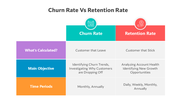
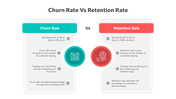
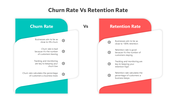
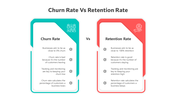

Churn Rate Vs Retention Rate PPT, Google Slides, and Canva Template
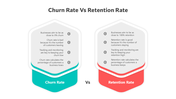
It is an important balance between churn and retention rate in this regard. While the churn rate calculates how many customers have stopped the consumption of your service in a period, the retention rate outlines the percentage of those who were able to keep up with your brand. This 11-slide presentation deck will outline the difference between these important metrics and dig deep into how each affects business growth and customer loyalty.
Purpose Of The Slides
The Churn Rate vs. Retention Rate template will help them detail these metrics within slides dedicated to calculating churn, understanding retention, and ways to improve each. Real examples and actionable tips will enable business professionals and students to better understand customer dynamics, such as high churn factors and techniques to increase retention.
Who Can Use It?
This template is ideal for marketers, customer success managers, consultants, executives, and leadership, plus business analysts looking for a more data-driven approach to improving customer loyalty. Equally, it will help illustrate to students and professionals learning about metrics related to customer management or ways to improve organizational retention.
Special Key Features
Elevate your team's understanding of customer success metrics with the Churn Rate vs. Retention Rate template. Available for PPT, Google Slides, and Canva, it’s easy to customize for any business topic. Download now to enhance customer retention strategies!
Features of this template
- 100% customizable slides and easy to download.
- The slides contain 16:9 and 4:3 formats.
- It is easy to change the colors quickly.
- Highly compatible with PowerPoint, Google Slides, and Canva templates.
Explore Related Collections
Recommended based on this template.


You May Also Like These PowerPoint Templates

Showing36 of69,218 templates