Chess Board Layout PPT Presentation And Google Slides


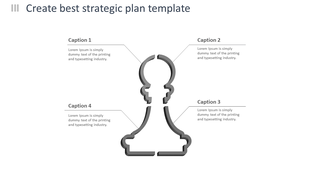
Chess Board Presentation Slides
The chess board layout is the specific arrangement of the 64 squares on the board used for playing chess. The board consists of eight rows and eight columns of alternating light and dark squares. The vertical columns are called ""files"" and the horizontal rows are called ""ranks."" Chess notation is used to identify and record each square, with each square assigned a unique coordinate based on its file and rank. The starting positions of the pieces and the rules of movement, such as castling and en passant, are dependent on the specific layout of the chess board. A template for the chess board layout is an essential tool for beginners to learn the game.
Features of the template:
- 100% customizable slides and easy to download.
- Slides are available in different nodes & colors.
- The slide contains 16:9 and 4:3 formats.
- Easy to change the colors of the slide quickly.
- Highly compatible with PowerPoint and Google Slides.
- Well-crafted template with an instant download facility.
More Collections for Chess Board Layout PPT Presentation
Recommended based on this template.


Similar Templates to Chess Board Layout PPT Presentation





Showing36 of69,218 templates