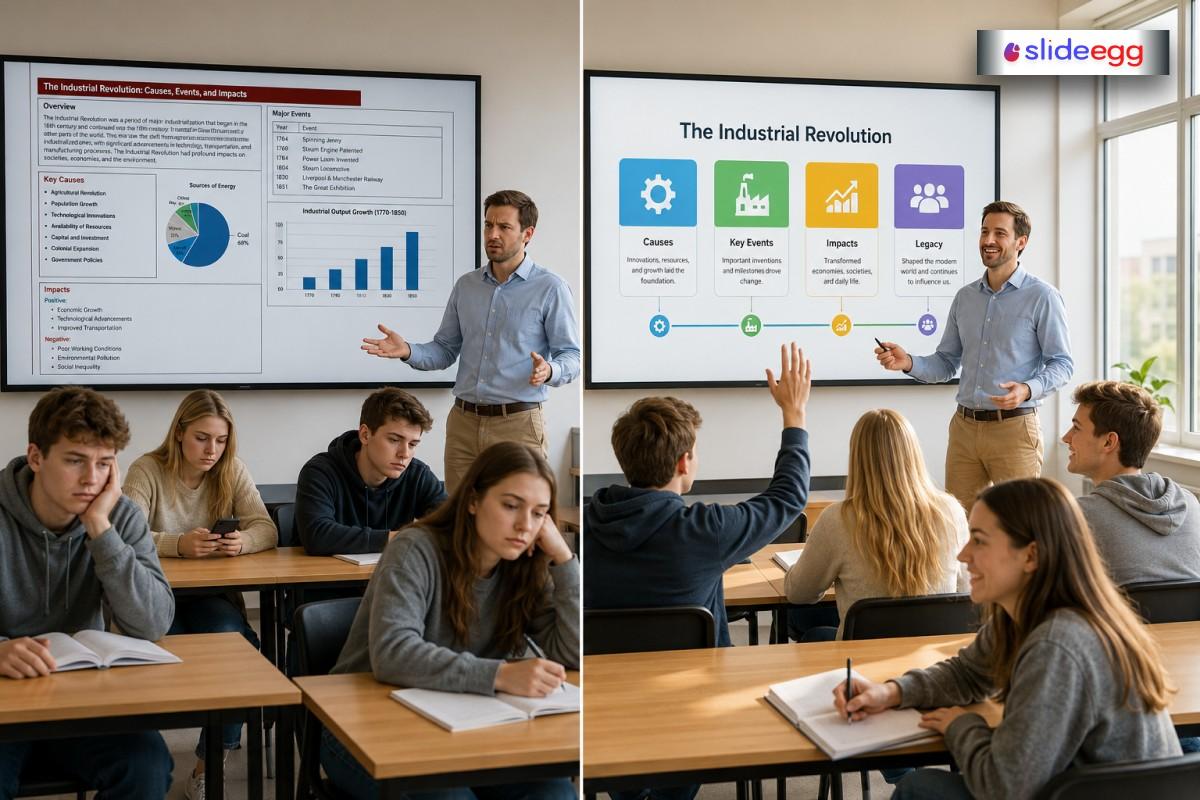
In 2026, education presentations are everywhere—classrooms, seminars, workshops, online sessions, and training programs. But despite all the tools available today, many presentations still fail to make an impact.
Not because the topic is weak, and not because the speaker is unprepared—but because the way information is presented doesn’t connect with the audience.
Whether you are a teacher, student, lecturer, trainer, or academic professional, you may have seen this happen: people are present, but not really learning.
Let’s break down why this happens and how to fix it in simple, practical ways.
1. Too Much Information, Not Enough Clarity
One of the biggest reasons presentations fail is overload. Many presenters try to include everything they know in their slides.
But the human brain doesn’t work like a storage box—it works like a filter. When too much information comes in, most of it gets ignored.
For example, a biology teacher explaining “cell structure” may add paragraphs of text on slides. Students stop listening and start reading—or stop doing both.
Simple Fix:
Think of your slide like a window, not a book.
- One idea per slide
- Short phrases, not paragraphs
- Speak in detail instead of writing everything
Clarity is not about saying less—it’s about making understanding easier.
2. Weak Visual Design That Confuses Instead of Helps
In 2026, visuals are not optional—they are part of learning. But many presentations still use:
- Small fonts
- Crowded layouts
- Low-contrast colors
- Random images
This makes slides harder to follow.
Imagine trying to read a signboard in fog. That is how students feel when slides are poorly designed.
Simple Fix:
- Use large, readable text
- Keep the background simple
- Highlight only key points
- Use visuals that explain, not decorate
For example, instead of writing a long explanation of water pollution, a simple image of a polluted river with three labeled causes can explain it faster.
3. No Clear Flow in the Presentation
Another common issue is jumping from one point to another without a connection. When there is no flow, the audience gets lost quickly.
Think of a presentation like a story. If scenes are random, the story makes no sense.
For example, a lecture on the solar system should move step by step—from the sun outward—not jump between planets randomly.
Simple Fix:
Follow a basic structure:
- Start: Introduce topic clearly
- Middle: Explain main points one by one
- End: Summarize key learning
Use simple transition phrases like:
- “Let’s move to the next idea…”
- “Now we understand this, let’s see why it matters…”
Flow is what turns information into understanding.
4. Lack of Audience Connection
Many presentations feel like a lecture, not a conversation. The speaker talks, and the audience just listens silently.
But learning happens better when people feel involved.
For example, in a classroom, if students are only listening without interaction, attention slowly fades—even if the content is good.
Simple Fix:
- Ask short questions during the session
- Use real-life examples
- Pause and let the audience think
- Encourage small responses
Even a simple question like
“Have you seen this happen in real life?”
can wake up attention instantly.
Engagement is like turning on a light in a dark room—it brings focus back. To learn more interactive techniques, read our post on the top 10 ideas to make your presentation interactive.
5. Overdependence on Slides Instead of Teaching
Some presenters rely too much on slides. They read from them or follow them line by line.
But slides are support tools—not the main teaching method.
When the presenter depends fully on slides, the human connection disappears.
Simple Fix:
- Use slides as prompts, not scripts
- Maintain eye contact
- Explain in your own words
- Use slides only to support key ideas
Think of slides like road signs—you don’t read every sign; you use them to guide your direction.
6. Ignoring the Audience’s Learning Speed
Not everyone learns at the same speed. Some students understand quickly, while others need more time.
Many presentations move too fast, leaving part of the audience behind.
For example, in technical subjects like math or coding, skipping explanations can confuse beginners completely.
Simple Fix:
- Pause after key points
- Repeat important ideas in simple words
- Use examples to slow down complex topics
- Check understanding regularly
Teaching is not a race—it is a shared journey.
7. No Practice Before Delivery
A surprising number of presentation failures come from a lack of practice. Even strong content can fail if delivery is unorganized.
When speakers don’t practice:
- They lose timing
- They forget key points
- Their confidence drops
Simple Fix:
- Practice aloud, not just silently
- Time your presentation
- Rehearse difficult sections
- Try explaining it to a friend
Practice turns confusion into confidence.
Final Thoughts
Most education presentations fail not because of poor content, but because of how that content is delivered.
When you remove overload, improve structure, simplify visuals, and connect with your audience, everything changes.
A good presentation is like a good teacher—it doesn’t try to impress, it tries to make things clear.
If you focus on clarity, flow, and connection, your presentation will naturally become more effective, even without fancy tools or complex design.
FAQs
1. Why do good presenters still fail sometimes?
Because knowledge alone is not enough. If ideas are not organized or explained clearly, even strong content can lose its impact.
2. Is design more important than content in education presentations?
No. Content comes first, but design helps people understand that content faster and more easily.
3. What is the fastest way to improve a weak presentation?
Start by simplifying slides—remove extra text and focus only on key points.
4. How do I know if my presentation is confusing?
If your audience asks repeated basic questions or looks disengaged, it usually means the flow or clarity needs improvement.
5. Can small changes really improve a presentation?
Yes. Even simple changes like better structure, fewer words, and clearer visuals can dramatically improve understanding.



